
WordPress Support Ticket Plugin Free: Build a Professional Help Desk Without the High Cost
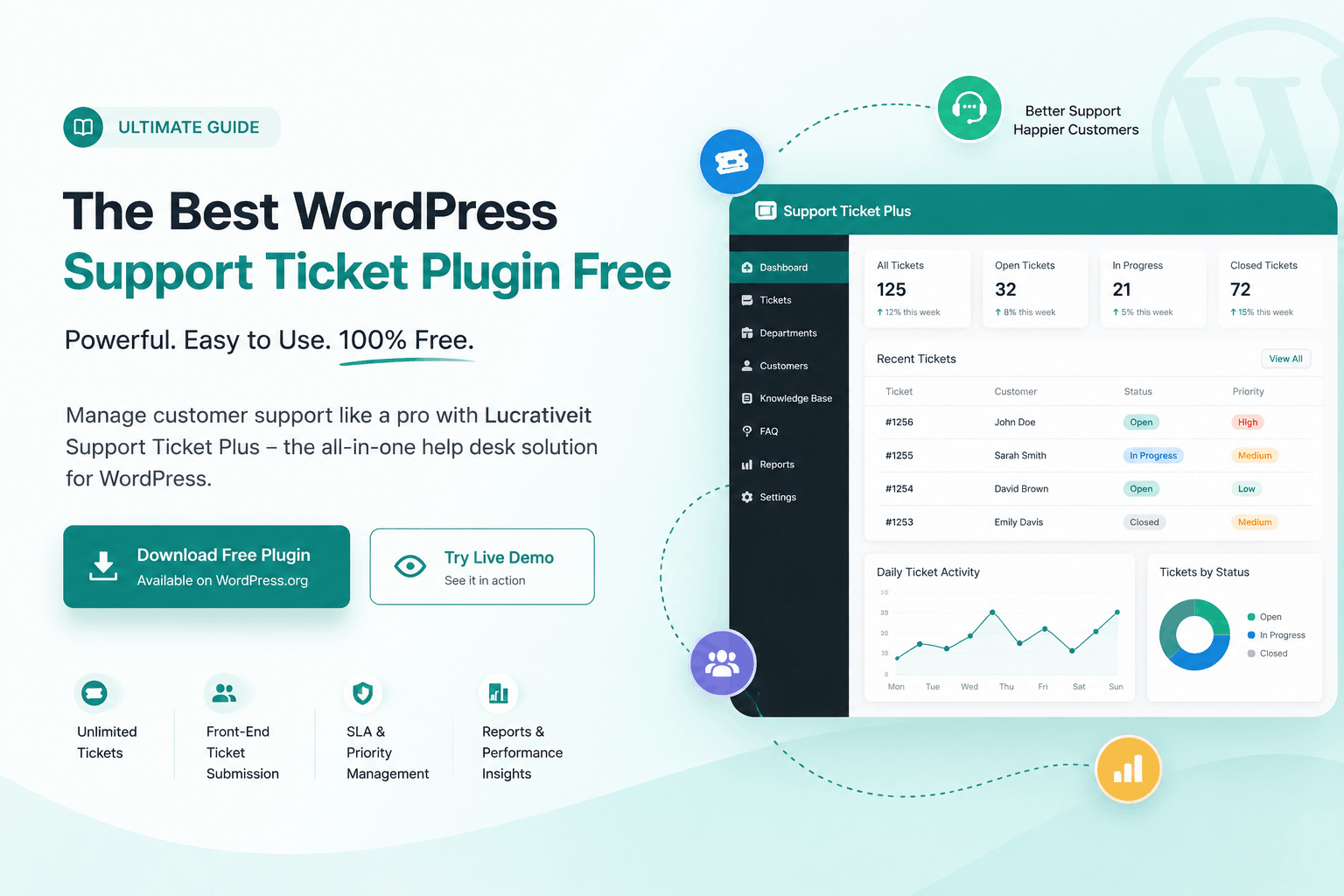
Looking for a WordPress support ticket plugin free that can help you manage customer questions, technical issues, and support requests without moving everything to another platform? Lucrativeit Support Ticket Plus gives you a practical way to turn your WordPress website into a complete customer support and help desk system.
You can download the free WordPress support ticket plugin from WordPress.org and start managing support tickets directly from your WordPress dashboard.
Why Do You Need a Support Ticket System in WordPress?
If you run a business website, SaaS product, online store, or agency, customer support can become difficult surprisingly quickly.
At first, replying to customers through email may seem perfectly fine. But once you start receiving dozens of questions every day, things become harder to manage. Some messages get buried in the inbox, some customers send multiple follow-ups, and your support team may not know who is handling which request.
This is where a WordPress support ticket plugin can make a big difference. Instead of treating every support request as just another email, you can turn each request into a ticket with a status, priority, department, assigned agent, conversation history, and attachments.
Meet Lucrativeit Support Ticket Plus
Lucrativeit Support Ticket Plus is designed for businesses that want a proper help desk experience without having to leave WordPress.
The idea is simple: your website is already running on WordPress, so why send customers somewhere else just to ask for help?
With the plugin, you can create a customer-facing support portal where users can submit tickets, reply to conversations, upload files, check ticket status, and communicate with your support team.
You can also try the Support Ticket Plus live demo before installing it on your own website.
What Makes This a Good Free WordPress Support Ticket Plugin?
One of the biggest problems with many free WordPress plugins is that the free version feels more like a trial than a usable product.
Support Ticket Plus takes a different approach. The free version includes a substantial set of features that you can actually use to build a working customer support system.
That includes unlimited support tickets, unlimited support agents, guest ticket submission, departments, priorities, SLA tracking, file attachments, notifications, a knowledge base, reports, SMTP configuration, and live chat.
Features You Get in the Free Version
Unlimited Support Tickets
You shouldn't have to worry about reaching an artificial ticket limit as your customer base grows. Support Ticket Plus allows you to create and manage unlimited support tickets.
Unlimited Support Agents
If you have more than one person handling customer support, you can build a team instead of relying on a single administrator. Support permissions work with existing WordPress roles.
Guest Ticket Submission
Not every customer wants to create an account just to ask a question. Guest users can submit support tickets and securely access their tickets through signed magic links.
SLA Tracking
Support teams need to know which tickets require attention. SLA tracking helps you keep an eye on response deadlines and support performance.
Departments and Auto Assignment
You can create departments and route tickets to the appropriate team. Round-robin assignment can also help distribute tickets between agents.
File Attachments
Customers can attach screenshots, documents, and other files when creating tickets or replying to an existing conversation.
Knowledge Base
Publish helpful articles so customers can find answers to common questions before opening a ticket.
Reports and Analytics
A support system becomes much more useful when you can see ticket volume, SLA performance, and agent activity from a central dashboard.
These features are part of the plugin's current feature set listed on WordPress.org.
Let Customers Submit Tickets Without Creating an Account
This is one of the features that can make a real difference to the customer experience.
Imagine a customer has a problem with your product. They don't want to register for another account, verify their email, remember another password, and then finally submit a ticket.
With guest ticketing enabled, they can submit a ticket using their name and email address. The customer can then use a secure magic link from the email to access and reply to the ticket without logging in.
A Simple Customer Experience
Customer opens your support portal.
Customer submits a support request.
A ticket number is generated automatically.
The customer receives a secure access link.
Customer and agent continue the conversation.
Keep Your Support Team Organized
A ticket system isn't just about collecting customer questions. The real benefit is having a clear workflow for handling those questions.
Support Ticket Plus gives your team tools to organize tickets by department, priority, status, project, and assigned agent. You can also use internal notes so agents can communicate without exposing internal discussions to customers.
Ticket Status
Keep track of open, pending, and resolved requests.
Priorities
Identify urgent customer issues quickly.
Departments
Send requests to the right support team.
Reports
Understand your support workload and performance.
Need More Than Tickets? Add Live Chat
Some customers don't want to submit a ticket when they have a quick question. Sometimes they just want to talk to someone immediately.
Support Ticket Plus includes a live chat feature that you can enable on your WordPress website. You can route chats to departments and use round-robin assignment for your support team.
You can learn more about the available features and configuration options in the official Support Ticket Plus documentation and plugin listing .
A Knowledge Base Can Reduce Repetitive Support Requests
Here's something every support team eventually discovers: many customer questions are the same questions you've already answered dozens of times.
Instead of asking your agents to repeat the same answer every day, you can create a public knowledge base with useful articles and guides.
Customers can look for an answer themselves, while your support agents can focus on issues that actually require personal assistance.
Don't Forget About Support Email Delivery
A ticket system is only useful if customers actually receive their notifications. That's why email delivery is an important part of any support setup.
Support Ticket Plus includes SMTP settings that allow you to connect your WordPress website to an authenticated email provider. This can be useful for registration emails, new ticket notifications, replies, and other support-related messages.
The plugin's documentation includes configuration guidance for SMTP providers such as Gmail, Microsoft 365, cPanel mail, and SendGrid.
Who Should Use a Free WordPress Support Ticket Plugin?
Small Businesses
If you have a small support team and don't want to pay for a separate help desk platform, a WordPress-based ticket system can be a practical option.
SaaS Companies
SaaS businesses often need a central place for customers to report bugs, ask questions, and request technical assistance.
WooCommerce Stores
Online stores can use a support portal to handle product questions, order-related issues, returns, and general customer service requests.
WordPress Agencies
Agencies can provide clients with a dedicated support portal instead of managing every request through personal email accounts.
How to Install the WordPress Support Ticket Plugin
Getting started doesn't require a complicated setup. If you're already familiar with WordPress plugins, the installation process should feel very familiar.
Activate the Plugin
After installation, activate Lucrativeit Support Ticket Plus from your WordPress Plugins screen.
Configure Your Support Portal
The plugin creates a Support Portal page after activation. You can add the page to your website navigation so customers can easily find it.
Create Departments and Assign Agents
Create departments for different types of support and give appropriate WordPress users permission to work as support agents.
Start Accepting Support Requests
Once everything is configured, customers can start creating tickets and communicating with your support team.
For the complete installation and configuration instructions, visit the official Support Ticket Plus installation guide .
Free vs Pro: Start Free and Upgrade When You Need More
For many small businesses, the free version may be enough to get a professional support system running.
But as your support operation grows, you may want to automate more of the workflow. That's where Support Ticket Plus Pro comes in.
Free
A strong foundation for WordPress customer support.
Pro
More automation and advanced integrations.
You can explore Support Ticket Plus Pro when your business needs additional automation and integrations. The current WordPress.org listing identifies email-to-ticket, Gmail inbound polling, AI reply suggestions, Google Login, email branding, and external live chat as Pro features.
Why Choose a WordPress-Based Help Desk?
There are plenty of standalone help desk services available. They can be useful, but they also mean adding another platform, another login, another subscription, and another system for your team to maintain.
If your website already runs on WordPress, keeping customer support inside WordPress can make your workflow much simpler.
Your website, customer portal, support tickets, knowledge base, and support team can all work from the same WordPress installation.
Is Lucrativeit Support Ticket Plus Worth Trying?
If you're searching for a WordPress support ticket plugin free of complicated setup and unnecessary limitations, Support Ticket Plus is worth putting on your shortlist.
It gives you the core tools needed to run a real support operation: tickets, agents, departments, priorities, SLA tracking, guest support, file uploads, notifications, knowledge base, reports, SMTP, and live chat.
And if your business grows and you need more automation, you don't have to replace the system. You can move to the Pro version and add advanced features as your support requirements increase.
Ready to Try a Free WordPress Support Ticket Plugin?
Start building a better customer support experience directly inside your WordPress website with Lucrativeit Support Ticket Plus.
Frequently Asked Questions
What is a WordPress support ticket plugin?
A WordPress support ticket plugin adds a help desk system to your website. Customers can submit support requests as tickets, while your team can organize, assign, respond to, and resolve those requests from WordPress.
Is Lucrativeit Support Ticket Plus free?
Yes. Lucrativeit Support Ticket Plus is available as a free WordPress plugin. The free version includes core features such as unlimited tickets and agents, guest tickets, SLA tracking, departments, knowledge base, reports, file uploads, SMTP, and live chat.
Can customers create tickets without logging in?
Yes. Guest ticket submission can be enabled. Customers can submit their name and email and then use a signed magic link to access their ticket without logging in.
Can I use the plugin for a small business?
Yes. The plugin is suitable for small businesses, agencies, SaaS websites, online stores, and other WordPress websites that need a centralized way to manage customer support.
Does the plugin have a live chat feature?
Yes. Live chat is included in the current plugin feature set and can be enabled from the plugin settings. The Pro version additionally provides an external website widget.
Is there a Pro version?
Yes. Support Ticket Plus Pro adds features including email-to-ticket, Gmail inbound polling, AI reply suggestions, Google Login, email branding, and an external live chat widget.
Where can I learn how to configure the plugin?
You can start with the official plugin page and its installation instructions. You can also test the system using the live demo .
More articles
Continue reading

WordPress support ticket
How to Activate Live Chat in WordPress
Turn on live chat in WordPress with Lucrativeit Support Ticket Plus: enable the chat and sound alerts, set round-robin for your department, then paste the shortcode on a page so visitors can message you and agents can reply from the dashboard.

Wordpress Support Ticket
Best WordPress Support Ticket Plugins in 2026: 4 Options Compared
Zendesk, Fluent Support, Awesome Support, or a self-hosted plugin? We compare pricing, SLA tools, and setup for the top WordPress support ticket options in 2026 — and which one actually saves you money as you scale.
Wordpress Support Ticket
How AI Is Revolutionizing Customer Support with Support Ticket
Discover how AI is transforming customer support with LucrativeIt Support Ticket Plus Pro. Learn how AI-powered assistance, smarter ticket management, and automated workflows help businesses deliver faster responses, improve team productivity, and create better customer experiences directly inside WordPress.