Home / Laravel Scripts / Newsletter Plus

Laravel Newsletter

Ecommerce Email Flow Bundle

Laravel Newsletter Management System

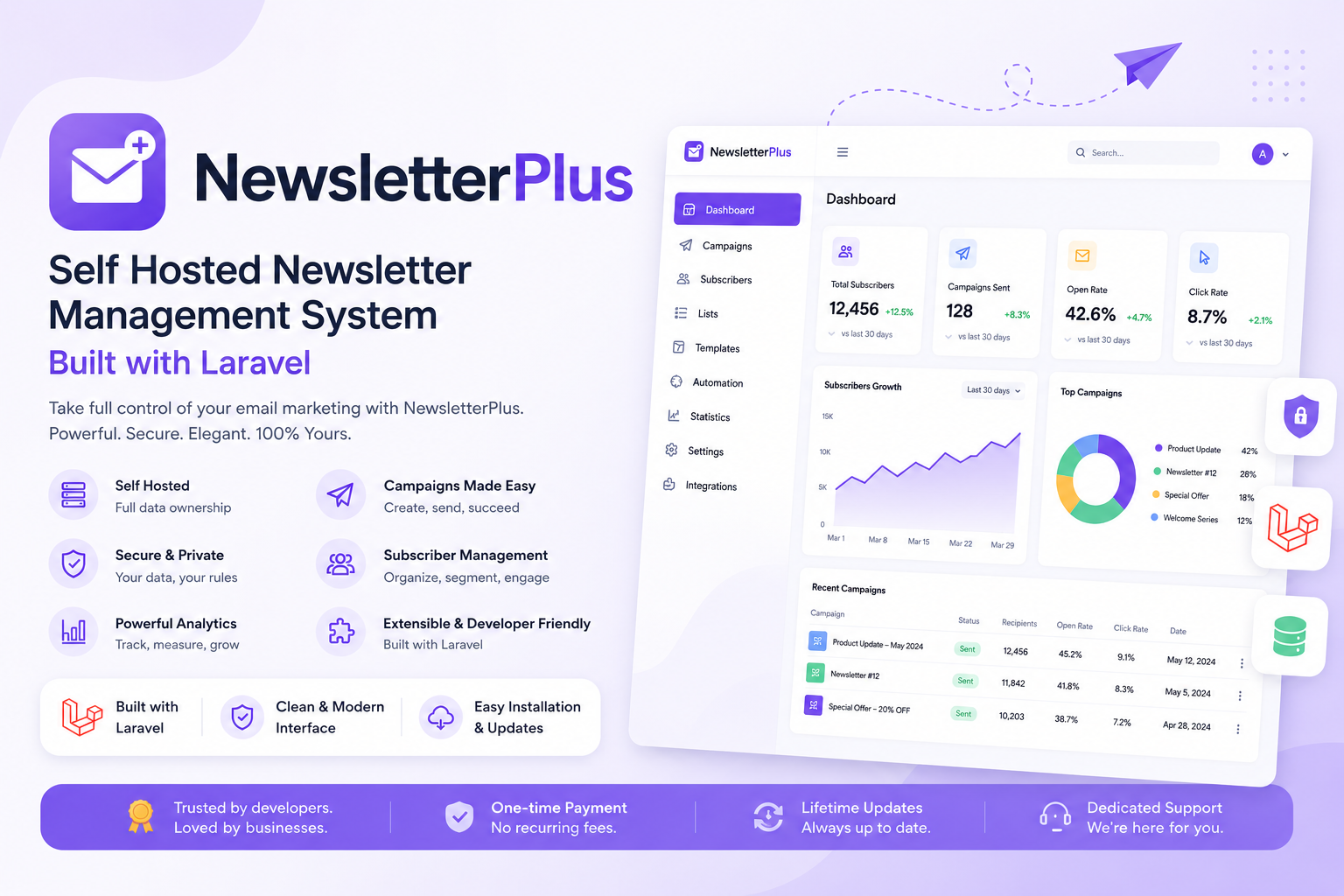
A complete self-hosted email marketing & newsletter platform — campaigns, visual email builder, subscriber management, automation workflows, and signup forms, all running on your own server with no recurring SaaS fees.

Starting at

$59.00 /year

or $149.00 lifetime

Secure
Checkout

Instant
Delivery

Digital
Download

14 Days
Money Back

Free Install
On Request

Powerful Laravel Newsletter Software for Email Marketing

Laravel Newsletter is a complete self-hosted email marketing solution designed for businesses, agencies, developers, and online stores that need more control over their email campaigns. Newsletter Plus allows you to manage subscribers, create professional email campaigns, design responsive newsletters, schedule messages, track opens and clicks, and build automated email workflows from one modern Laravel-based platform.

Unlike traditional SaaS email marketing services, this Laravel newsletter system runs on your own hosting environment, giving you greater control over subscriber data, email content, SMTP configuration, and application customization. You can connect SMTP services such as Amazon SES, Mailgun, SendGrid, Gmail, Brevo, or another SMTP-compatible provider and send campaigns using your preferred email infrastructure.

Build, Manage, and Automate Laravel Email Campaigns

Newsletter Plus makes it easy to create targeted Laravel email campaigns without building an email marketing system from scratch. Import subscribers using CSV files, organize contacts into groups, create signup forms, design newsletters with the visual email builder, and schedule campaigns for future delivery. Open and click tracking helps you understand campaign performance, while automation workflows can trigger emails based on subscriber activity, tags, dates, signups, opens, and link clicks.

Because the application is built with Laravel 12 and PHP 8.2+, developers can customize the source code, extend existing functionality, integrate the system with other applications, and create tailored email marketing solutions for clients. The complete Laravel source code is included, making Newsletter Plus suitable for freelancers, agencies, and developers looking for a customizable Laravel newsletter management system.

Pricing

Choose your license

Transparent pricing. Instant delivery after purchase.

Per Year

Renews annually

Flexible
$59.00 /year

Instant digital download

  • 12 months of updates & support
  • Free installation on request
  • 7-day return policy
  • Instant digital download

Lifetime

Pay once, own forever

Best value
$149.00 one-time

Instant digital download

  • Lifetime updates & support
  • Free installation on request
  • 14 days money back guarantee
  • Instant digital download
Laravel Script

NewsLetterPlus — Product Specification

A self-hosted email marketing platform. Manage subscribers, design templates, send campaigns, embed signup forms, and run automations from your own server — with a WordPress-style web installer, staff roles, SMTP delivery, and open/click tracking.

Laravel 12 PHP 8.2+ Database MySQL / MariaDB Installer /install Queue php artisan queue:work

Web installer

Requirements → database → admin

Campaigns

Draft, send now, or schedule

Template builder

Drag-and-drop blocks + AI

Subscribers

Groups, CSV import & export

Signup forms

Popup, inline, slide-in, bar

Automations

Welcome sequences & triggers

Open & click tracking

Pixel + rewritten links

Staff RBAC

Module-level roles

SMTP

Mailgun, SES, Gmail, and more

Queue sending

Reliable campaign delivery

Merge tags

Personalize every email

AI assistant

Optional OpenAI / OpenRouter

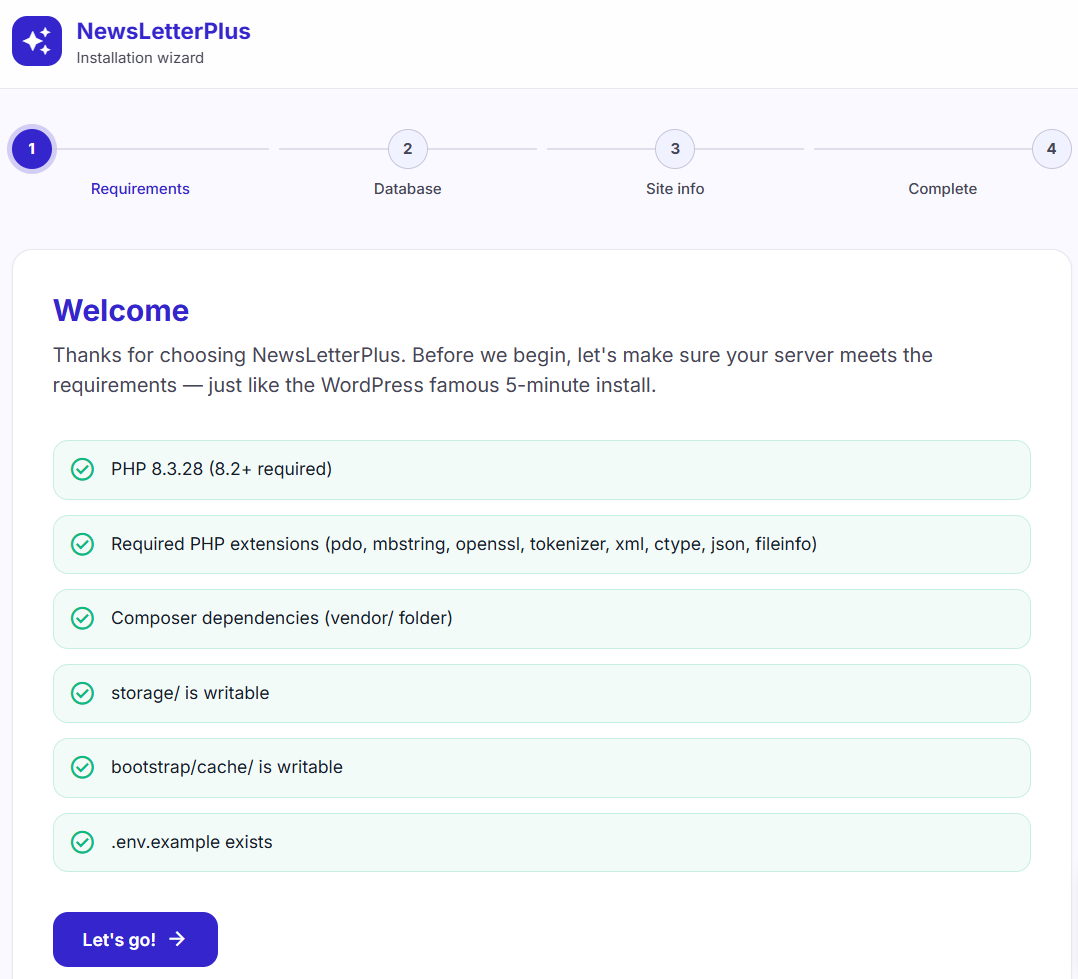
NewsLetterPlus installation wizard requirements check
Installation

Web installer — requirements

Open /install after uploading the project. The wizard checks your server before writing any files — similar to the WordPress 5-minute install.

  1. Upload the ZIP, unzip, and point the vhost document root to public/.
  2. Run composer install --no-dev if vendor/ is not bundled.
  3. Visit https://your-domain.com/install.
  4. Confirm PHP 8.2+, required extensions, writable storage/ and bootstrap/cache/, and .env.example.

Next, enter MySQL (or SQLite) credentials and click Test connection before continuing.

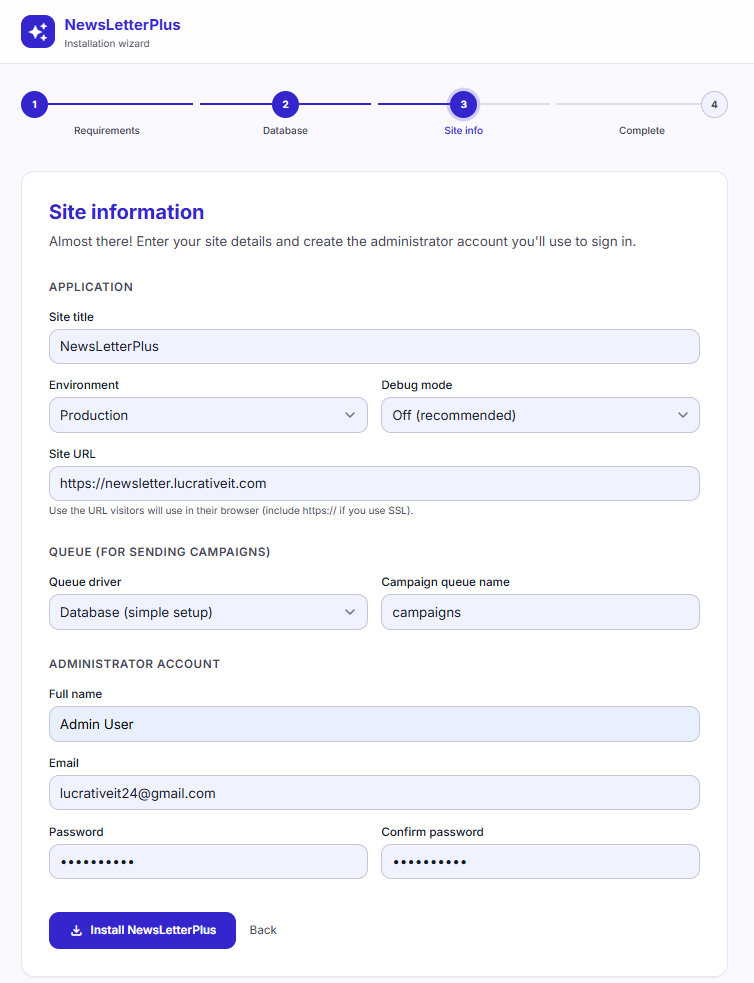
Site information and administrator account during installation
Installation

Site info & administrator

Name the application, set the public URL, choose the queue driver, and create the first admin. Submitting this step writes .env, runs migrations, and creates your account.

  • Application: site title, environment (Production), debug mode, and site URL.
  • Queue: Database driver by default, campaign queue name campaigns.
  • Administrator: full name, email, and password used to sign in after install.
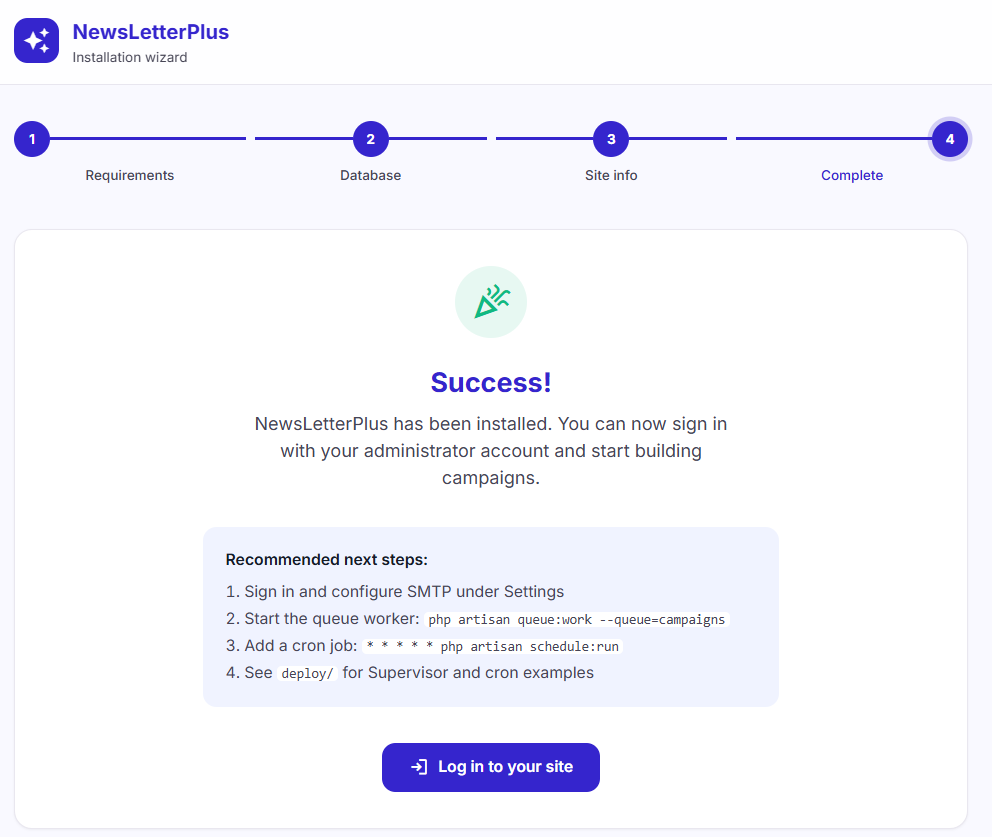
Installation complete with recommended next steps
Installation

Installation complete

When the wizard finishes, sign in and complete the production checklist so campaigns can send.

  • Configure SMTP under Settings.
  • Start the queue worker: php artisan queue:work --queue=campaigns.
  • Add a cron job: * * * * * php artisan schedule:run.
  • See deploy/ for Supervisor and cron examples.

The installer writes storage/app/installed.json. Keep that file on production so the wizard stays locked.

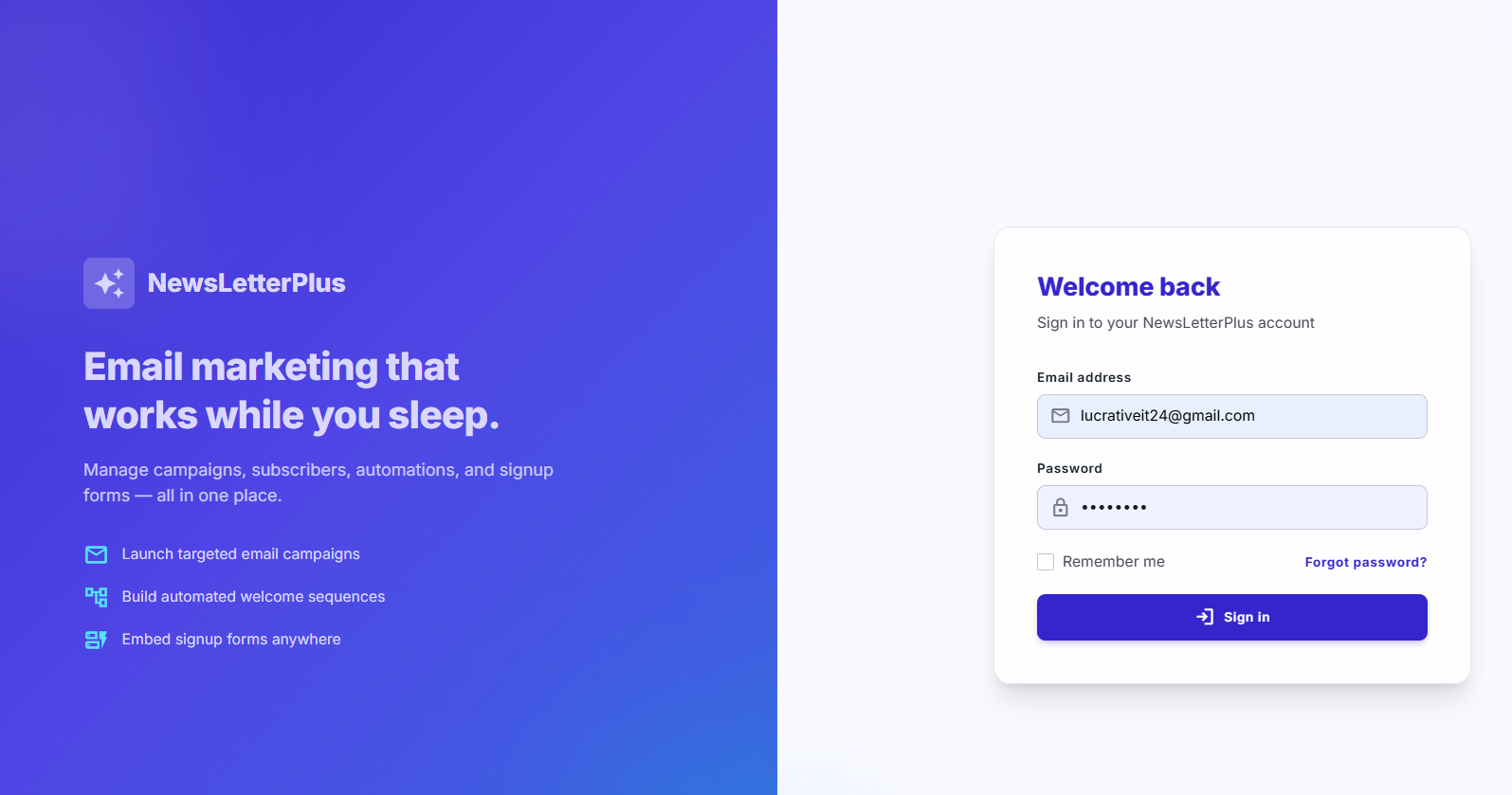
NewsLetterPlus sign-in screen
Authentication

Sign in to your workspace

Staff and administrators sign in at the site root with the email and password created during install (or invited later under Staff).

  • Remember me and forgot-password recovery.
  • Role-based access — each user only sees modules granted to their role.
  • The branded left panel summarizes campaigns, automations, and signup forms.
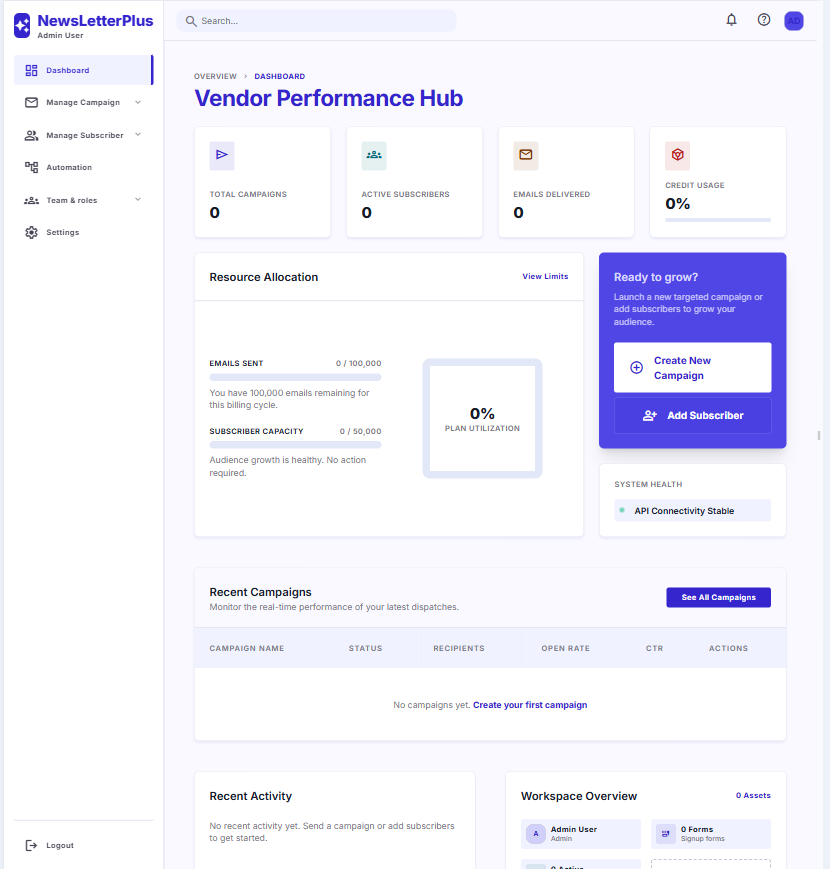
Dashboard monitoring campaign performance, subscribers, and email volume
Management

Monitor performance at a glance

The dashboard summarizes campaign volume, active subscribers, emails delivered, and recent activity so you know what to send next.

  • KPI cards: total campaigns, active subscribers, emails delivered.
  • Quick actions: create a campaign or add a subscriber without leaving the overview.
  • Recent campaigns: status, recipients, open rate, and click-through rate.
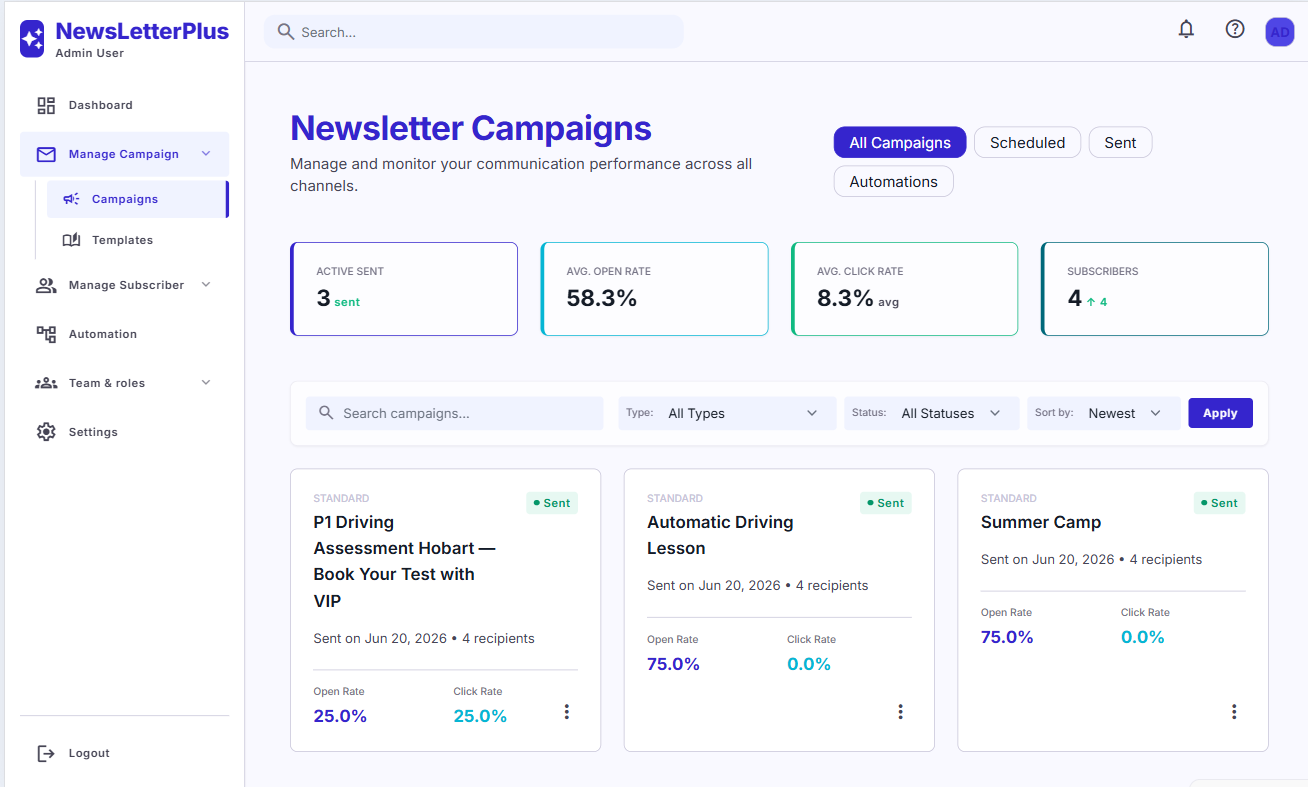
Campaign list with status, open rate, and click rate
Campaigns

View & filter every campaign

Open Manage Campaign → Campaigns to browse all sends with status and performance in one list.

  • Filter by All, Scheduled, Sent, or Automations.
  • Search, type, status, and sort controls.
  • Each card shows recipients, open rate, click rate, and send date.
  • Duplicate, inspect, or continue a draft from the campaign actions menu.
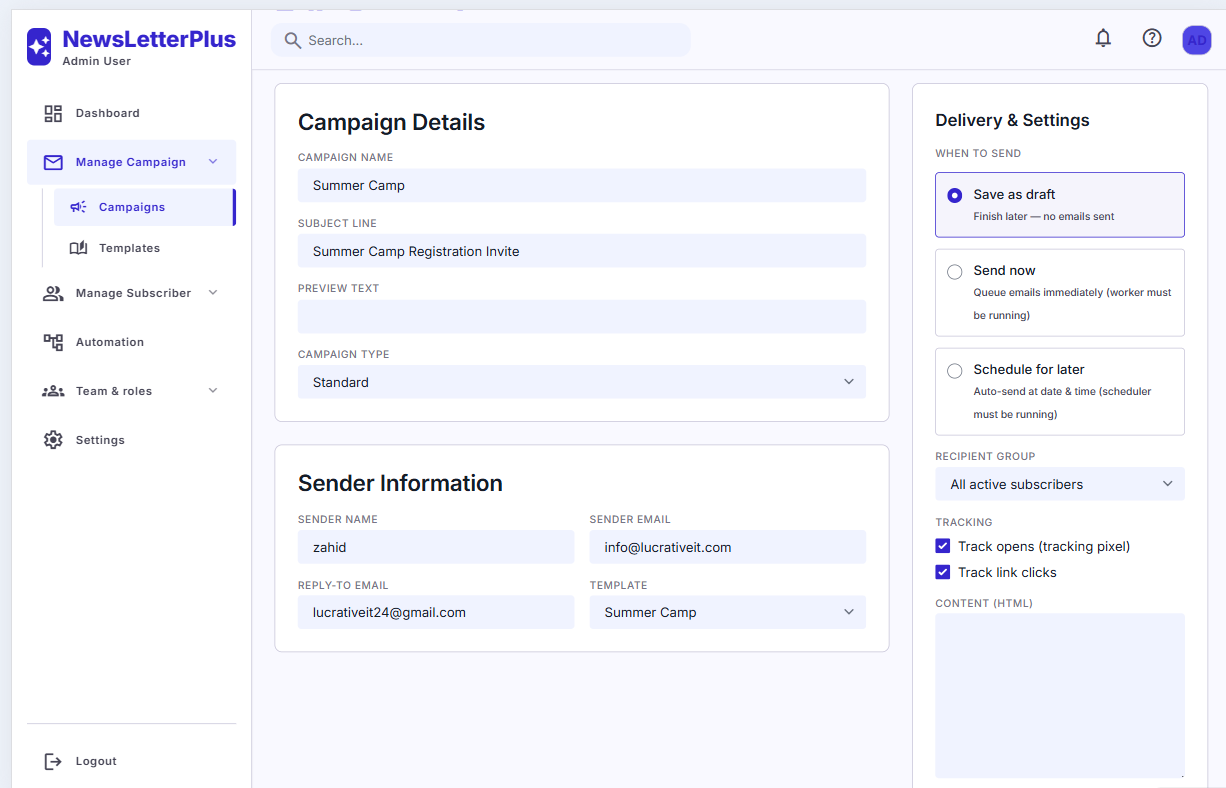
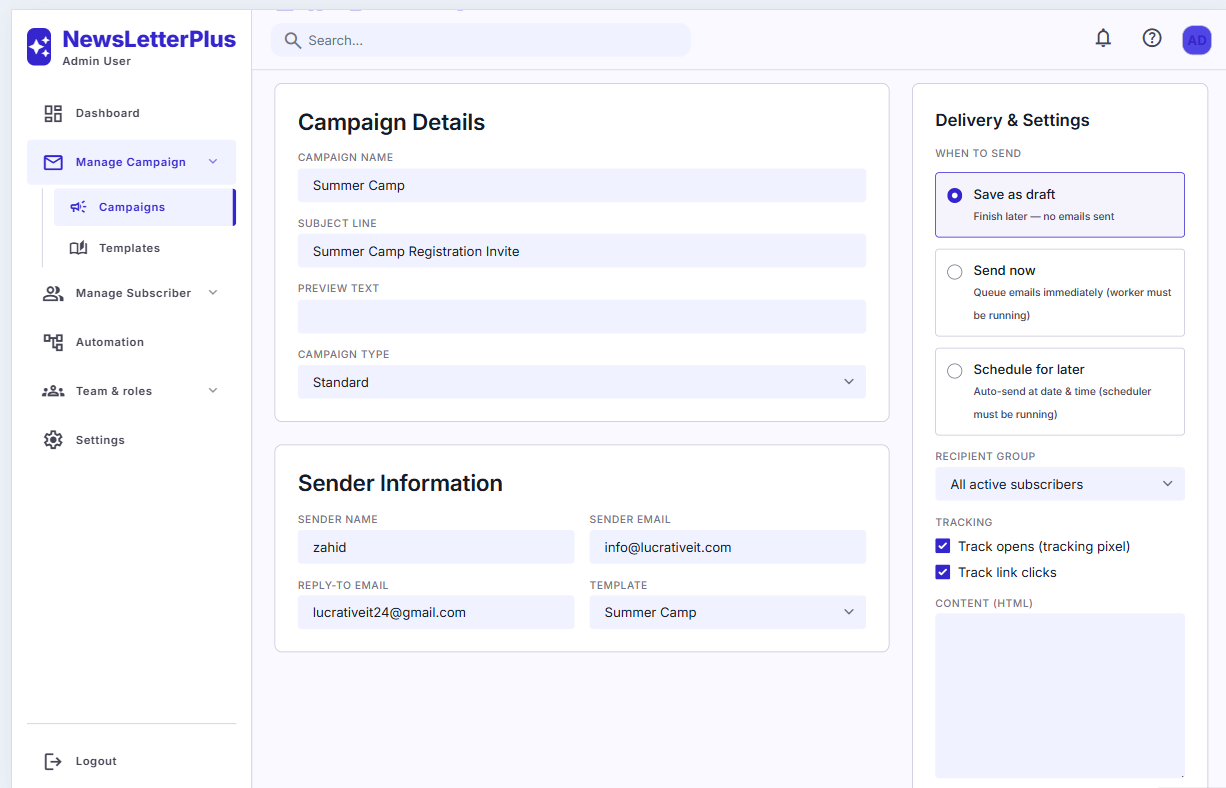
Create campaign form with name, subject, sender, and template
Campaigns

Set up a new campaign

Create a campaign with audience, subject, content, and sender details in one screen.

  • Campaign name — internal label for your team.
  • Subject line and optional preview text shown in the inbox.
  • Campaign type — Standard (broadcast) campaigns.
  • Sender: name, from email, and reply-to address.
  • Template: pick a design from the visual builder, or paste HTML.
Campaign delivery options for draft, send now, or schedule
Campaigns

Audience, scheduling & tracking

Choose who receives the email, when it goes out, and what to measure.

  • Save as draft — finish later; no emails sent.
  • Send now — queue immediately (queue worker must be running).
  • Schedule for later — auto-send at a date and time (cron must be running).
  • Recipient group: all active subscribers, or a specific group.
  • Tracking: open pixel and link-click rewriting, independently toggled.
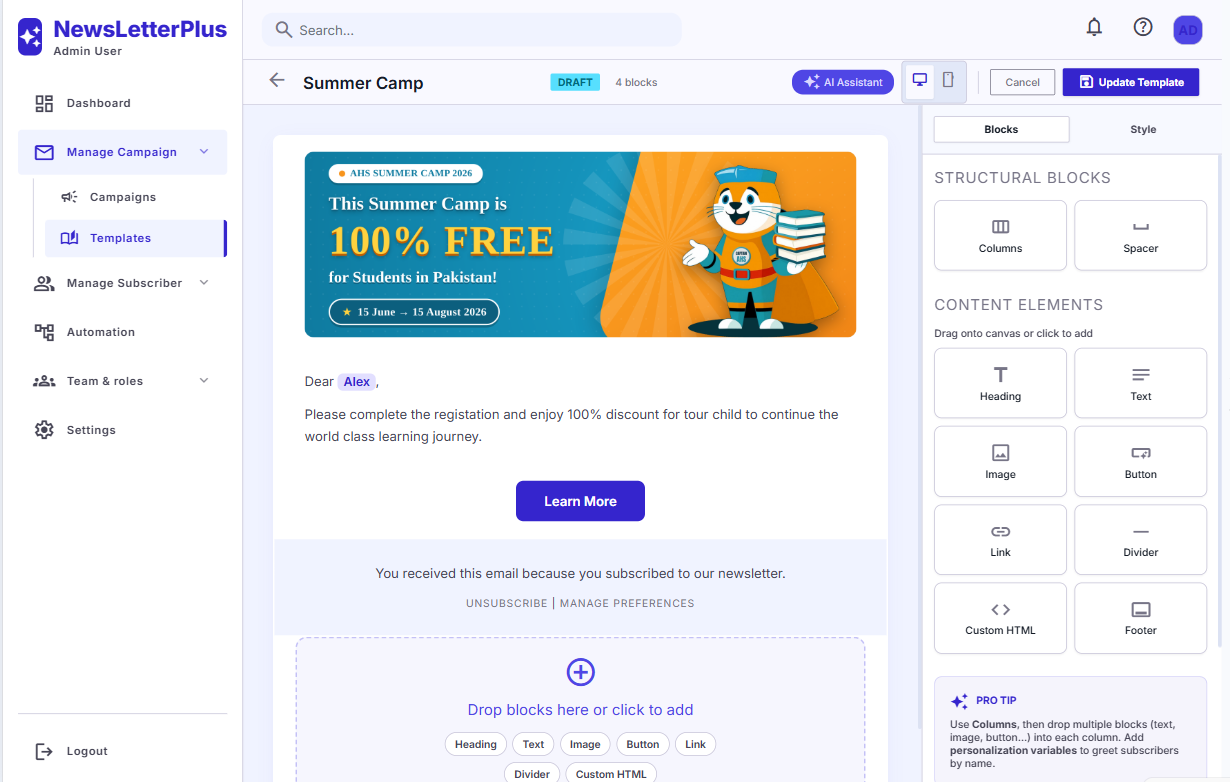
Visual email template builder with blocks and AI assistant
Templates

Visual email template builder

Design reusable layouts under Manage Campaign → Templates. Drag blocks onto the canvas, then assign the template when creating a campaign.

  • Blocks: columns, spacer, heading, text, image, button, link, divider, custom HTML, footer.
  • Personalization: merge tags such as {{first_name}} in body copy.
  • Desktop / mobile preview toggles.
  • AI Assistant — optional OpenAI, OpenRouter, or a custom OpenAI-compatible endpoint under Settings.
  • Unsubscribe and preference links in the footer block.
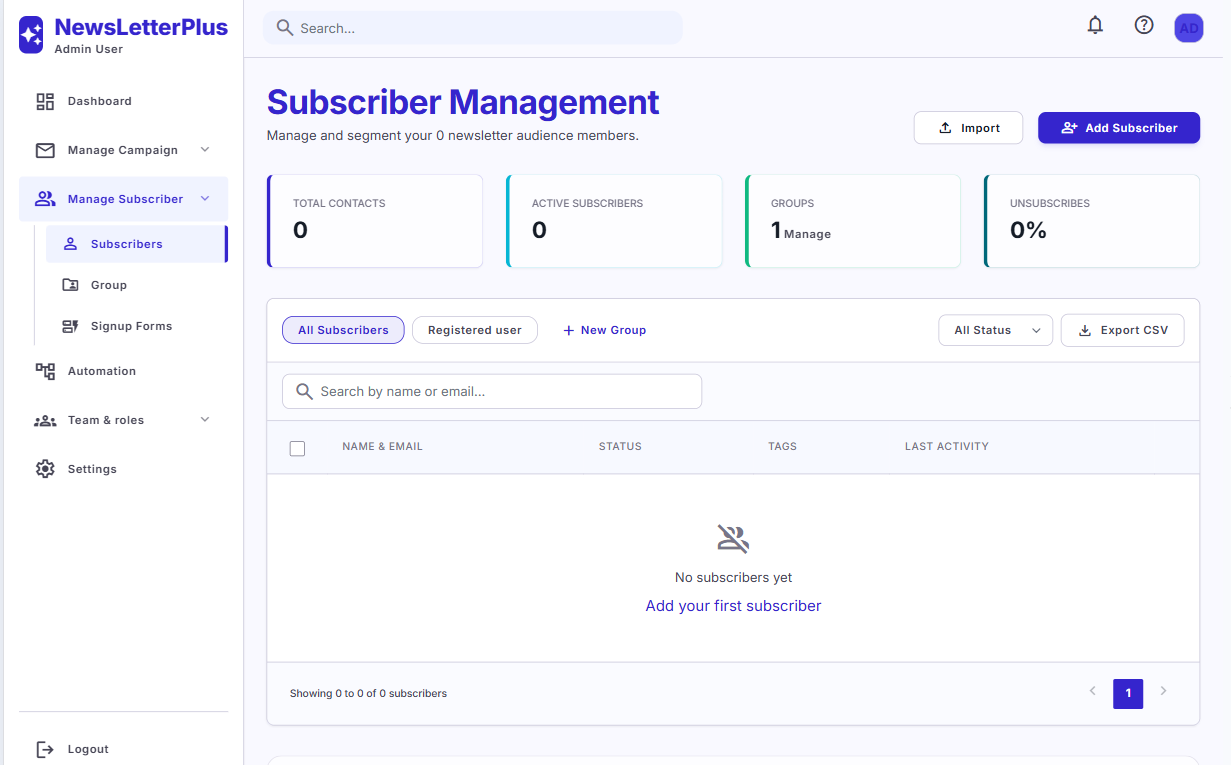
Subscriber management list with search, groups, and status
Audience

Search, filter & manage subscribers

Keep your list organized under Manage Subscriber → Subscribers.

  • Totals for contacts, active subscribers, groups, and unsubscribe rate.
  • Search by name or email; filter by status and group tabs.
  • Organize contacts into Groups for targeted campaigns.
  • Export CSV for backups or external tools.
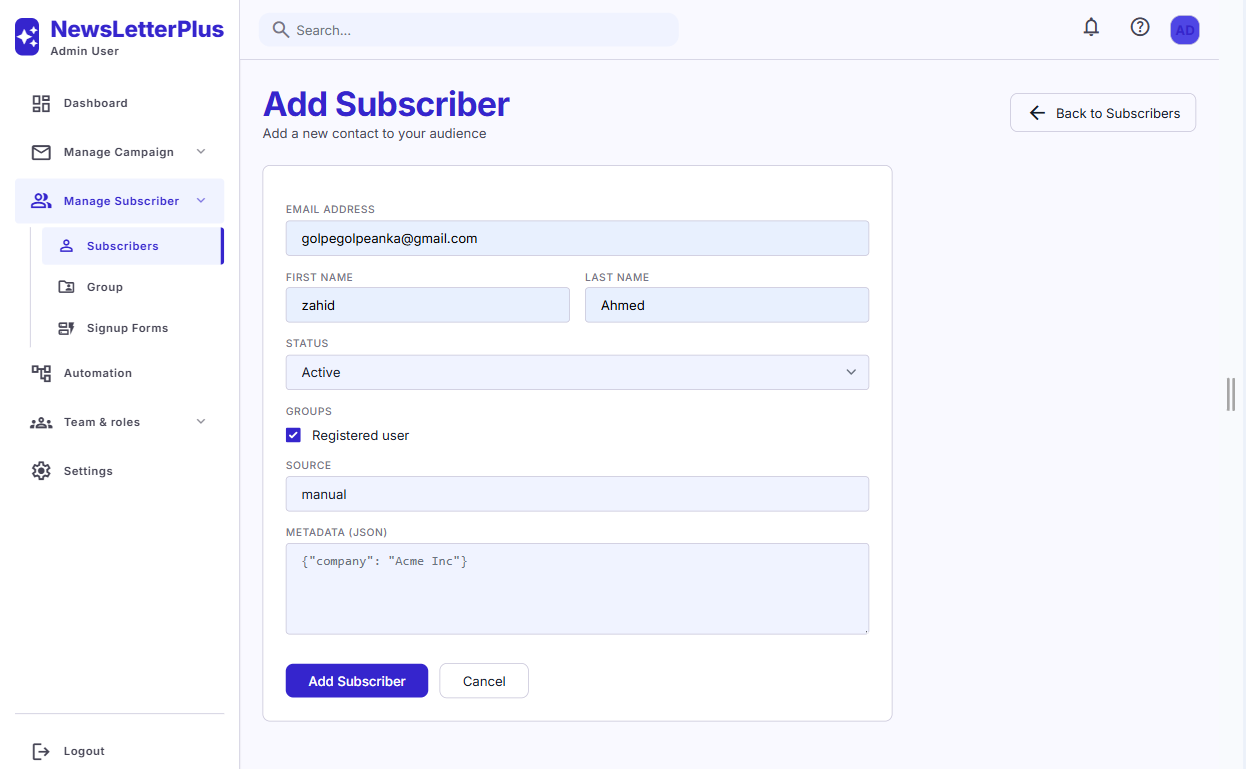
Add subscriber form with email, name, status, groups, and metadata
Audience

Add subscribers manually or import

Create a contact by hand, or bulk-import a CSV from the subscribers screen.

  • Email, first name, last name — core profile fields.
  • Status — Active (and related list statuses).
  • Groups — assign one or more audience segments.
  • Source — e.g. manual, form, or import.
  • Metadata (JSON) — extra fields such as company name.
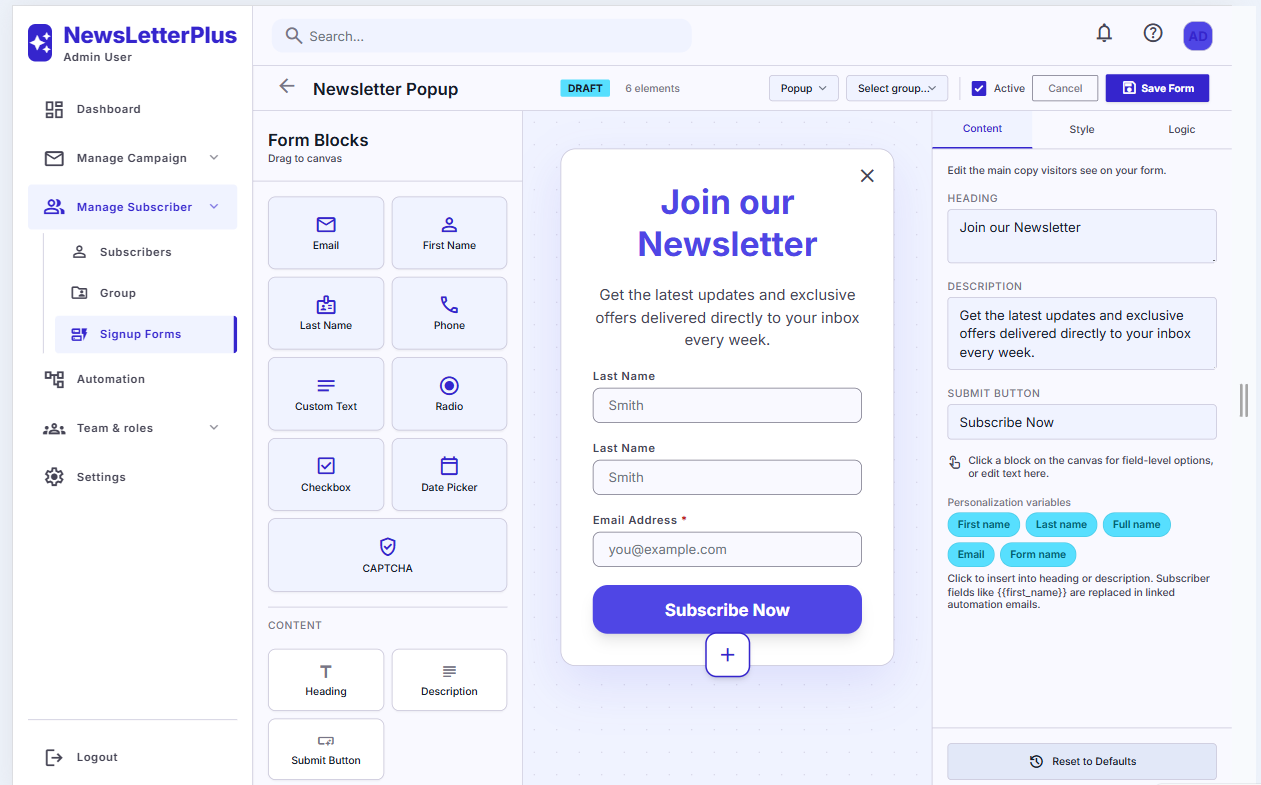
Signup form builder for popup, inline, slide-in, and fixed bar
Signup forms

Build embeddable lead-capture forms

Create popup, inline, slide-in, or fixed-bar forms under Manage Subscriber → Signup Forms. New signups are added to your list automatically.

  • Form blocks: email, first/last name, phone, custom text, radio, checkbox, date, CAPTCHA.
  • Content: heading, description, and submit button — with merge tags.
  • Style & Logic tabs for appearance and display rules.
  • Link each form to a subscriber group and toggle Active when ready to publish.
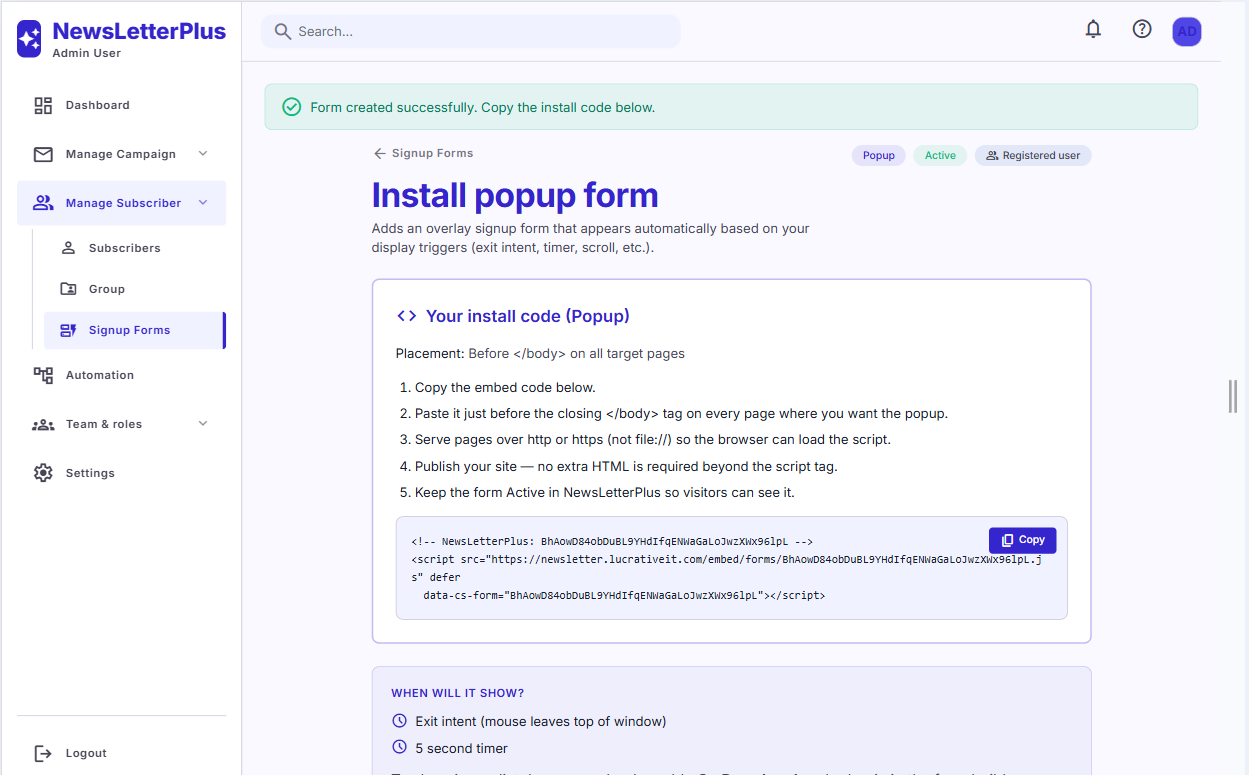
Install popup form with copy-paste embed script
Signup forms

Install a form on any website

After saving a form, copy the install snippet and paste it before </body> on every page where it should appear.

  • One JavaScript embed per form — no plugin required on the destination site.
  • Popup triggers: exit intent, timer, scroll, or page load.
  • Inline forms can also use raw HTML markup instead of the script.
  • Views and conversion rate are tracked back in NewsLetterPlus.
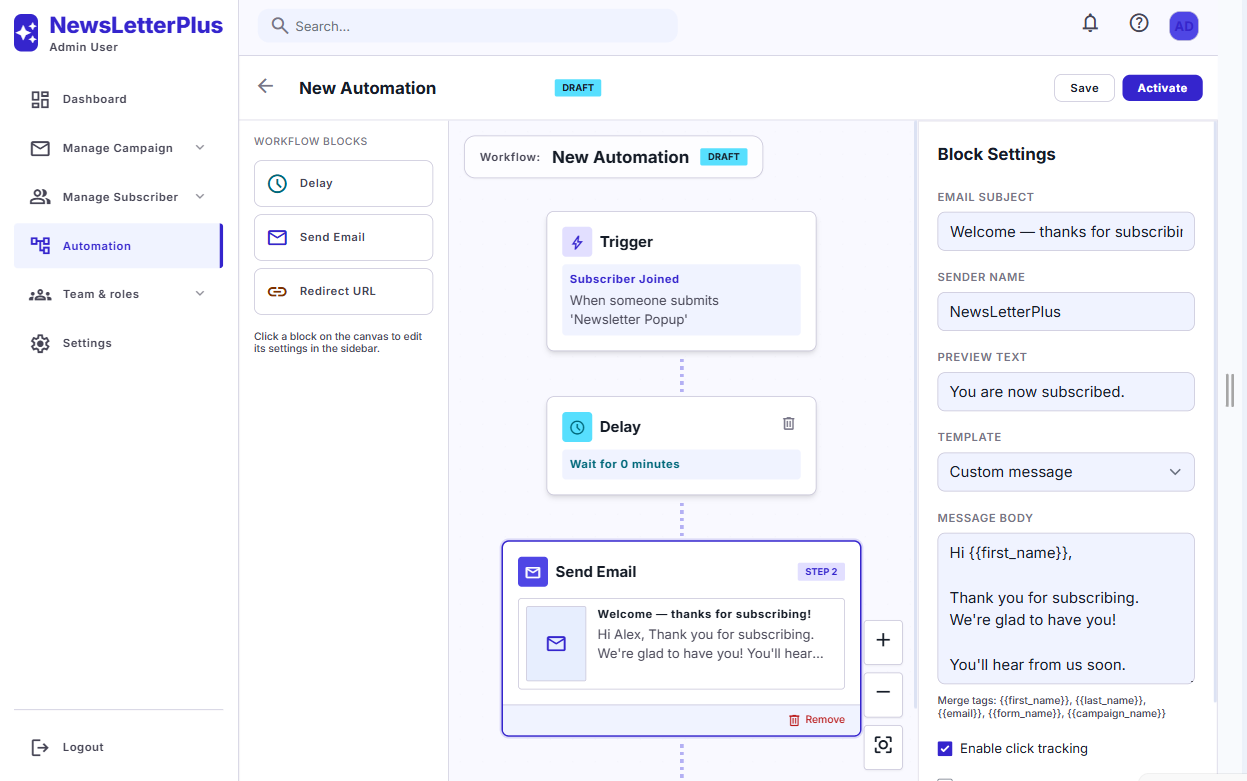
Automation workflow builder with trigger, delay, and send email steps
Automation

Automated sequences from subscriber events

Under Automation, build visual workflows that send follow-up emails when something happens.

  • Triggers: Subscriber Joined, Tag Added, Date Based, Campaign Opened, Campaign CTA Clicked.
  • Steps: Delay, Send Email, Redirect URL.
  • Use a saved template or a custom message with merge tags such as {{first_name}}, {{email}}, and {{form_name}}.
  • Enable click tracking per email step. Save as draft, then Activate.
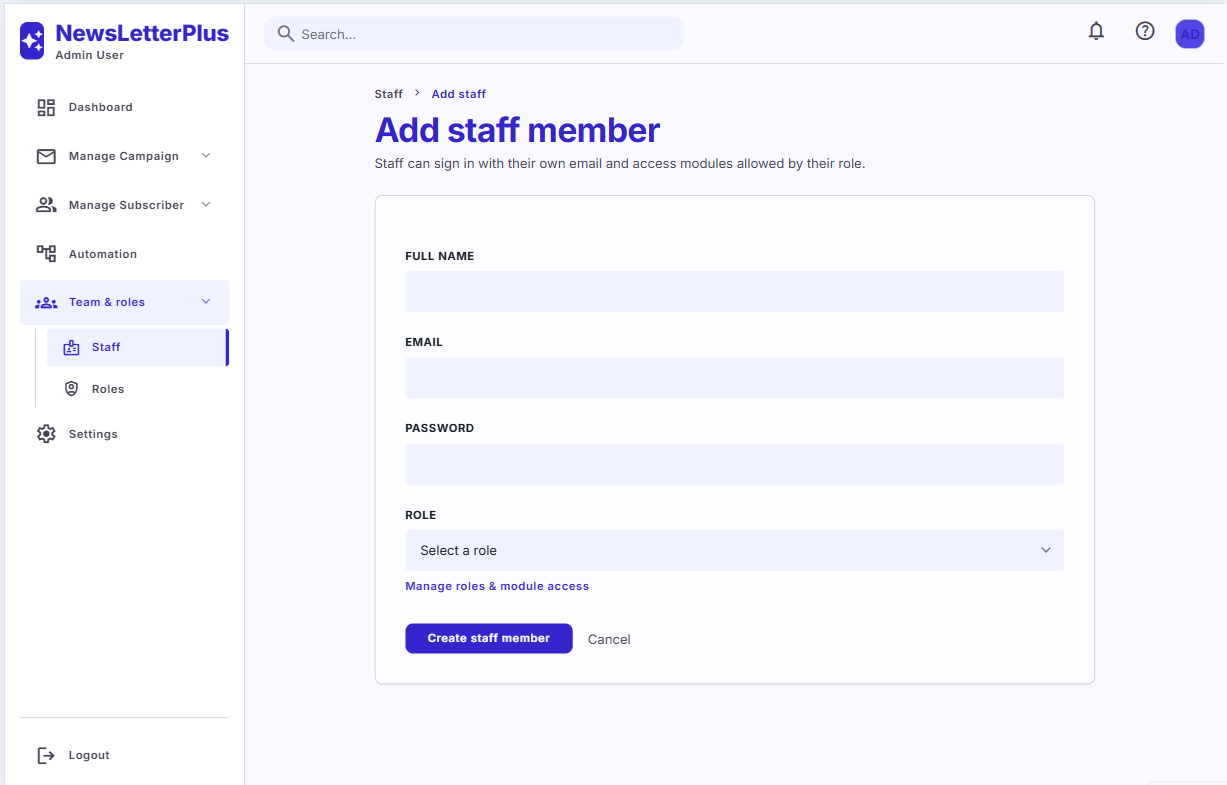
Add staff member form with name, email, password, and role
Team

Invite staff and assign a role

Add teammates under Team & roles → Staff. Each person signs in with their own email and only sees modules allowed by their role.

  • Full name, email, password, and role on create.
  • Jump to Manage roles & module access to define permissions first.
  • Edit or remove staff later without affecting the Super Administrator account.
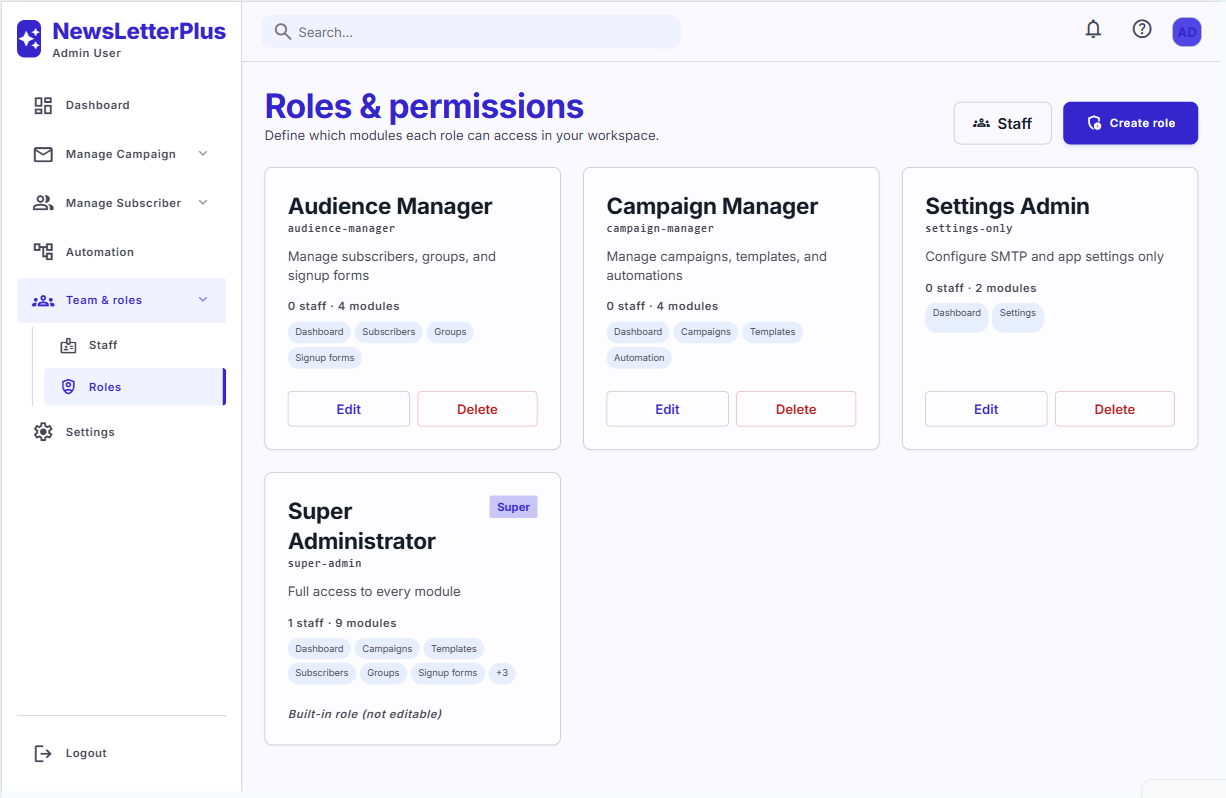
Roles and permissions cards with module access tags
Team

Granular module-level permissions

Define which modules each role can access: Dashboard, Campaigns, Templates, Subscribers, Groups, Signup forms, Automation, Settings, and Team & roles.

  • Built-in Super Administrator has full access and is not editable.
  • Example roles: Audience Manager, Campaign Manager, Settings Admin.
  • Create custom roles, then assign them when inviting staff.
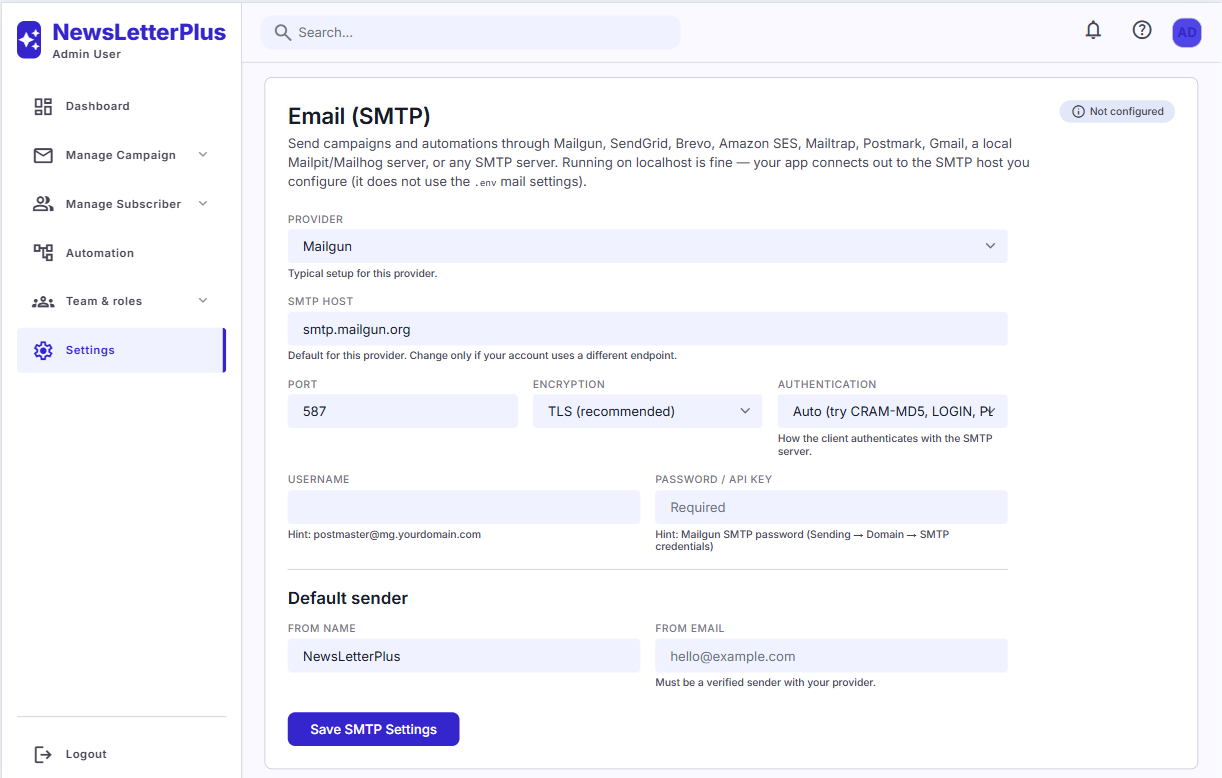
SMTP settings with Mailgun host, port, encryption, and default sender
Email delivery

Connect your mail server

Campaigns and automations send through the SMTP account you configure under Settings — not the .env mail values.

  • Providers: Mailgun, SendGrid, Brevo, Amazon SES, Mailtrap, Postmark, Gmail, Mailpit/Mailhog, or any SMTP host.
  • Host, port (e.g. 587), TLS/SSL, authentication, username, and password / API key.
  • Default sender: from name and from email (must be verified with your provider).
  • Use Test SMTP before sending a campaign.

Frequently Asked Questions

Common questions about NewsLetterPlus installation, sending, and usage.

What are the server requirements?

NewsLetterPlus requires PHP 8.2+, Laravel 12, and MySQL 5.7+ / MariaDB 10.3+ (SQLite is fine for local testing). Required extensions: pdo, mbstring, openssl, tokenizer, xml, ctype, json, fileinfo. The web server document root must be public/. storage/ and bootstrap/cache/ must be writable.

How do I install NewsLetterPlus?

Upload the files, point the document root to public/, create a MySQL database, then visit /install. The wizard checks requirements, tests the database, writes .env, runs migrations, and creates your admin user. Most buyers finish in 5–15 minutes without SSH.

Why do I see 404 on /install or a blank page?

The document root must be the public/ folder, not the project root. For 500 errors, check storage/logs/laravel.log and confirm storage/ and bootstrap/cache/ are writable. If the installer never appears, delete storage/app/installed.json or run php artisan newsletter:installer:unlock.

Why do I need SMTP and a queue worker?

Campaigns and automations are queued so large sends do not time out in the browser. Configure SMTP under Settings, then run php artisan queue:work --queue=campaigns (Supervisor in production). Without the worker, emails stay in the jobs table and are never sent.

How do scheduled campaigns send?

Choose Schedule for later on the campaign, then add a server cron: * * * * * cd /path/to/NewsLetter && php artisan schedule:run. The scheduler plus the queue worker together deliver at the chosen time.

How do I embed a signup form on my website?

Create a form under Signup Forms, save it, then open the install page. Copy the script and paste it before </body> on the target site. Popups can use exit intent, timer, or scroll. Inline forms also provide raw HTML. Submissions are stored as subscribers and can enter automations.

What automation triggers are available?

Subscriber Joined (optionally limited to a form or group), Tag Added, Date Based, Campaign Opened, and Campaign CTA Clicked. Each workflow can delay, send email, or redirect. Activate the workflow when you are ready for it to run.

How do open and click tracking work?

When enabled on a campaign, NewsLetterPlus inserts a tracking pixel for opens and rewrites links for clicks. Results appear on the campaign list and dashboard as open rate and click rate. Automations can also fire when a campaign is opened or a CTA is clicked.

How do staff roles work?

Create roles under Team & roles → Roles and grant modules (campaigns, templates, subscribers, forms, automation, settings, staff). Invite users under Staff and assign a role. Super Administrator always has full access and cannot be edited.

Is the AI template assistant required?

No. It is optional. Under Settings → AI Model, connect OpenAI, OpenRouter, or a custom OpenAI-compatible endpoint. When configured, the template builder can generate layout and copy from a prompt.

Can I run this on shared hosting?

Yes, if PHP 8.2+ is available, the document root is public/, and you can run a queue worker and cron (or a host that supports them). Upload vendor/ if you cannot run Composer on the server. Writable storage/ and bootstrap/cache/ are required.

NewsLetterPlus installation wizard requirements check
Site information and administrator account during installation
Installation complete with recommended next steps
NewsLetterPlus sign-in screen
Dashboard monitoring campaign performance, subscribers, and email volume
Campaign list with status, open rate, and click rate
Create campaign form with name, subject, sender, and template
Campaign delivery options for draft, send now, or schedule
Visual email template builder with blocks and AI assistant
Subscriber management list with search, groups, and status
Add subscriber form with email, name, status, groups, and metadata
Signup form builder for popup, inline, slide-in, and fixed bar
Install popup form with copy-paste embed script
Automation workflow builder with trigger, delay, and send email steps
Add staff member form with name, email, password, and role
Roles and permissions cards with module access tags
SMTP settings with Mailgun host, port, encryption, and default sender

More products

Explore the collection

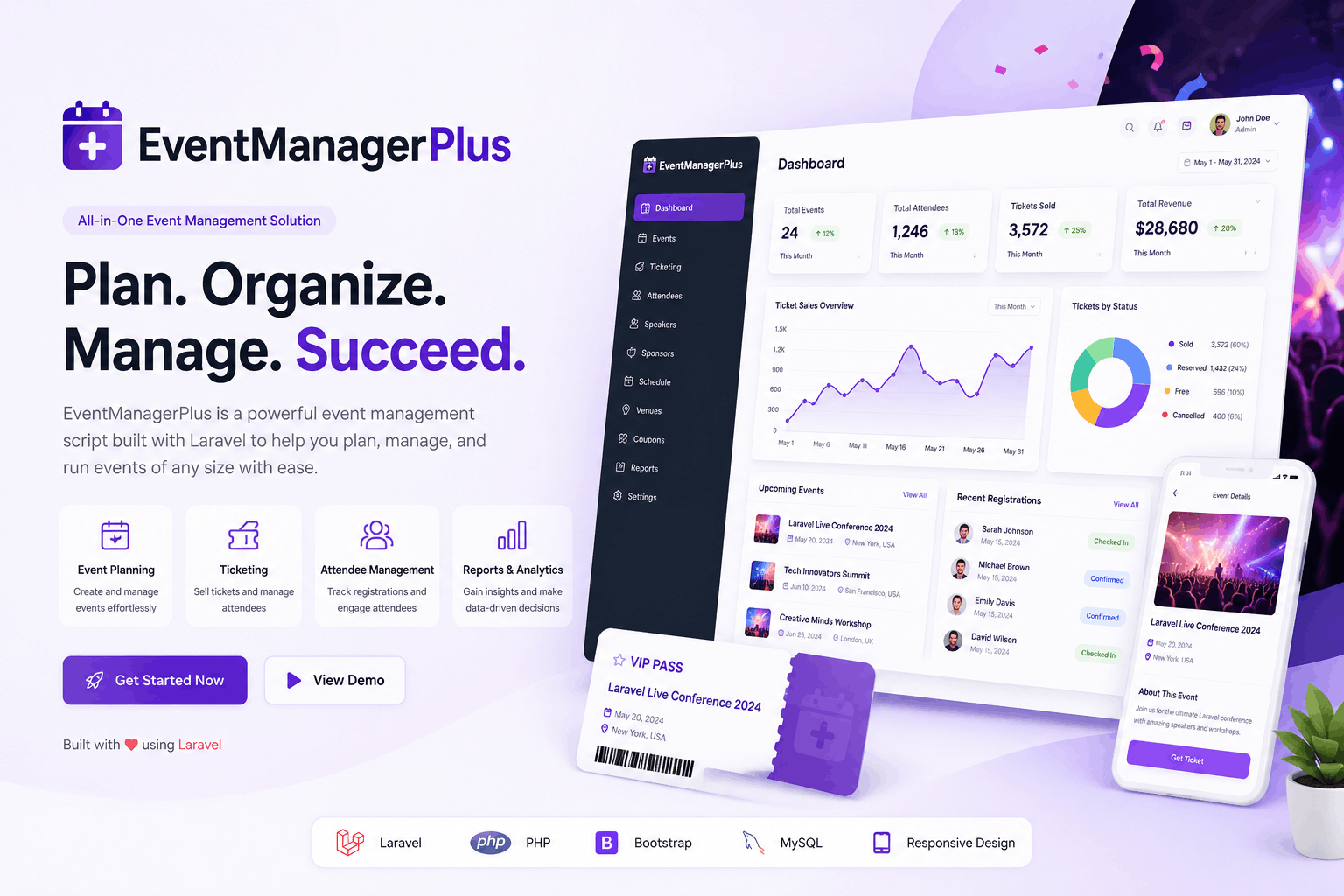
Event Manager Plus

Laravel Event Management

Event Manager Plus

Event Manager Plus is a Laravel-based event management and ticketing platform to create events, sell tickets, manage bookings, and handle QR-based check-ins with multiple payment gateways.It includes a modern public site, powerful admin dashboard, easy web installer, and optional AI features for reporting and event assistance.

$79.00 /year
View product
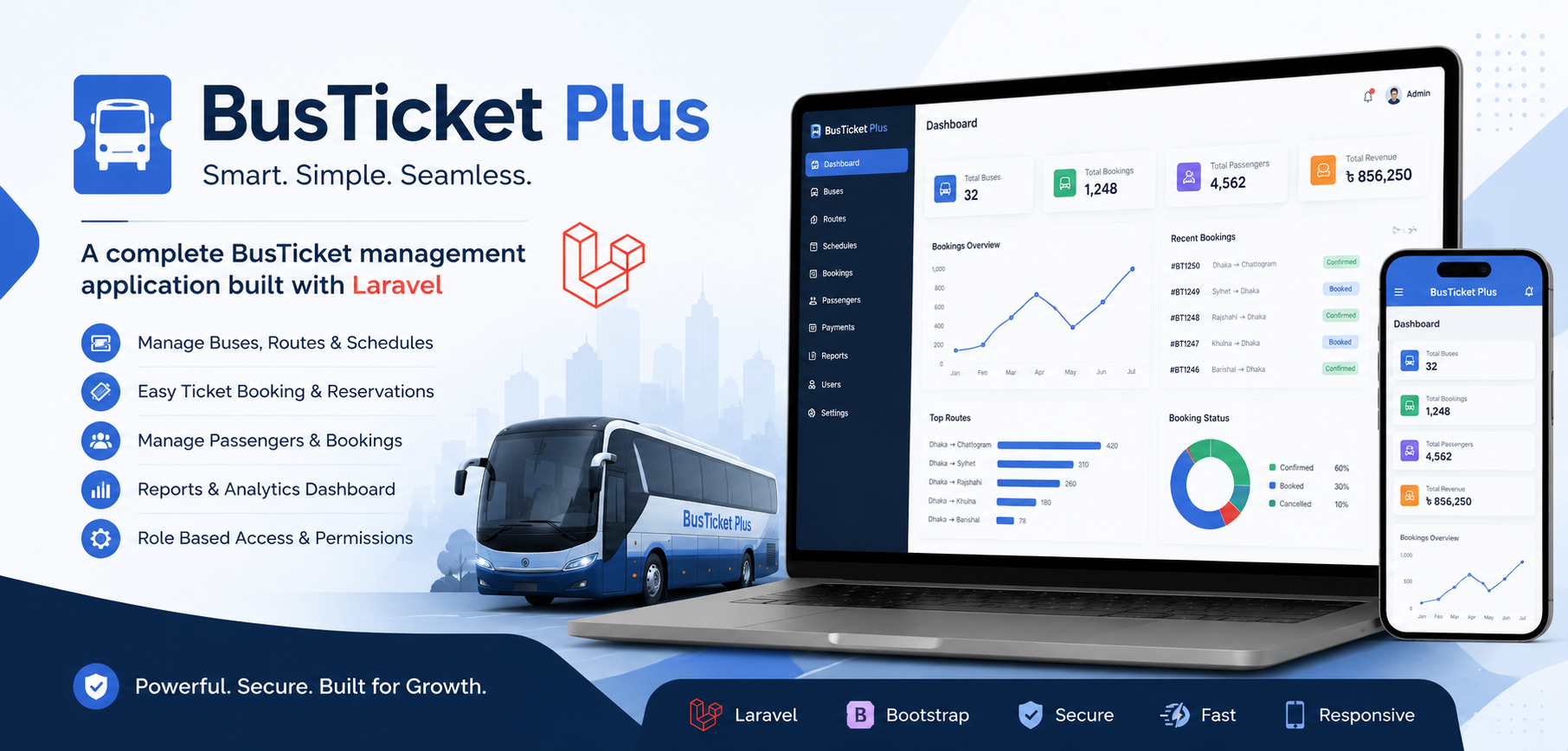
Laravel BusTicket Plus

Laravel Busticket App

Laravel BusTicket Plus

BusTicket Plus is a powerful and modern bus ticket management system built with Laravel. It allows administrators to efficiently manage buses, routes, schedules, passengers, and bookings from a single dashboard. Designed for scalability and ease of use, it provides real-time booking management, detailed reports, and role-based access control for smooth transportation operations.

$49.00 $19.00 /year
View product
Support Ticket Plus – Complete Laravel Ticketing System

Laravel Support Ticket

Support Ticket Plus – Complete Laravel Ticketing System

A complete help desk and ticket management system for teams of any size — with role-based access, email-to-ticket, AI reply suggestions, knowledge base, SLA reports, and free installation support. The Lucrative team will help with your installation.

$29.00 /year
View product

Ready to get started?

Laravel Newsletter Management System

Choose your plan above and purchase instantly, or scroll back up to review pricing and included benefits.

Purchase Now