WordPress Plugin · Free + Pro
LucrativeIt Digital Download and Licensing — Product Specification
A complete digital store for WordPress: sell eBooks, templates, themes, plugins and scripts
with lifetime, yearly and monthly licenses, Stripe or Paddle checkout, license keys and
secure expiring downloads. The Pro add-on adds price per number of domains, domain
activation limits and license-gated automatic updates for your software.
By LucrativeIT.com ·
Live demo ·
Documentation
WordPress 6.0+
PHP 7.4+
License GPL-2.0-or-later
Free v1.6.4
Pro v1.0.0
WooCommerce not required
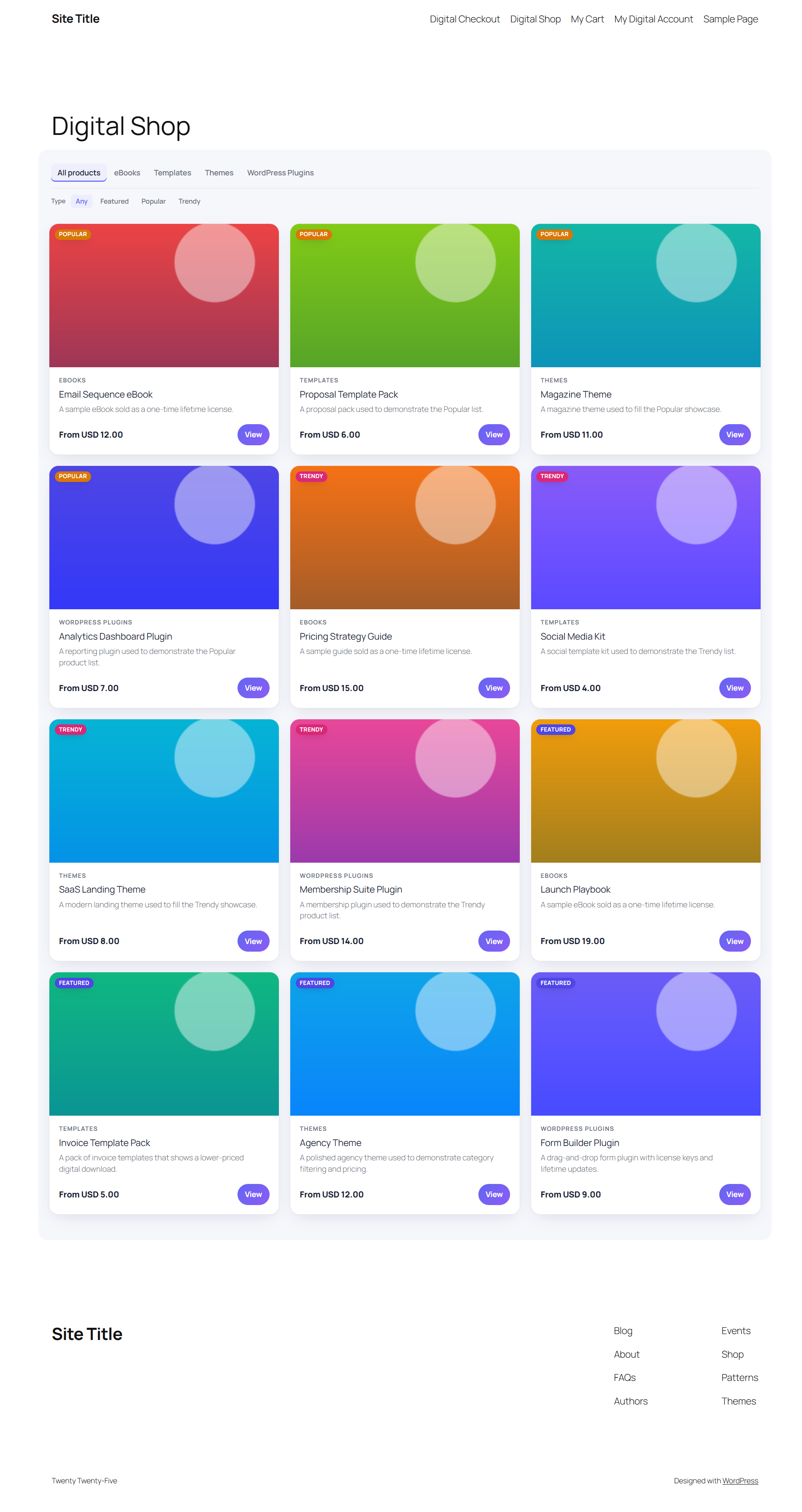
Digital Shop
Catalogue, category tabs & showcase filters
Flexible Plans
Lifetime, yearly & monthly on one product
Stripe & Paddle
Hosted checkout, webhook-verified
License Keys
Issued automatically after payment
Secure Downloads
Private vault & signed, expiring links
Customer Account
Orders, downloads, licenses & profile
Coupons
Percentage or fixed, limits & expiry
Emails & SMTP
License delivery & version update emails
Dashboard
Sales & license KPIs with charts
Pro: Domain Pricing
1 site, 3 sites, unlimited — each with its own price
Pro: Domain Limits
Activate, deactivate & manage domains
Pro: Auto Updates
WordPress plugins & Laravel/PHP scripts
Free vs Pro
The free plugin is a complete store. Pro is an add-on that plugs into the same screens.
| Feature |
Free |
Pro add-on |
| Products, categories, tags & showcase labels | ✓ | ✓ |
| Lifetime, yearly & monthly plans | ✓ | ✓ |
| Stripe or Paddle checkout, cart & guest checkout | ✓ | ✓ |
| License keys, expiry & renewals | ✓ | ✓ |
| Private file vault & signed download links | ✓ | ✓ |
| Coupons, SMTP, email templates, dashboard | ✓ | ✓ |
| Email buyers when a new version is released | ✓ | ✓ |
| Price per number of domains in the product editor | — | ✓ |
| Domain choice (radio list) on the storefront price cards | — | ✓ |
| Domain activation limit per license | — | ✓ |
| Licenses → Manage: domains, custom limit, activate / deactivate | — | ✓ |
| Customers manage their own domains | — | ✓ |
| Automatic updates from the WordPress dashboard | — | ✓ |
| Laravel package & plain PHP client | — | ✓ |
| License REST API for your software | — | ✓ |
Free plugin
Everything you need to sell and deliver digital products.
Storefront
Digital Shop
A ready-made catalogue page with category tabs and Featured, Popular and Trendy filters.
- Pages created automatically — Digital Shop, My Cart, Digital Checkout and My Digital Account.
- Shortcode —
[lucrativedigiprod_products] on any page.
- Block patterns — catalogue, cart, checkout and account layouts.
Storefront
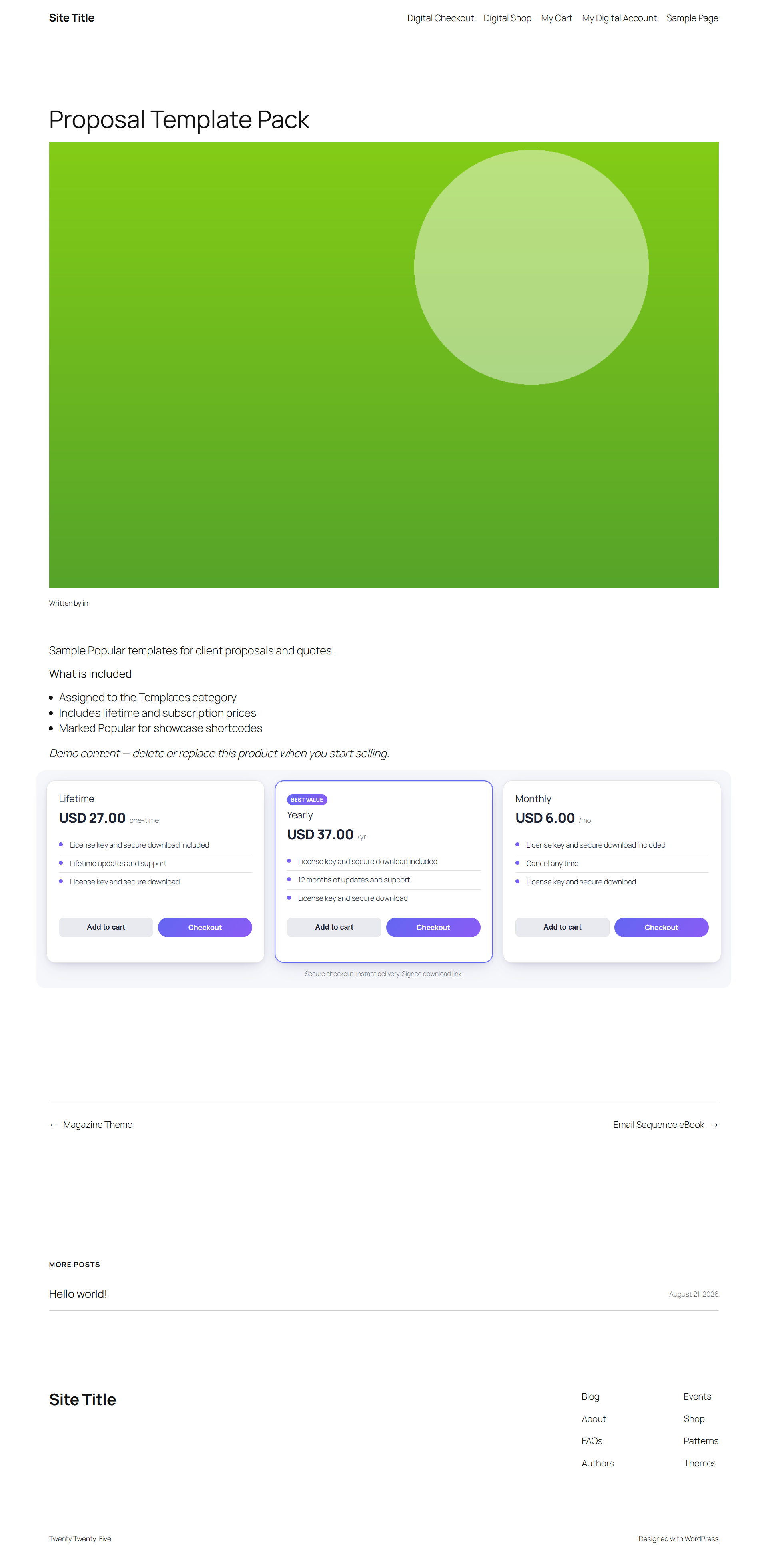
Product page & pricing cards
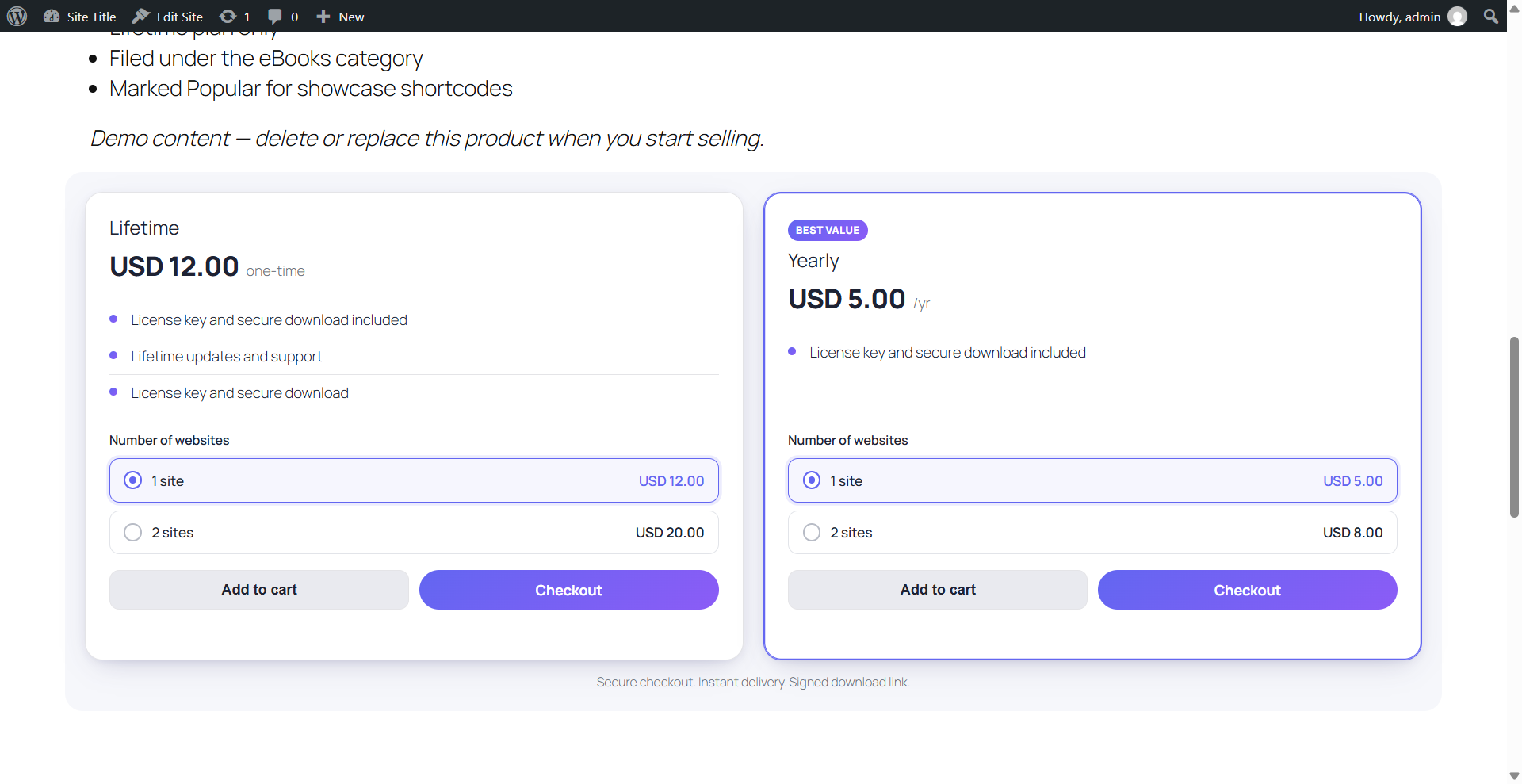
Each product shows Lifetime, Yearly and Monthly pricing cards with the plan features you define.
- Buy Now and Add to Cart on every card.
- Place the buy box anywhere with
[lucrativedigiprod_buy_box id="123"] or [lucrativedigiprod_price_plan].
Checkout
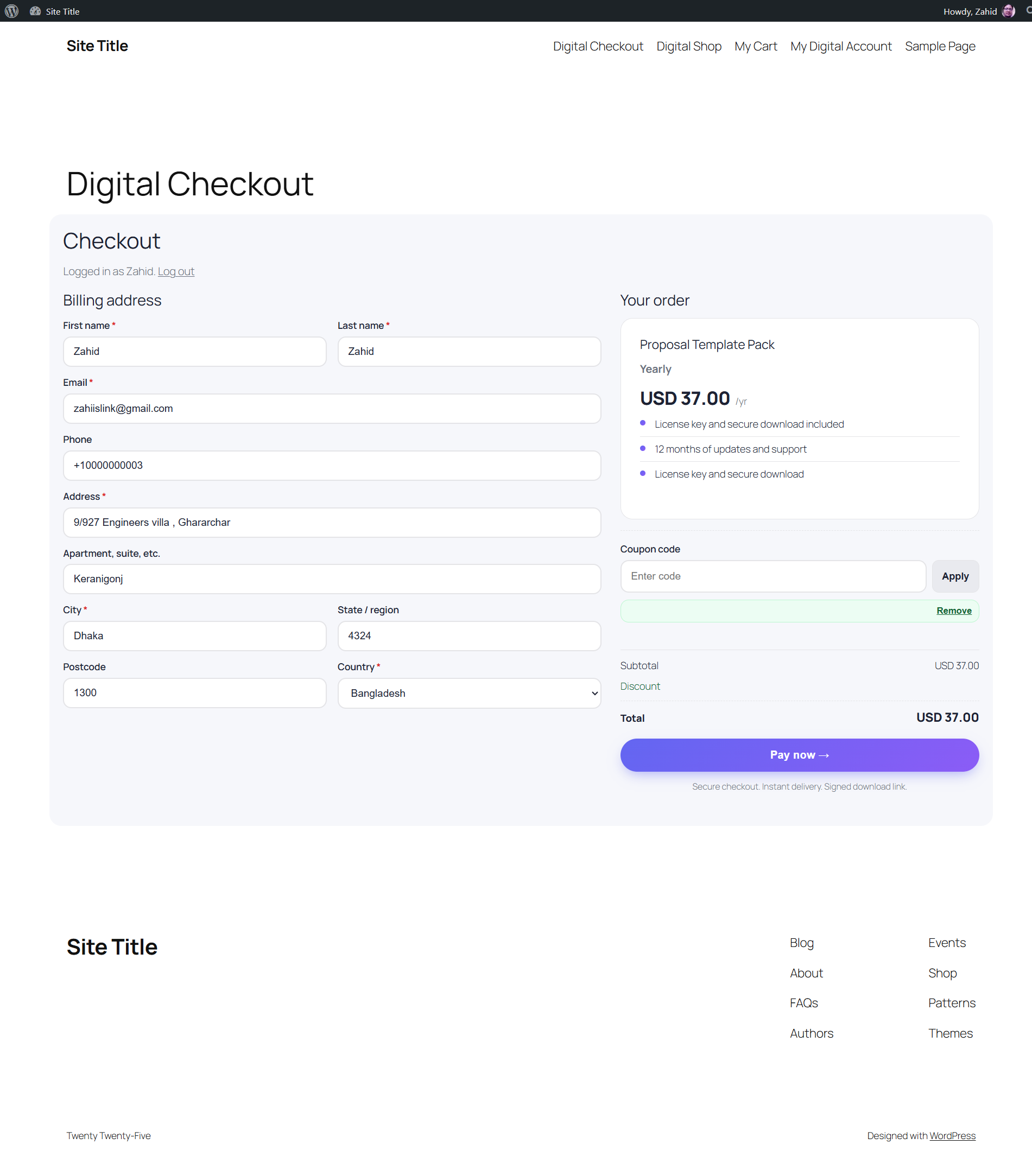
Digital Checkout
Cart and checkout with billing address, coupon code and order summary.
- Guest checkout, or create an account during checkout.
- Account creation works independently of the WordPress Membership setting.
Payments
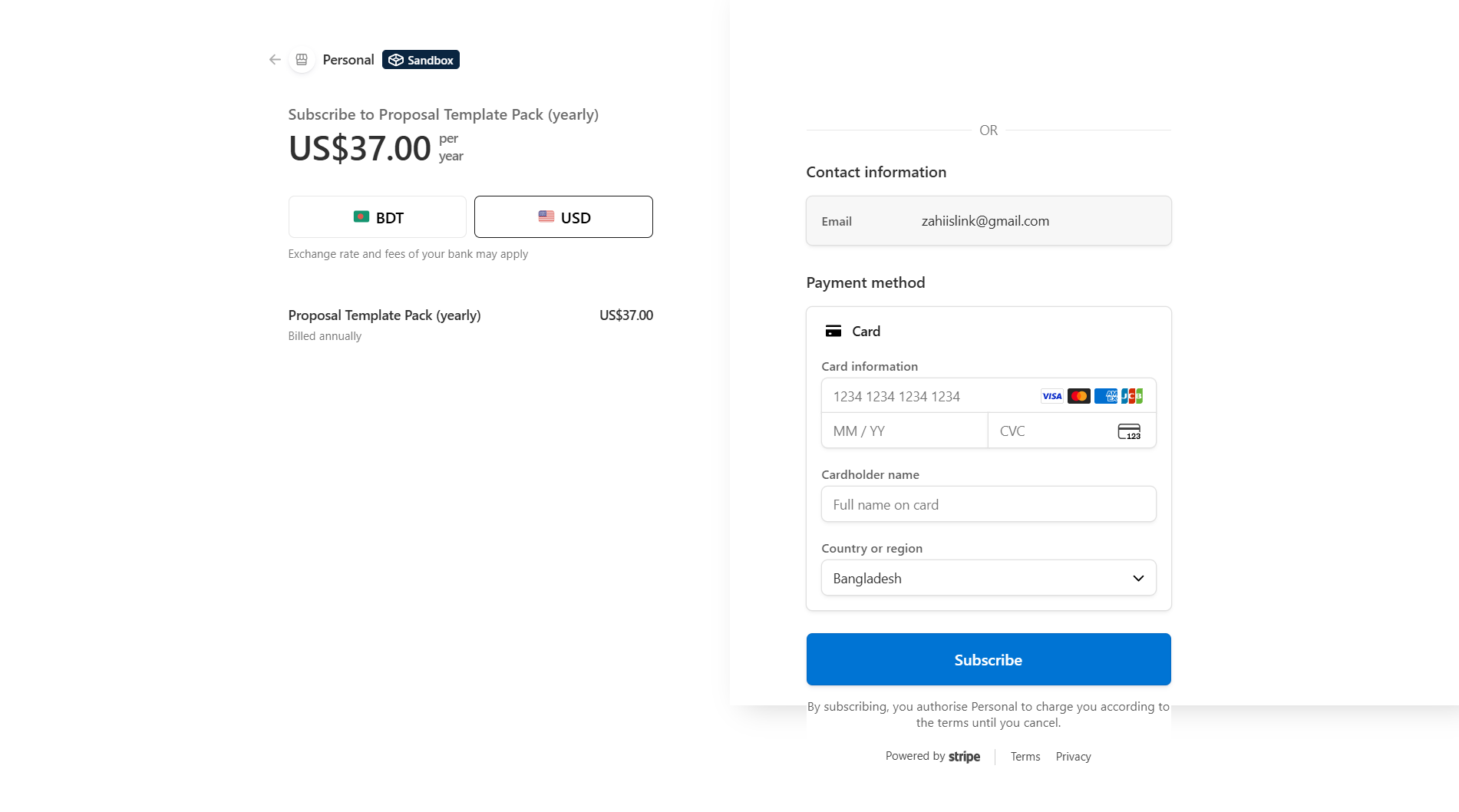
Stripe & Paddle hosted payment
Buyers pay on Stripe Checkout or in the Paddle overlay. Card data never touches your WordPress server.
- Webhook-verified — a license is issued only after the gateway confirms payment.
- Subscriptions — monthly and yearly plans renew automatically.
- Paddle — merchant of record, including tax handling.
Customer account
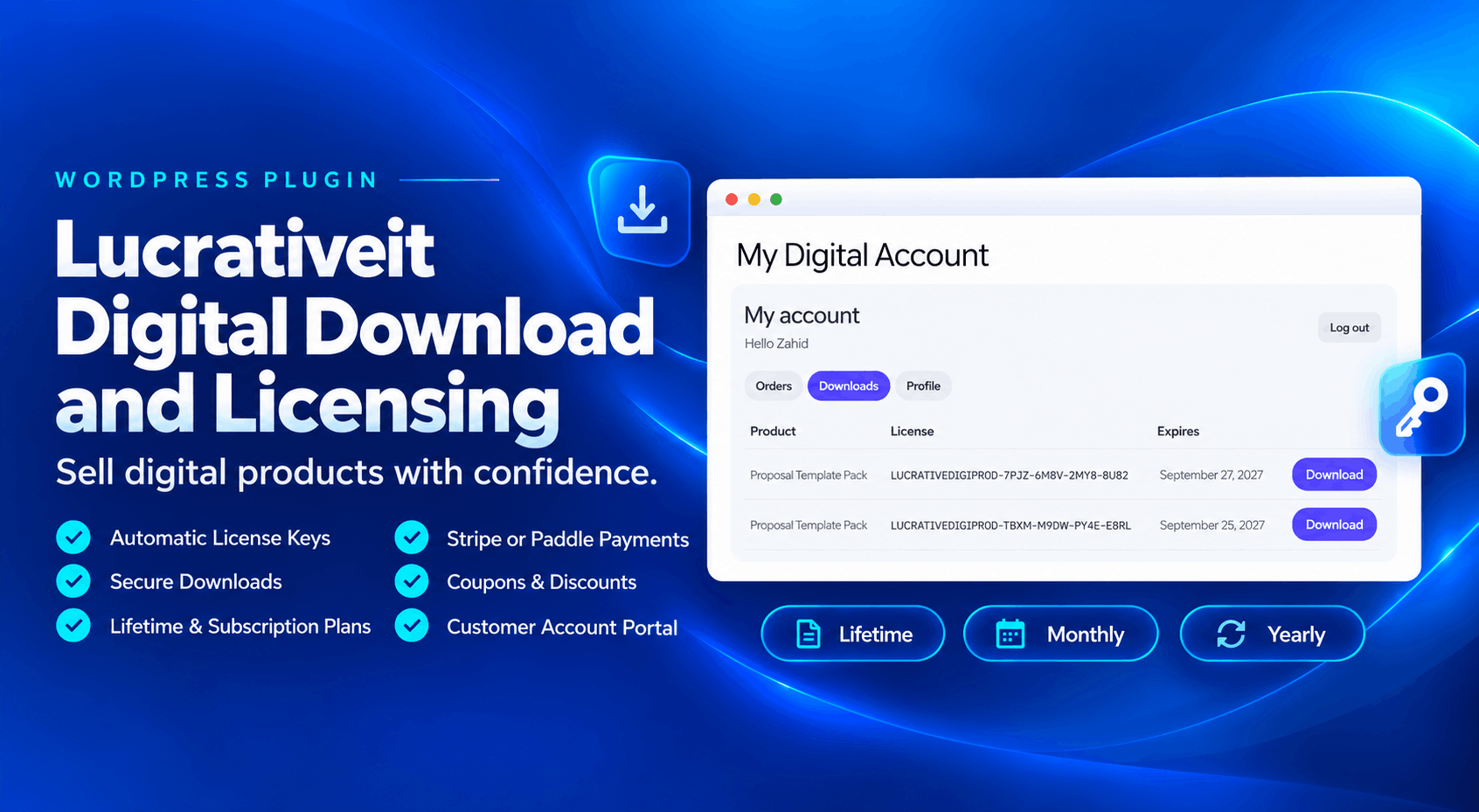
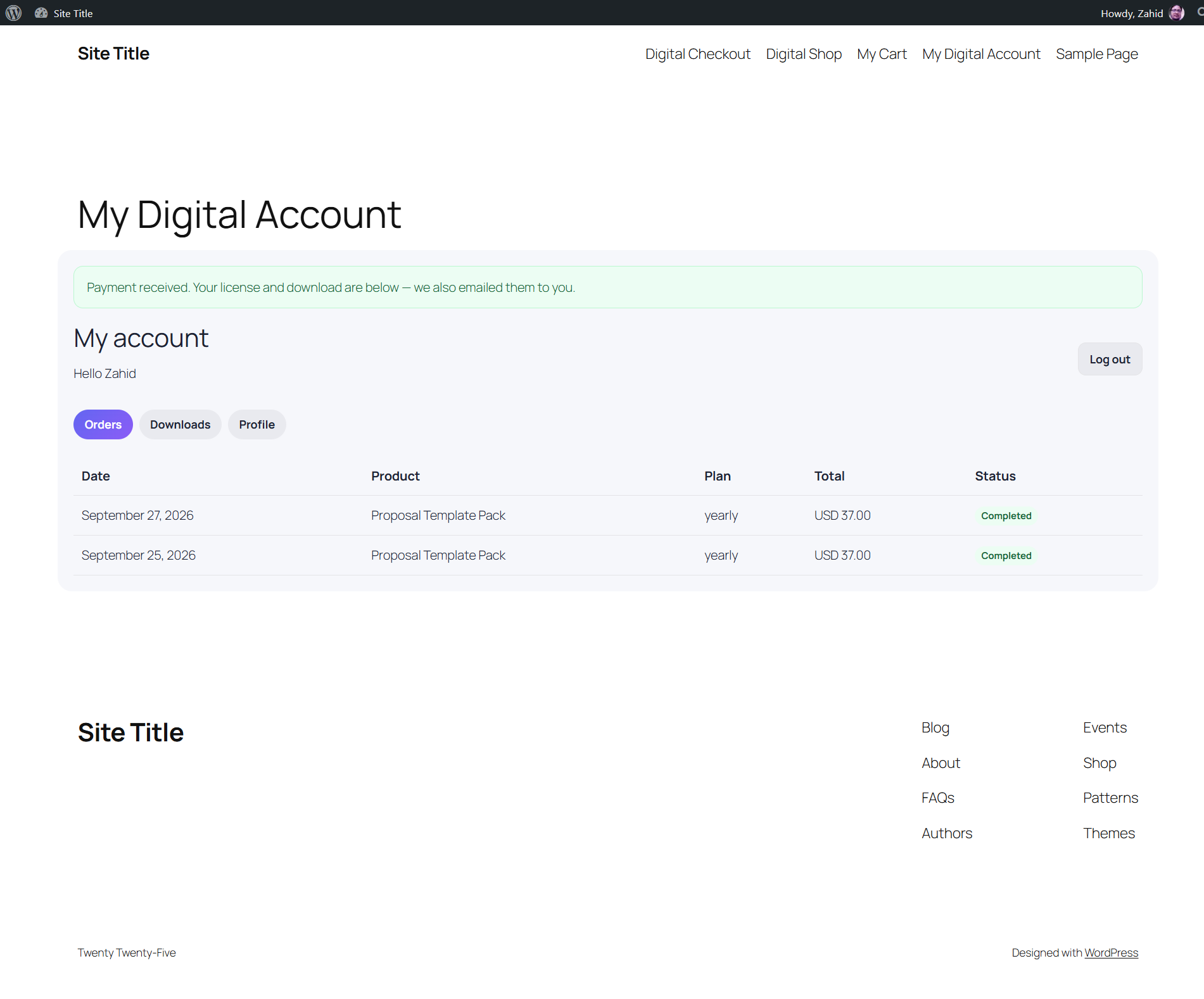
My Digital Account — Orders
Buyers see a payment confirmation after checkout and a full order history in their account.
Shortcode: [lucrativedigiprod_account].
Customer account
Downloads & license keys
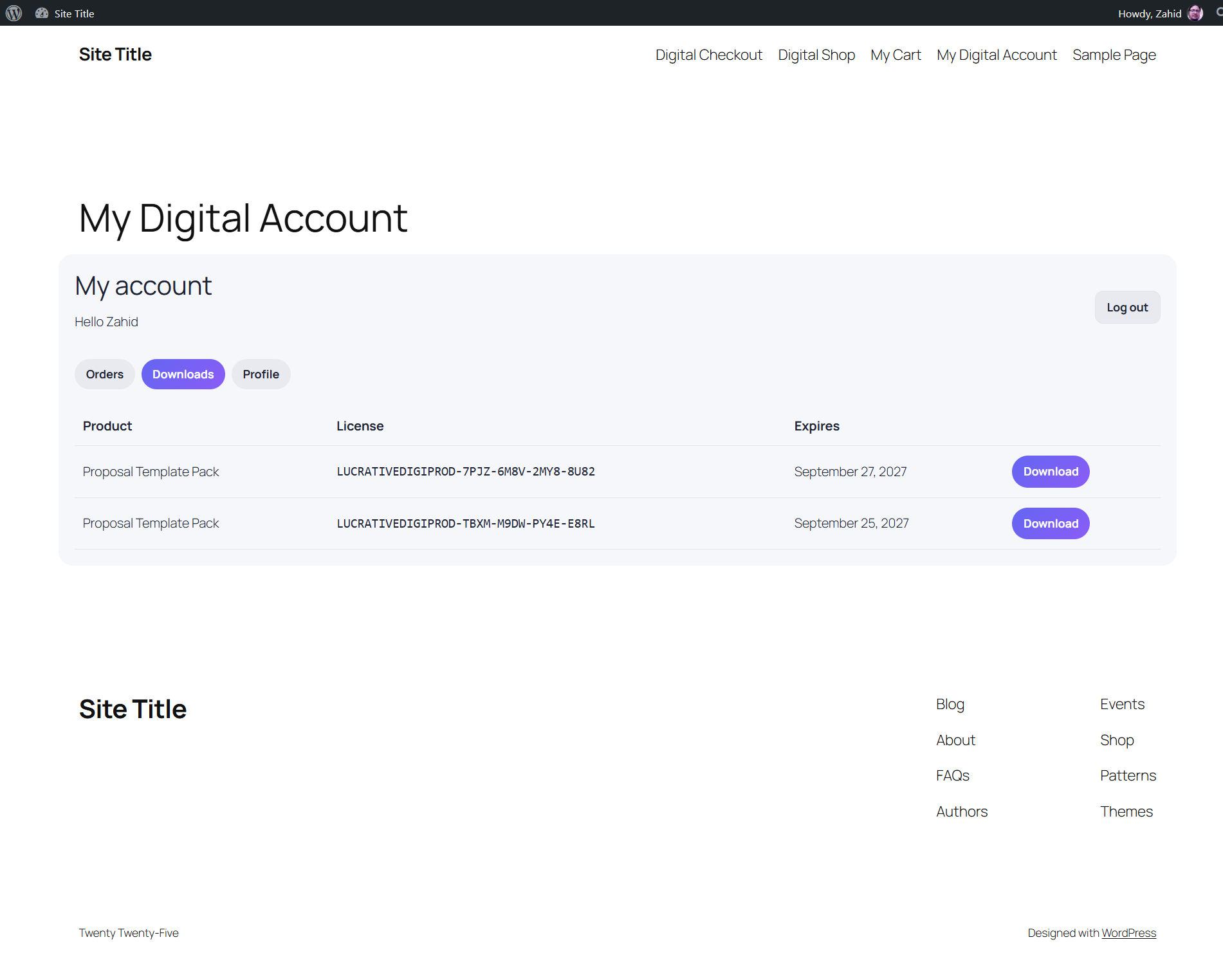
License keys and expiry dates sit next to each download. Customers re-download at any time with a fresh signed link.
- Downloads stop when a subscription is cancelled or a renewal fails.
- Renewals extend the license automatically.
Customer account
Profile
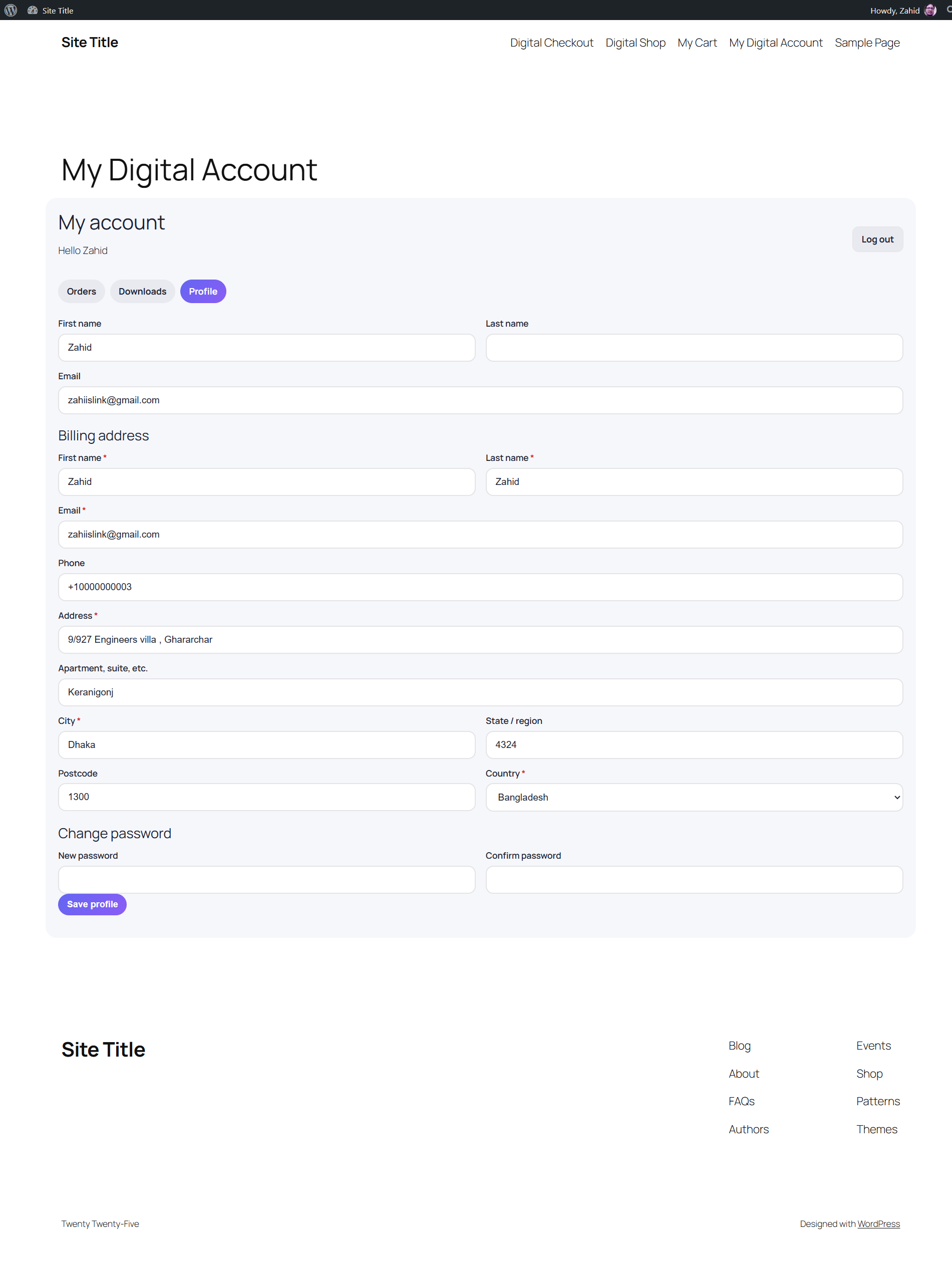
Customers edit their billing address and change their password without visiting wp-admin.
Admin
Dashboard
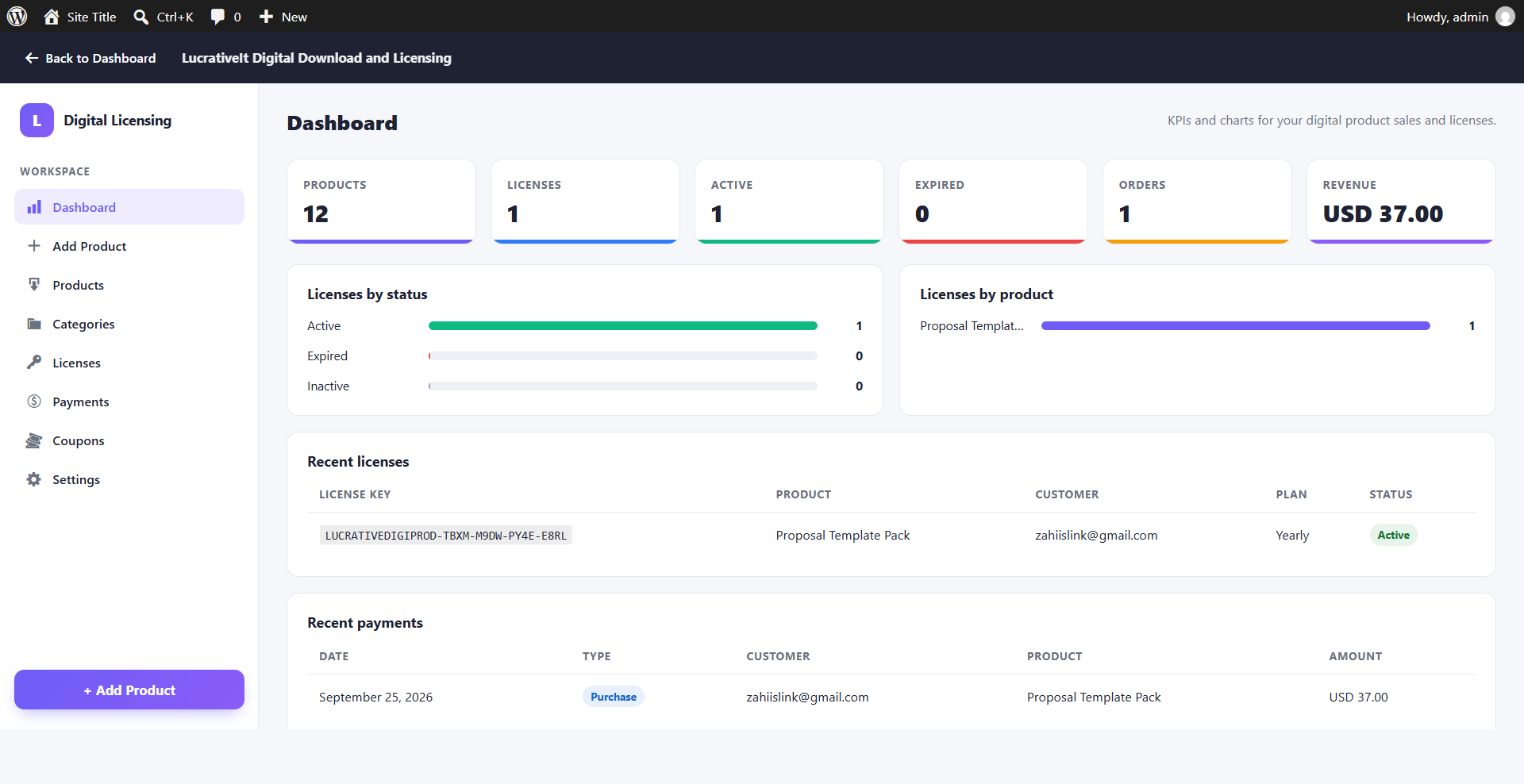
KPIs for products, licenses, active and expired licenses, orders and revenue.
- Charts of licenses by status and by product.
- Recent licenses and payments at a glance.
Products
Digital Products
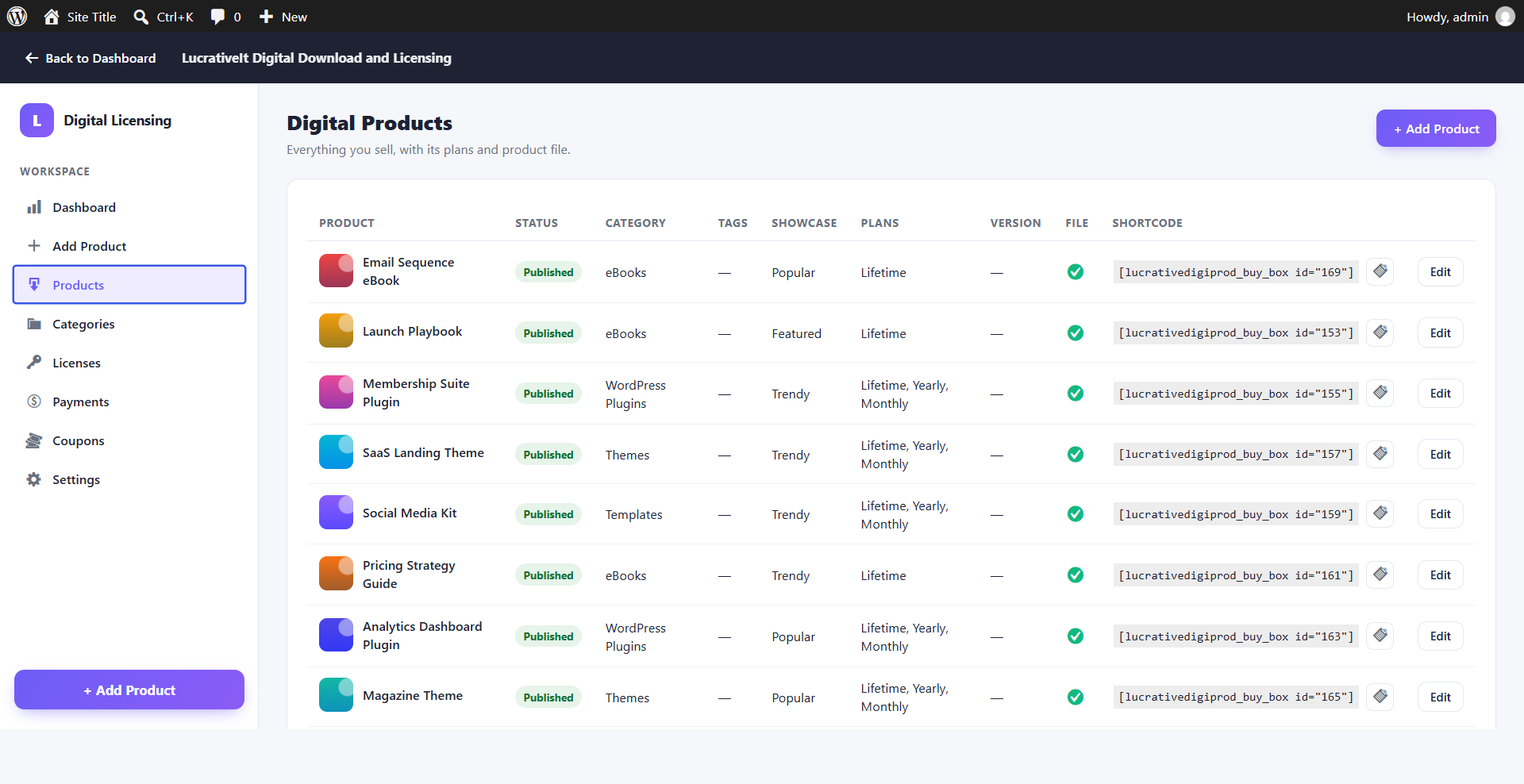
All products with their plans, file status and a copyable buy-box shortcode.
Product wizard
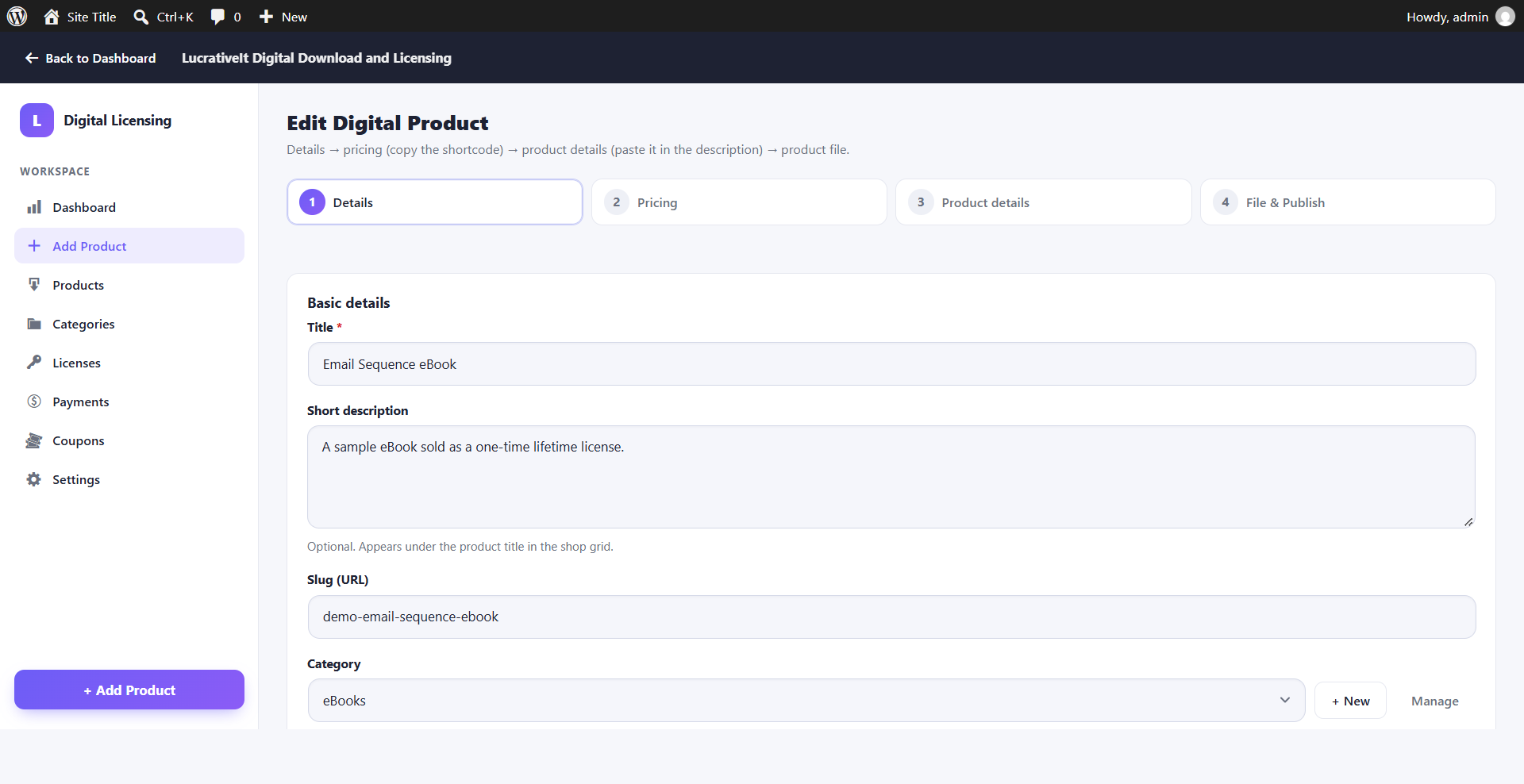
Add a product in 4 steps
A guided wizard saves each step as you go:
- Details — title, short description, slug and category.
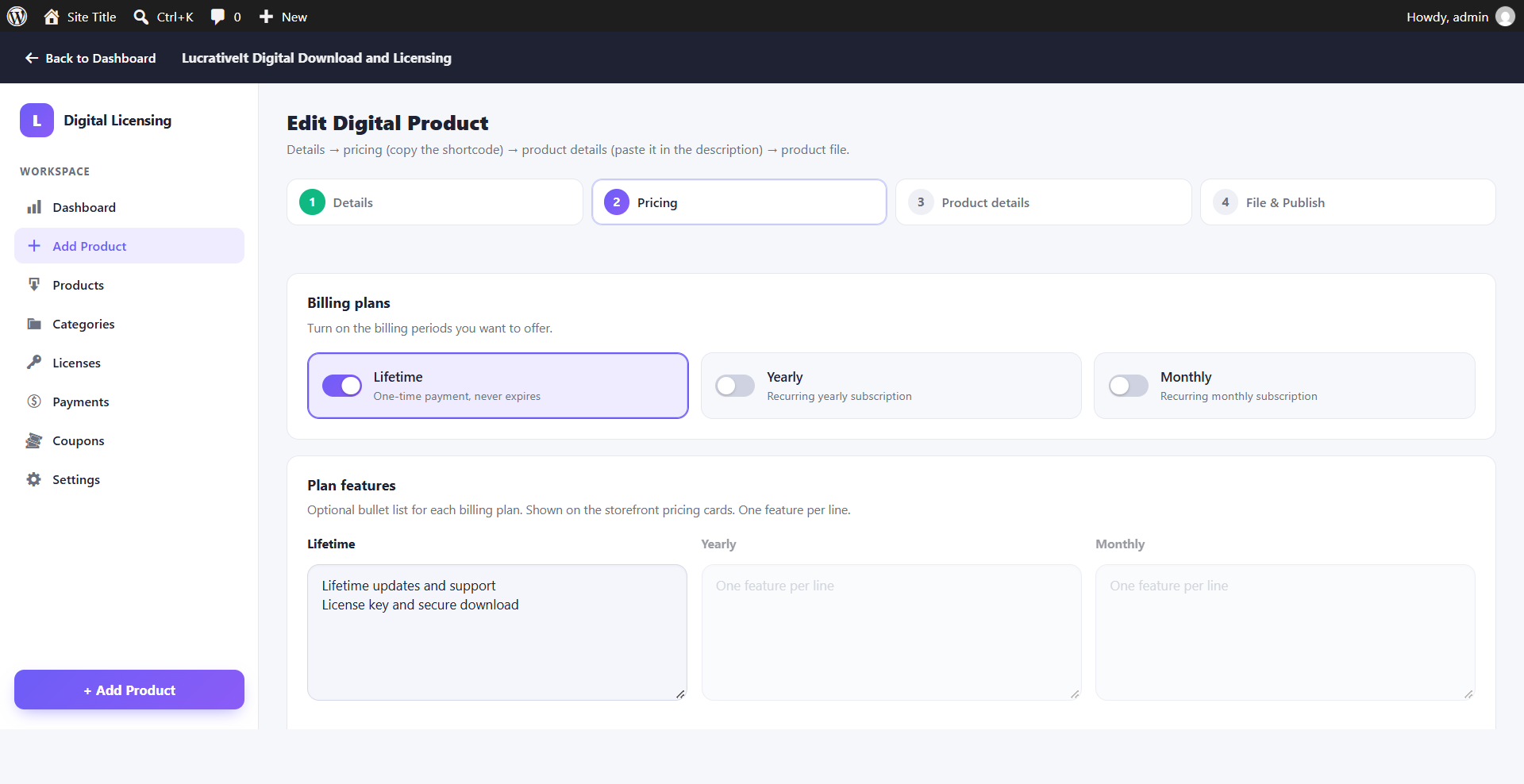
- Pricing — Lifetime, Yearly and Monthly plans with feature bullets.
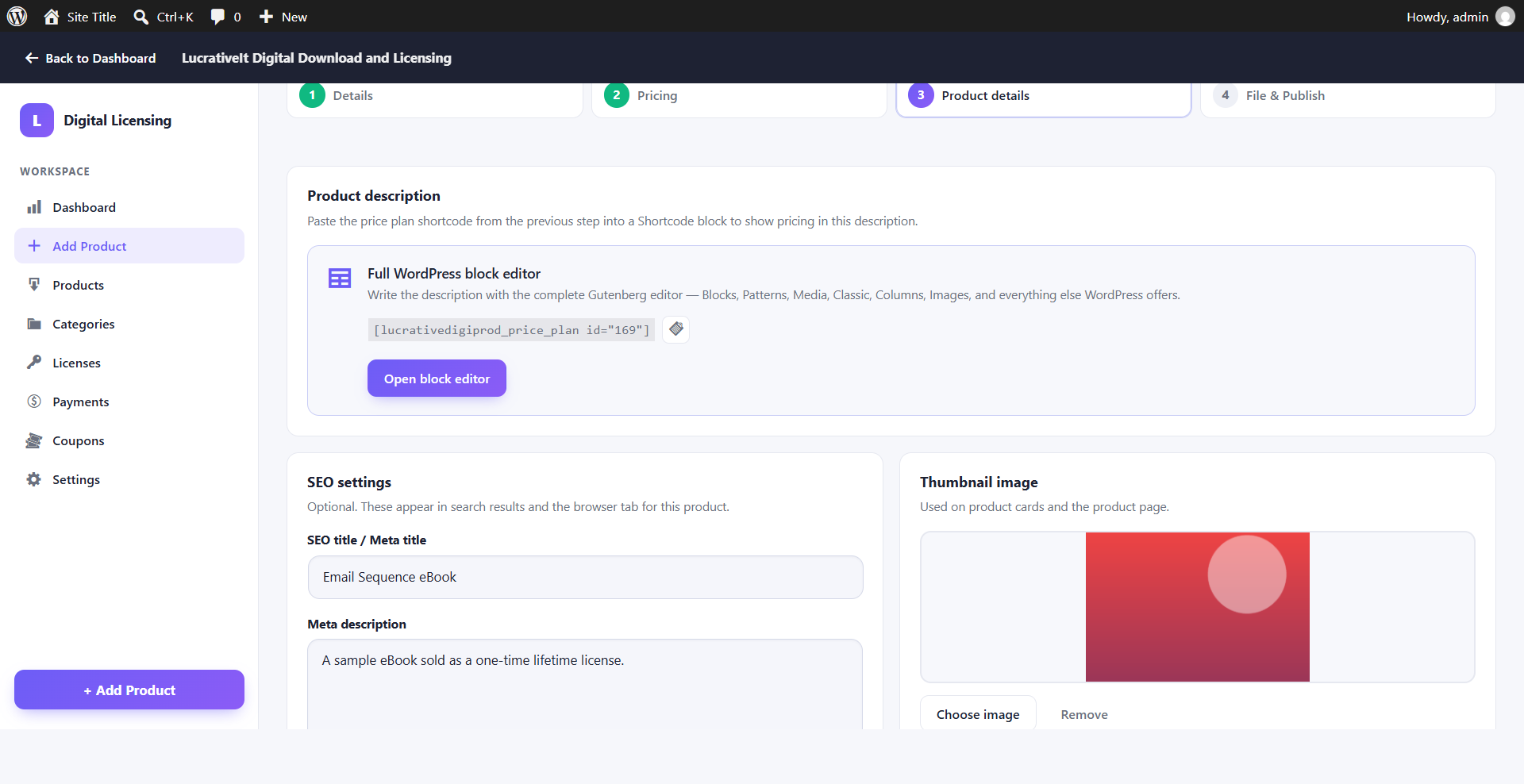
- Product details — description, SEO and thumbnail.
- File & Publish — upload the file, set the version and publish.
Product wizard
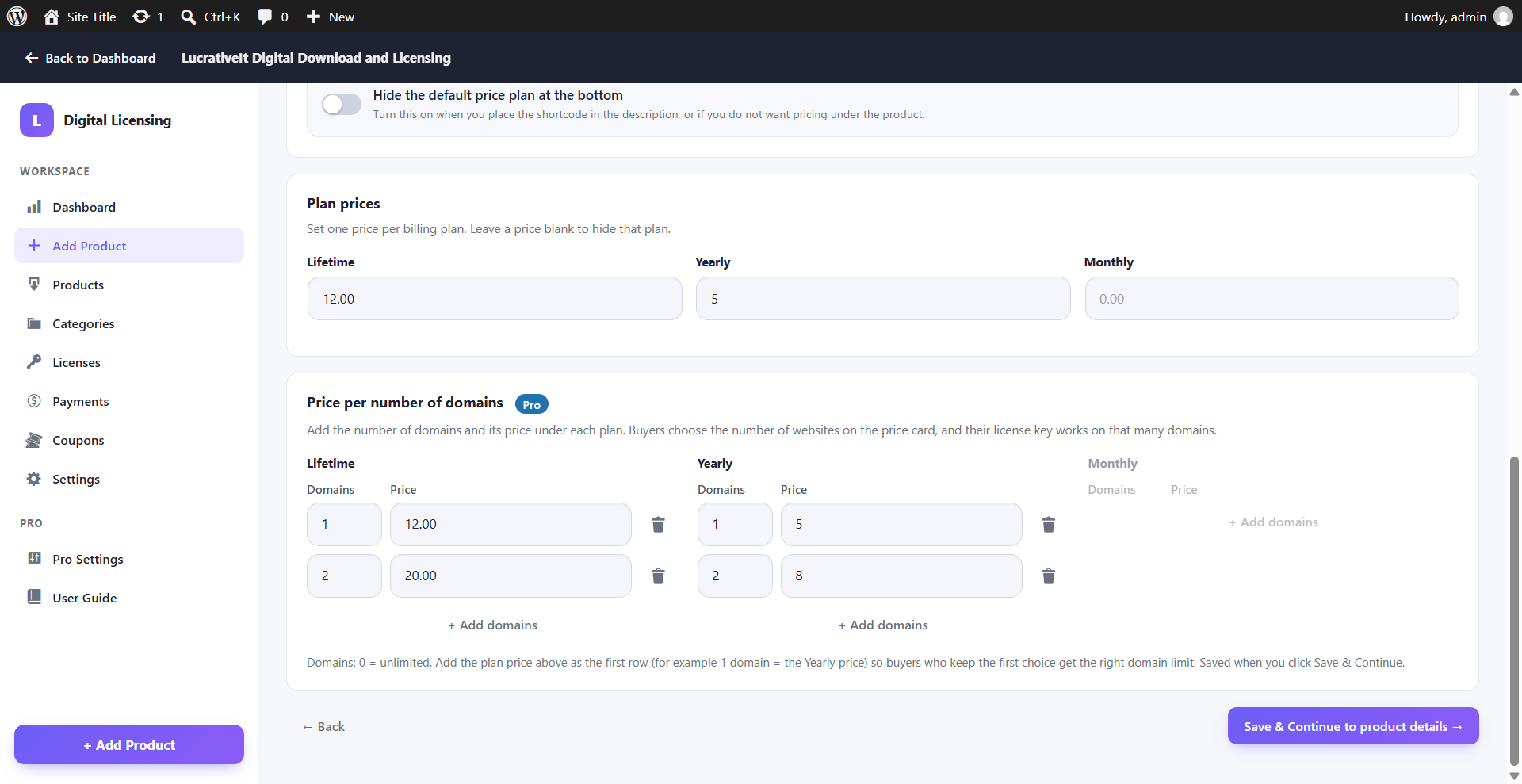
Step 2 — Pricing
Switch on any mix of Lifetime (one-time), Yearly and Monthly plans and add feature bullets for each pricing card.
With Pro, a Price per number of domains panel appears on this step — see Domain pricing.
Product wizard
Step 3 — Product details & SEO
Description, price plan shortcode, SEO title, meta description and thumbnail image for every product.
Product wizard
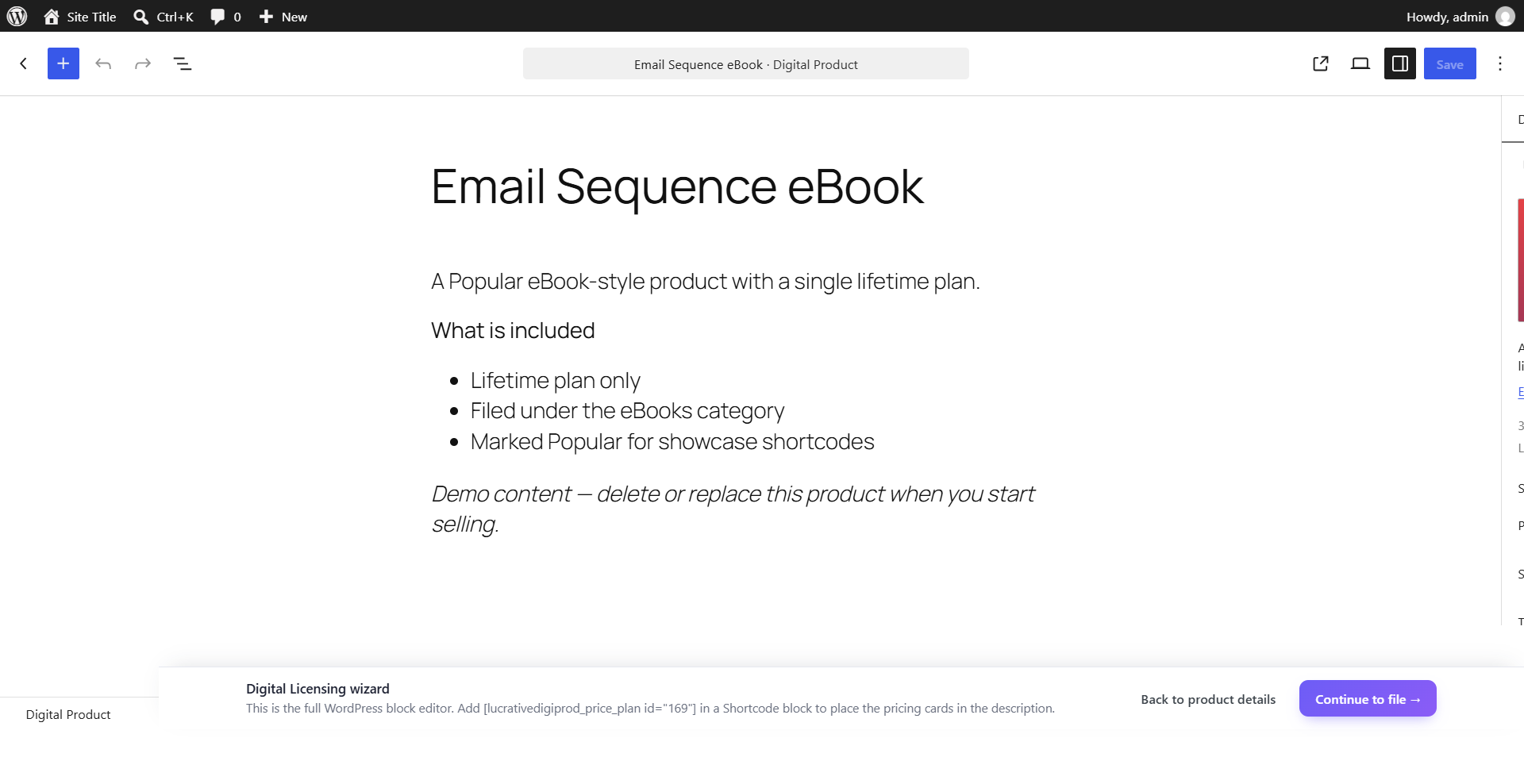
Block editor or Elementor
Write rich product descriptions with the full WordPress block editor or Elementor. The buy box is added automatically, or placed exactly where you put the shortcode.
Product wizard
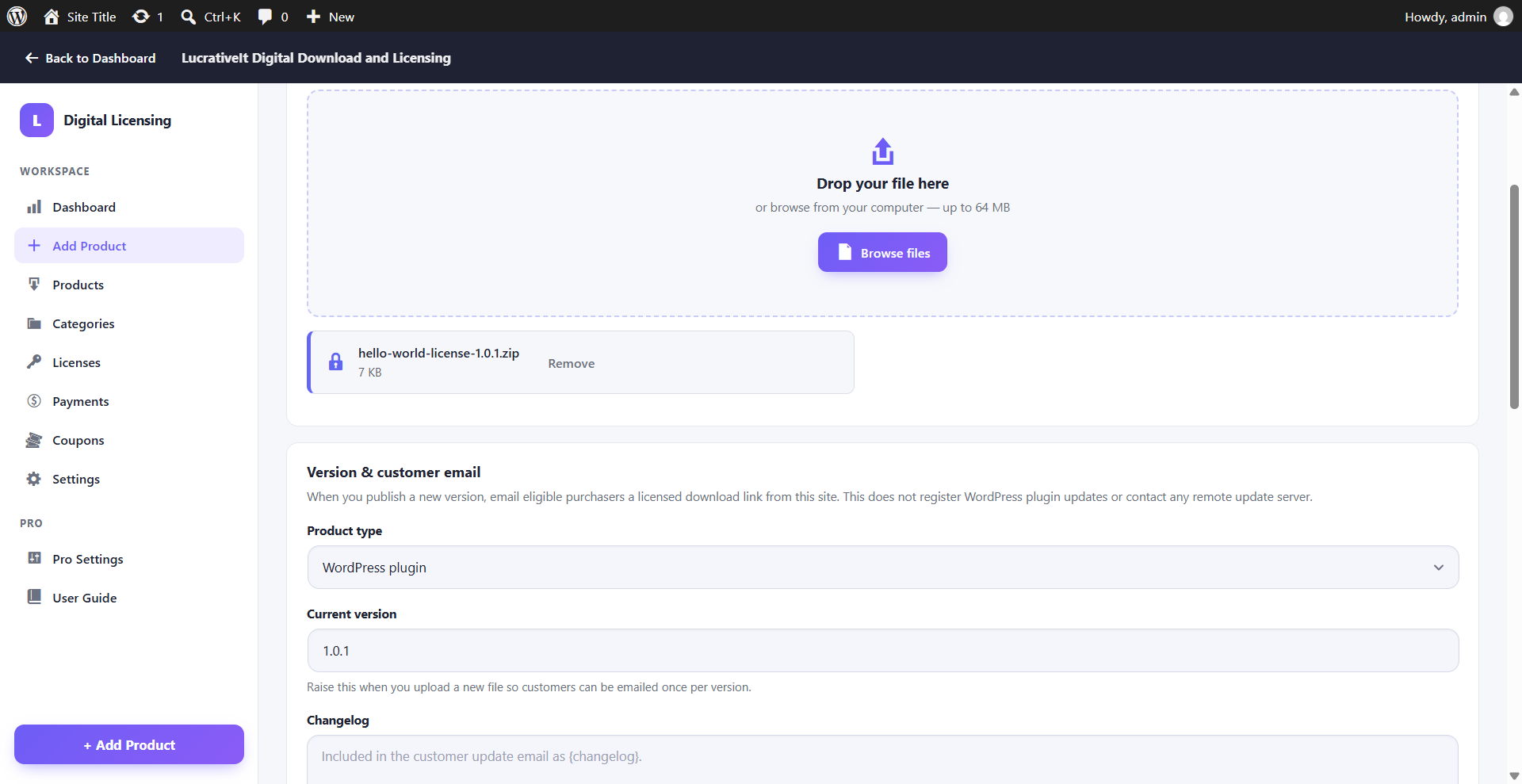
Step 4 — File & Publish
Upload the product file to a private, protected vault — never the public Media Library.
- Drag-and-drop uploads up to 64 MB.
- Product type, current version and changelog.
- Update emails — email every buyer with a valid license when you raise the version.
With Pro, this step also holds the automatic updates settings.
Products
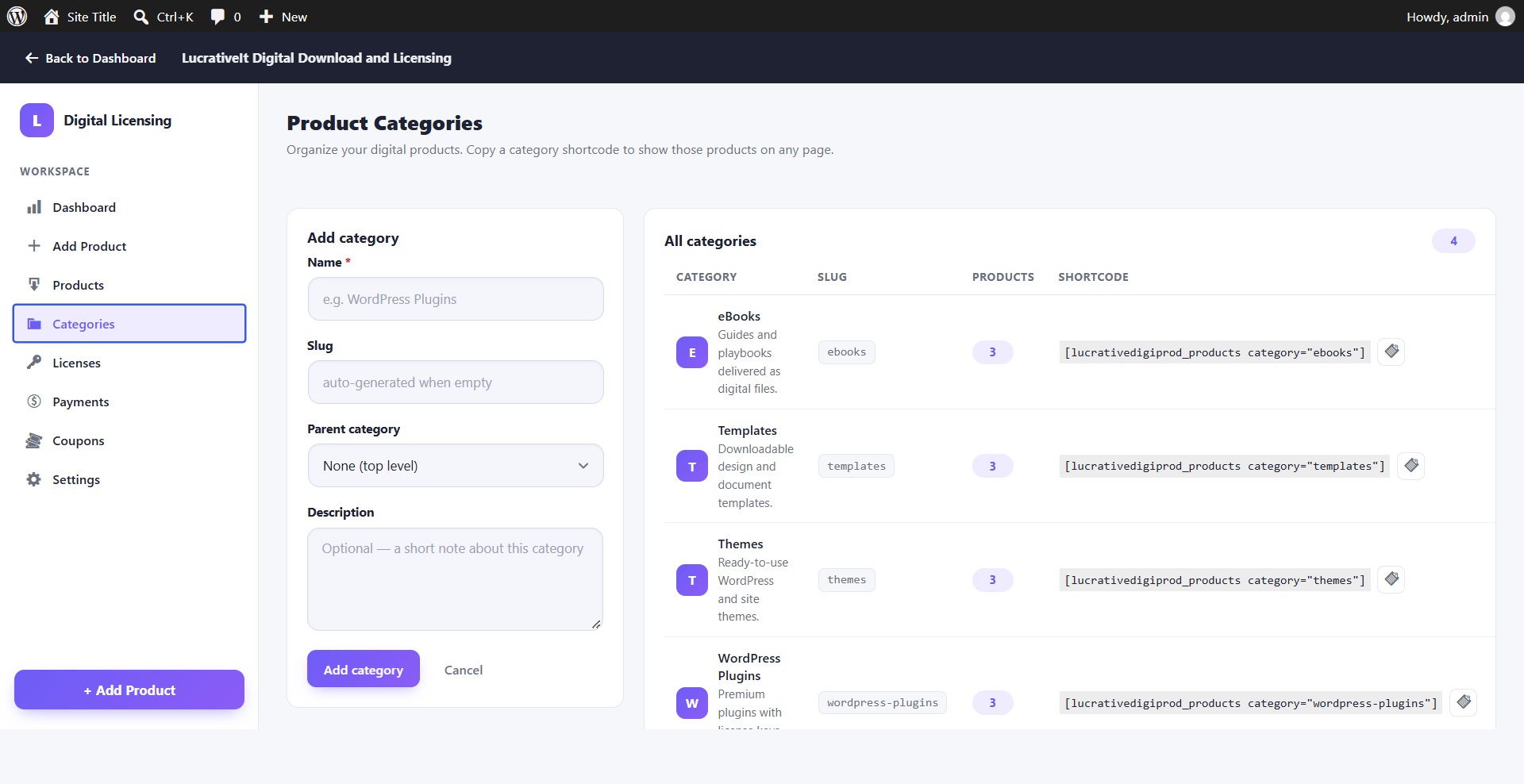
Categories
Product categories with parent categories and a copyable shortcode for each category.
Management
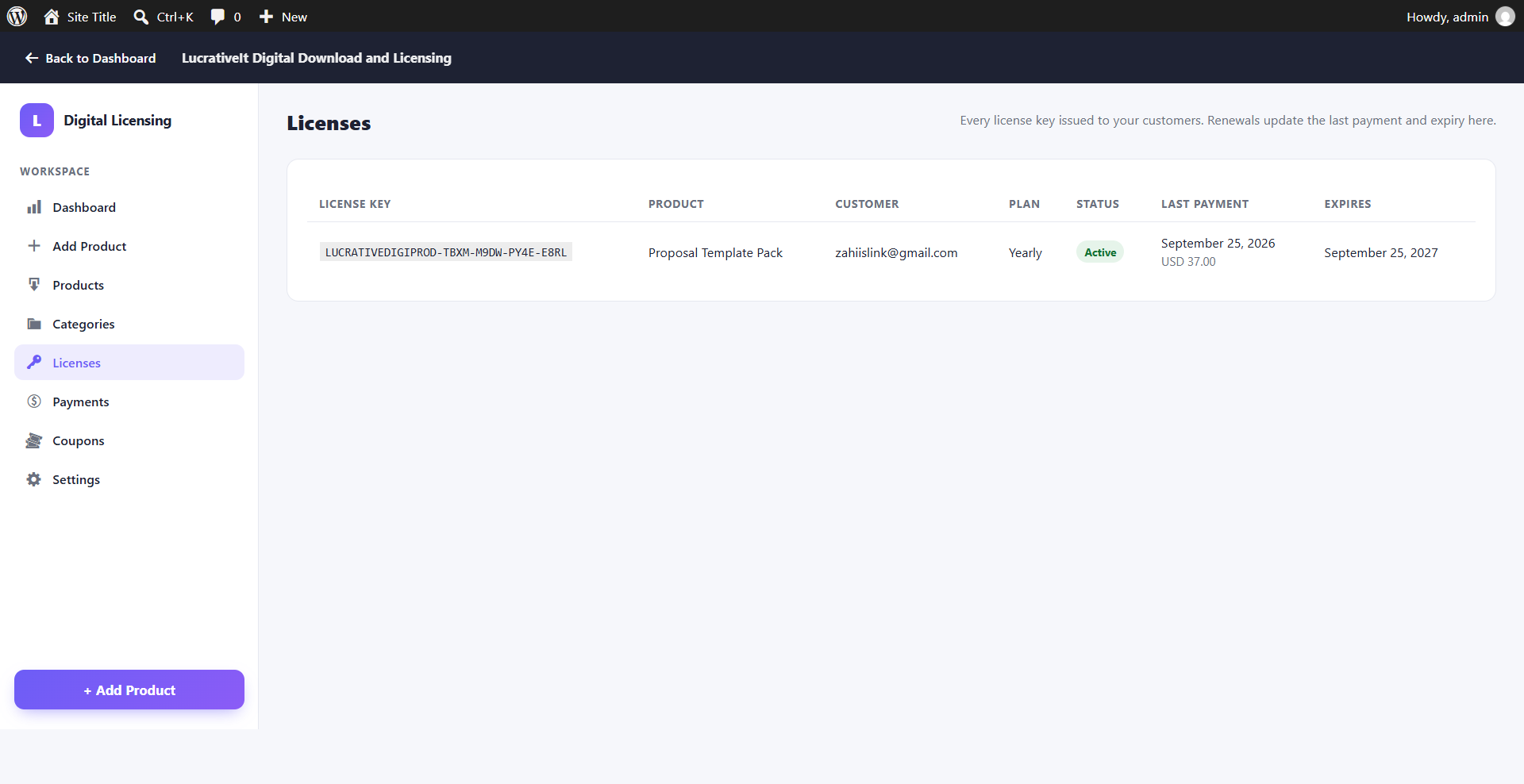
Licenses
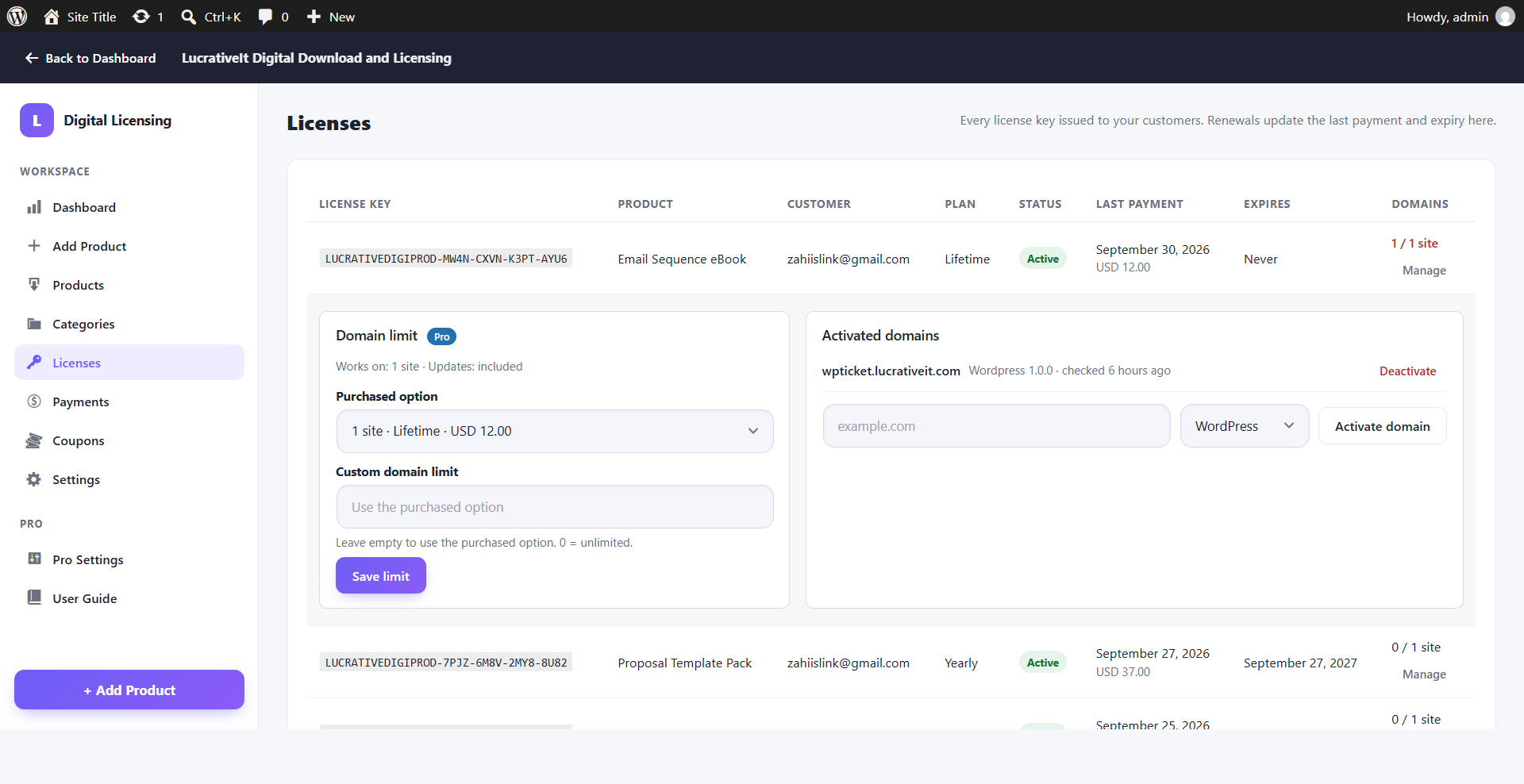
Every license with customer, plan, status, last payment and expiry.
With Pro, a Domains column and a Manage button appear in this same list — see Domain management.
Management
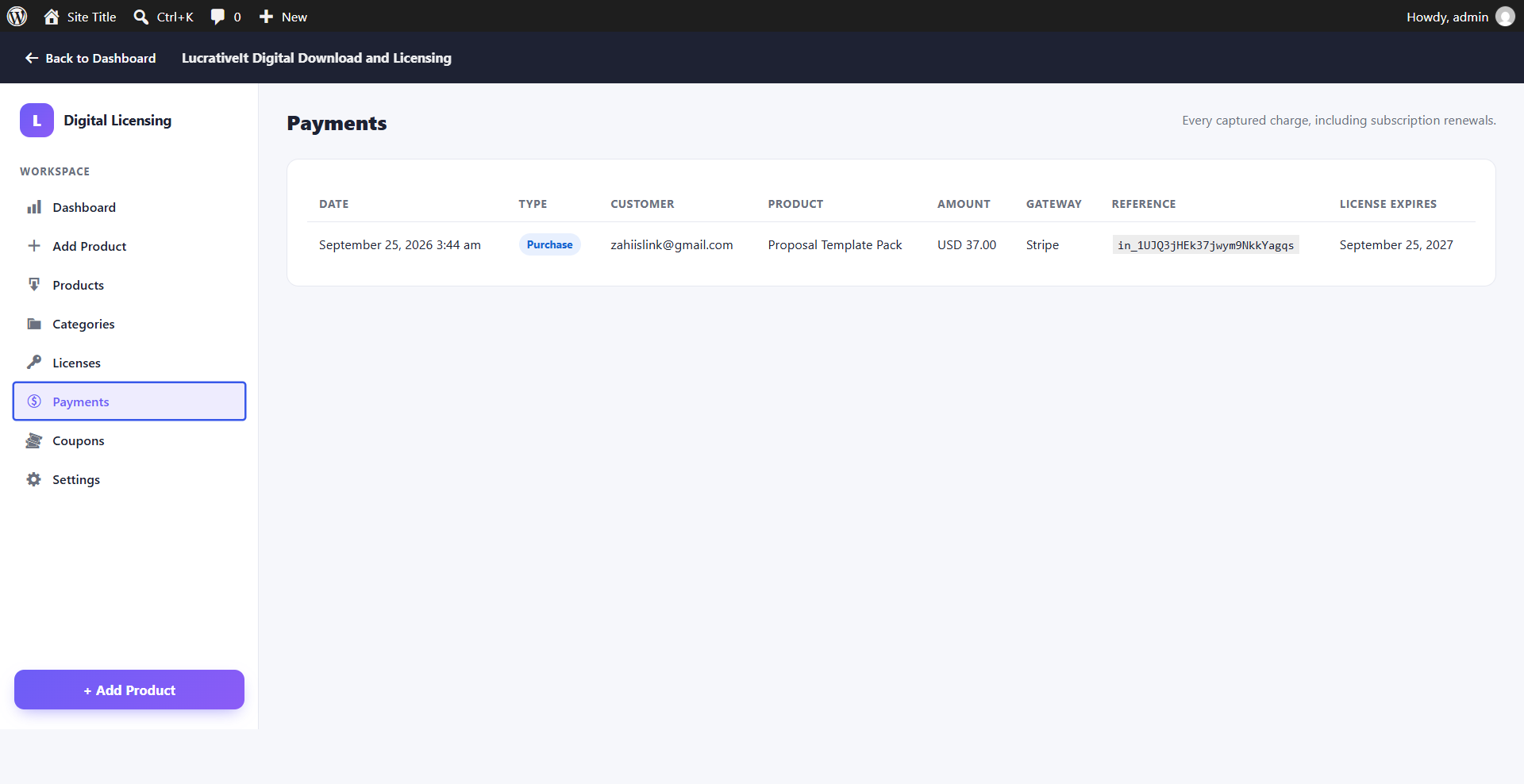
Payments
A log of purchases and renewals with gateway references for easy reconciliation.
Marketing
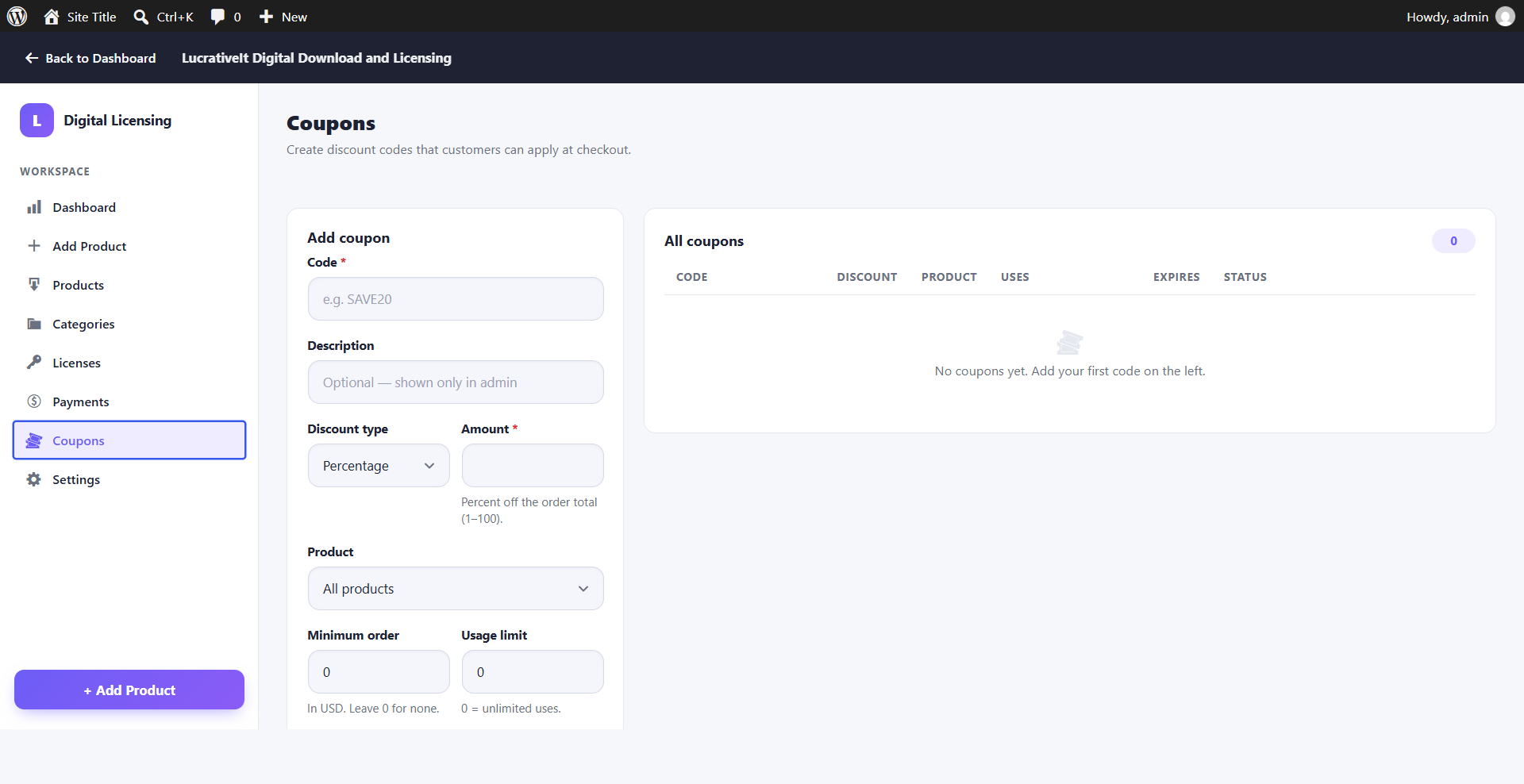
Coupons
- Percentage or fixed-amount discounts.
- Restrict to one product or apply to all.
- Minimum order amount, usage limit and expiry date.
Settings
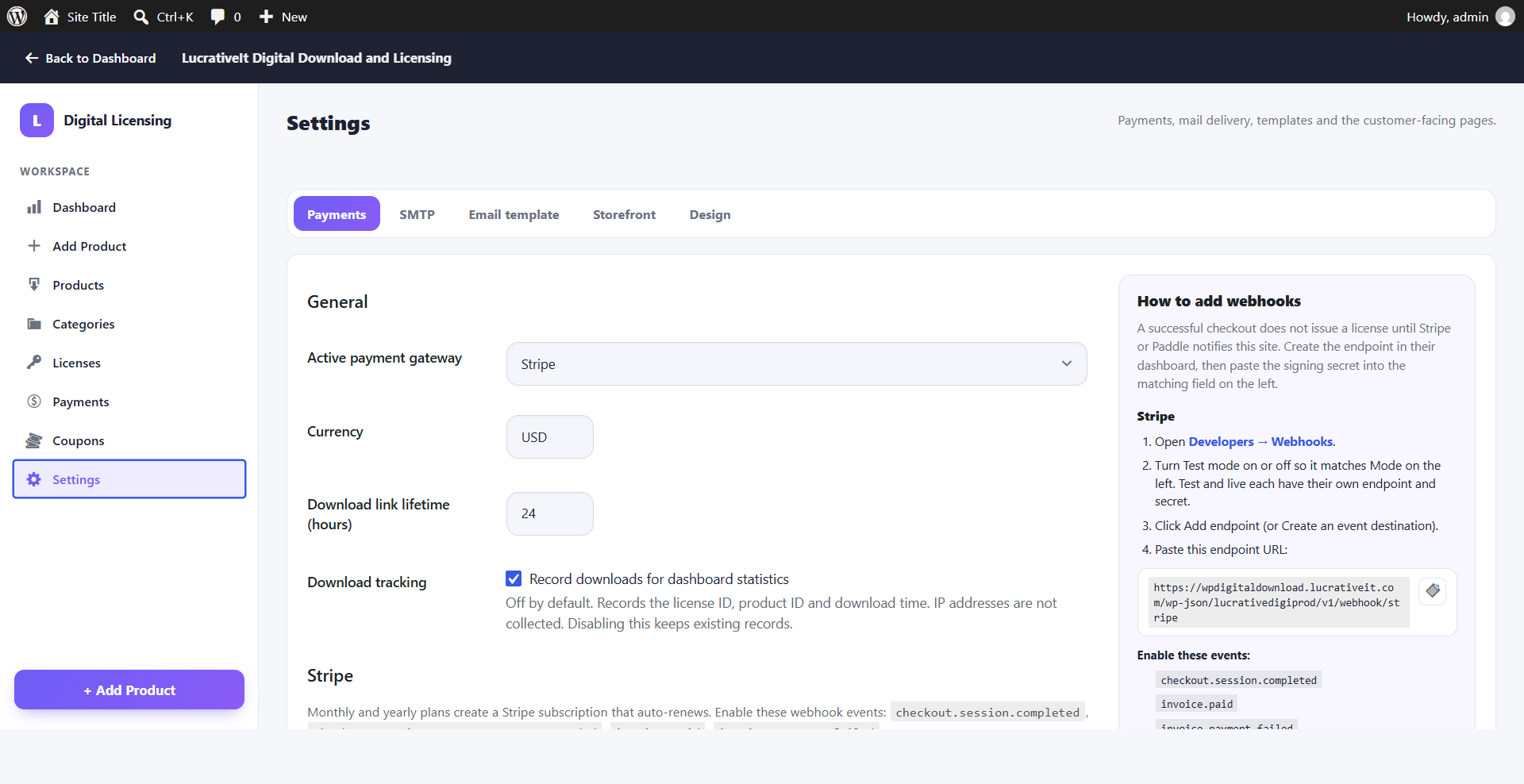
Payment settings
Choose the active gateway (Stripe or Paddle), test or live mode, currency and download link lifetime. Webhook URLs and setup instructions are shown on the screen.
Optional download tracking records license, product and time for dashboard statistics — no IP addresses.
Email delivery
SMTP
Send license and update emails through Gmail, Amazon SES or any SMTP host, with a test email button.
Email templates
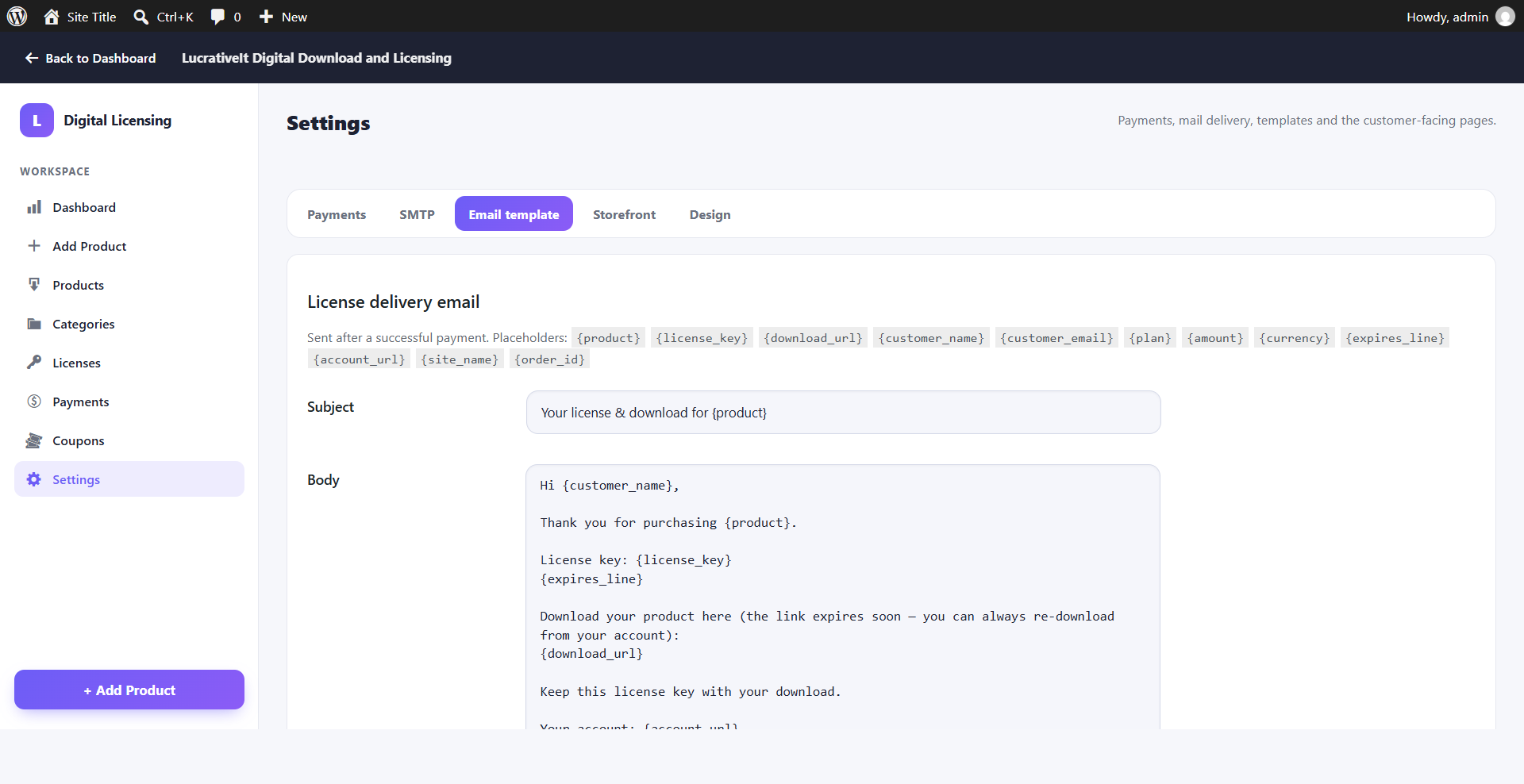
License delivery email
Edit the subject and body of the email sent after every purchase.
Placeholders include {product}, {license_key}, {download_url}, {plan} and {expires_line}.
Settings
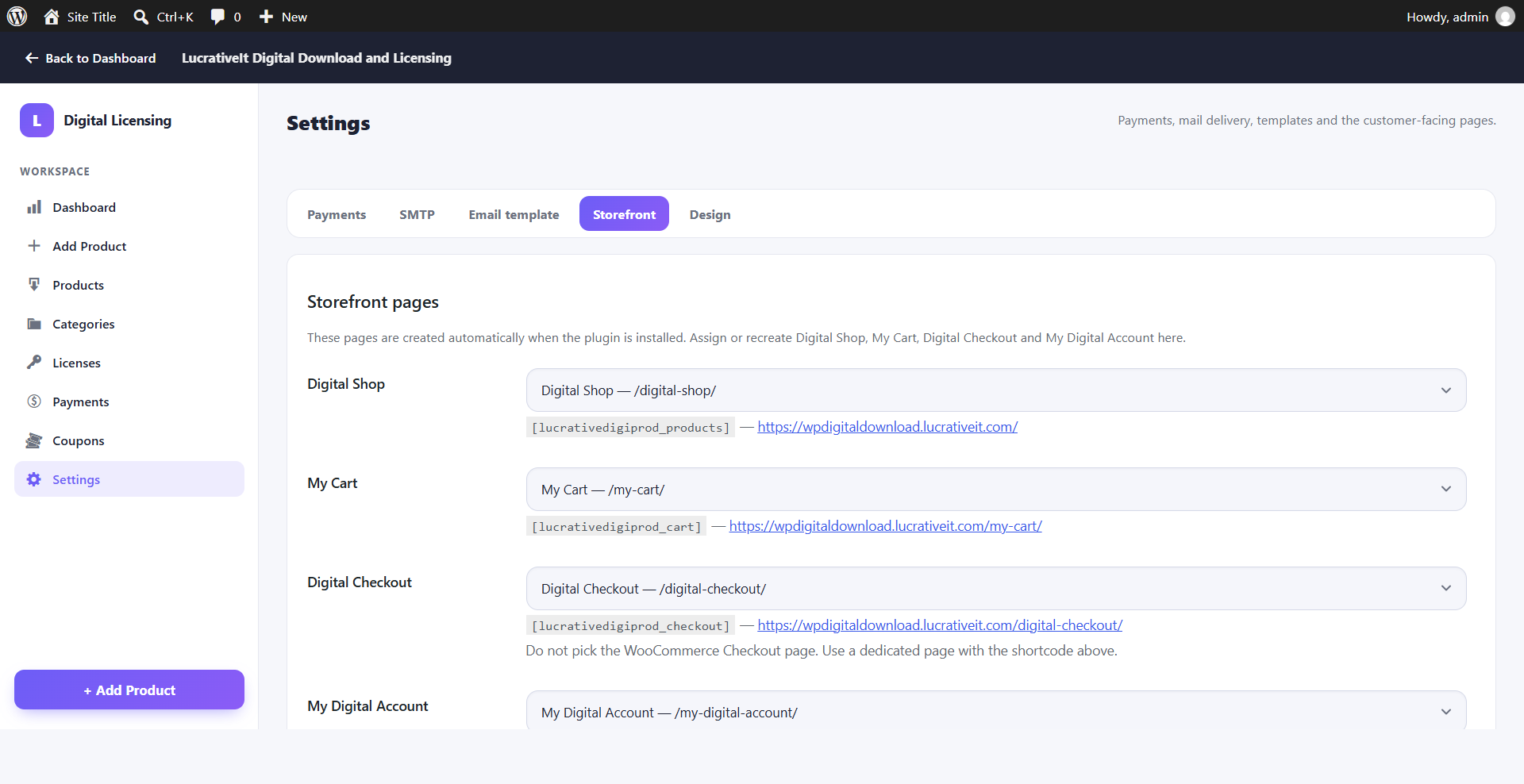
Storefront pages
Assign the Digital Shop, My Cart, Digital Checkout and My Digital Account pages, or let the plugin create them.
Design
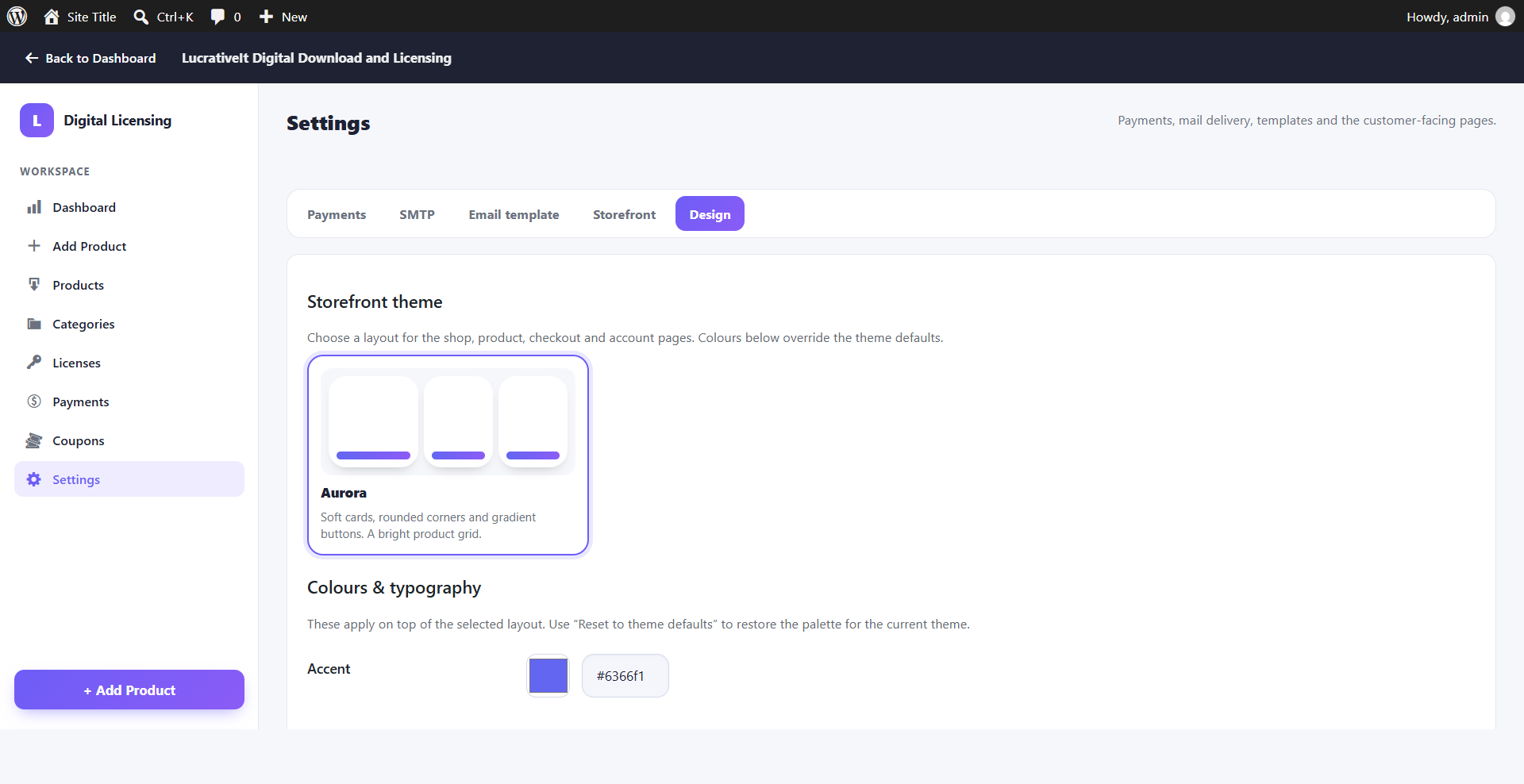
Storefront theme & colours
Pick a storefront theme and set your own accent colour and palette to match your brand.
Pro add-on
Sell software per number of domains and deliver updates only to licensed sites.
Pro
Price per number of domains
In product step 2, add domain options for each billing plan — for example 1 site, 3 sites and unlimited — each with its own price.
- Works with Lifetime, Yearly and Monthly plans.
- Clear validation: every option needs a price, and no two options share one.
- No extra pages or shortcodes — it all lives in the product editor.
Pro
Domain choice on the storefront
Pricing cards show the domain options as a clean radio list. The price and the Buy button update instantly when the buyer picks an option.
- The chosen option is carried through checkout and attached to the license.
- Matches your storefront accent colour automatically.
Pro
Domain management in Licenses
The free Licenses screen gains a Domains column (used / limit) and a Manage panel for each license — no extra menu.
- Change the purchased option or set a custom domain limit.
- See every activated domain and deactivate it with one click.
- Activate a domain for a customer manually.
Pro
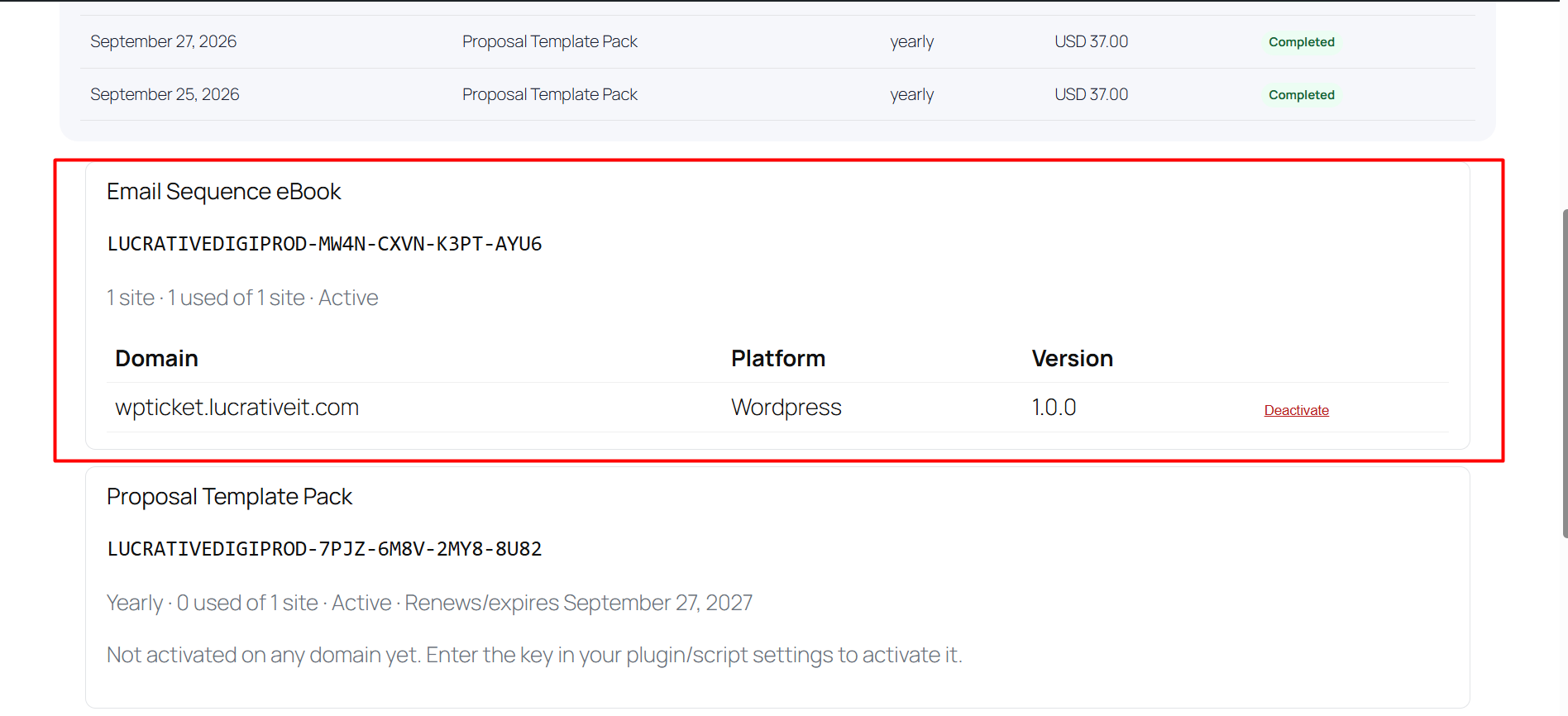
Customers manage their domains
Buyers see their licenses, activated domains and remaining slots, and free a slot by deactivating an old site.
Shortcode: [lddl_pro_my_licenses]. Customer deactivation can be switched off in Pro settings.
Pro
License-gated automatic updates
Switch on Automatic updates with license key in product step 4 and set the update slug. Buyers then update your plugin from Dashboard → Updates like any plugin from WordPress.org.
- Updates reach only active licenses on activated domains.
- Short-lived signed download links bound to license and domain.
- "View details" popup with changelog, WordPress and PHP requirements, icon and banner.
Pro
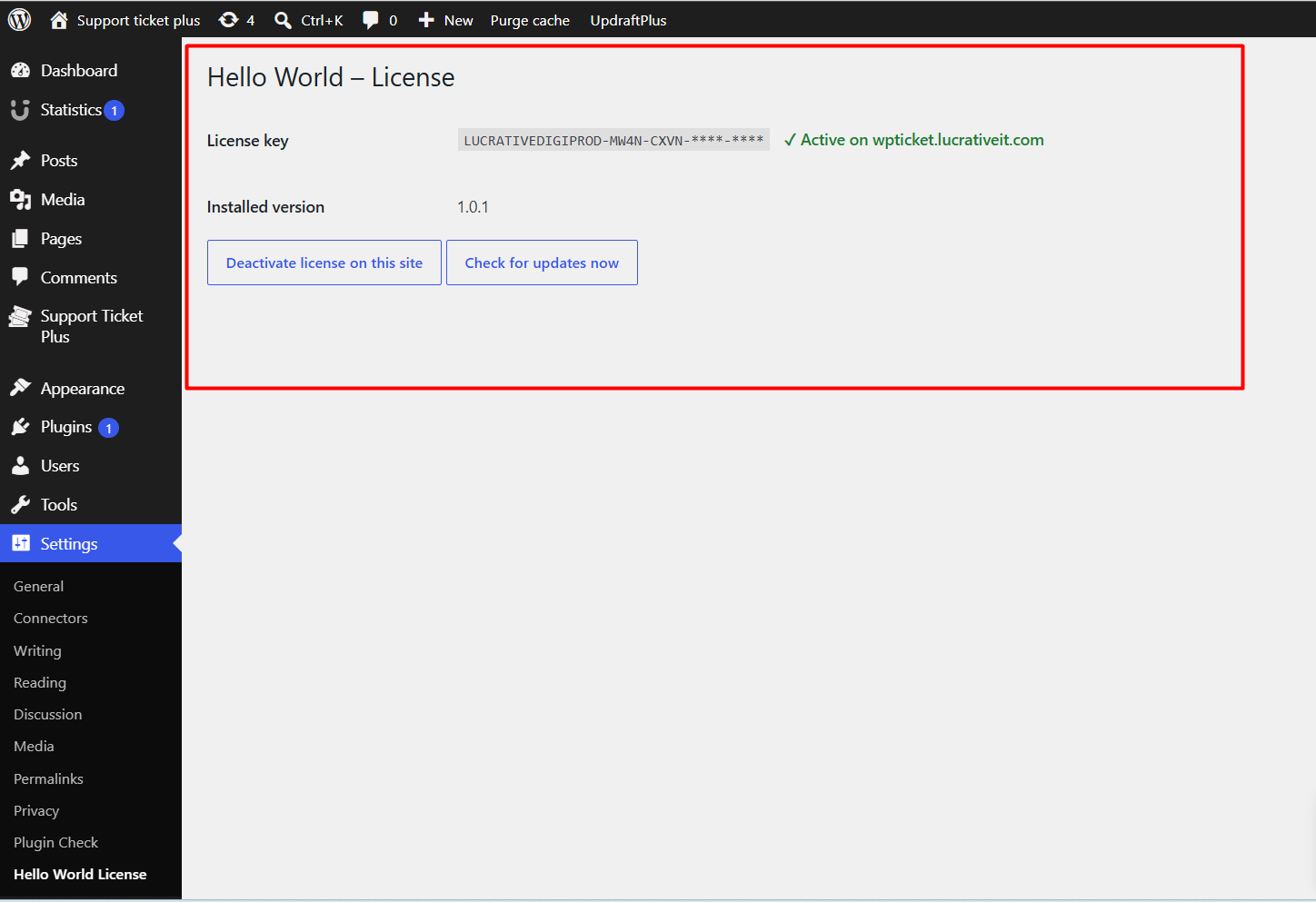
Drop-in WordPress updater
Bundle one PHP class with the plugin you sell. It adds a Settings → License page where buyers activate their key, plus update checks and a reminder notice.
- Copy
class-lddl-license-updater.php into your plugin.
- Create one instance with your store URL, product ID and slug.
- Lock premium features with
is_active().
Pro
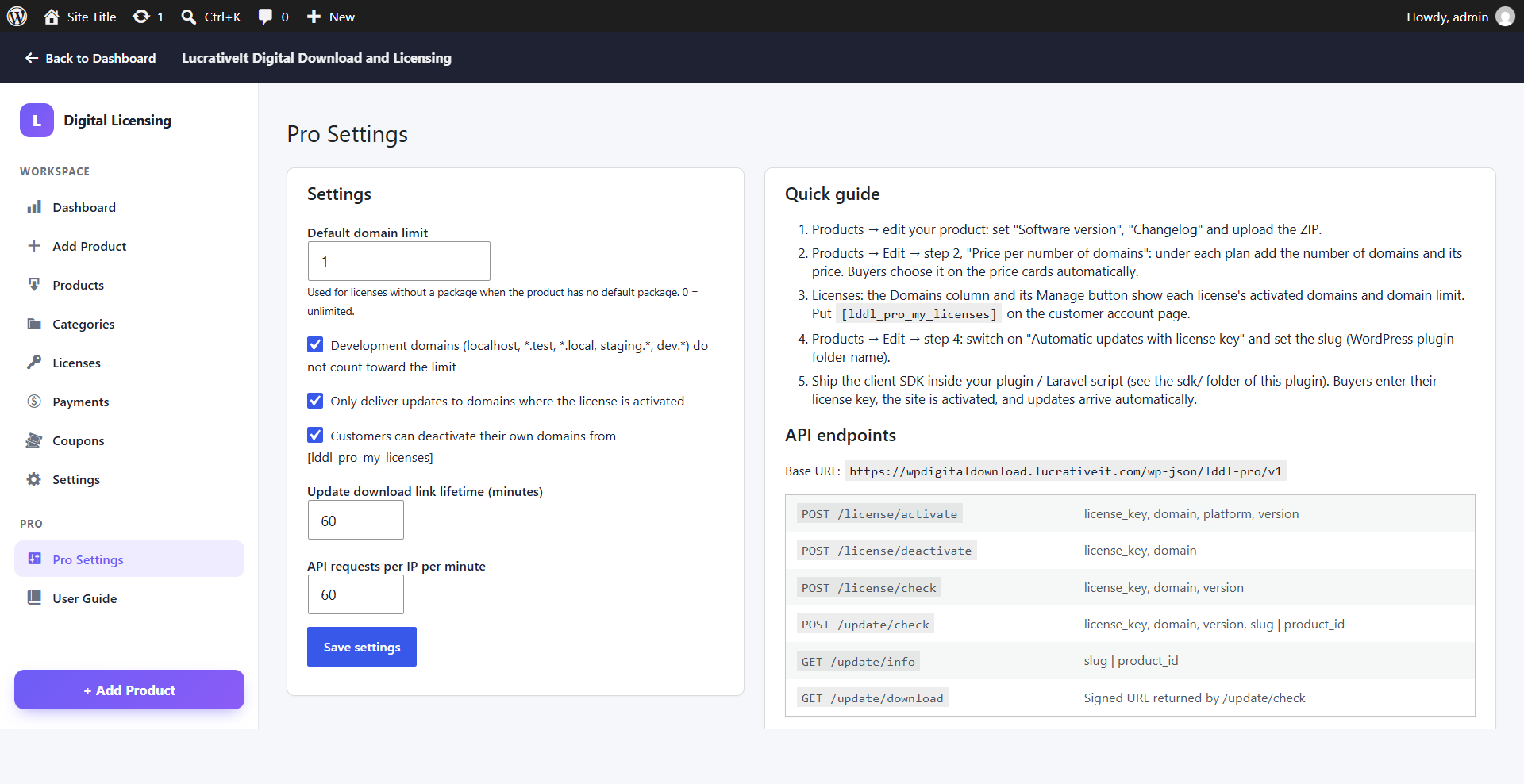
Pro settings & license API
- Default domain limit for products without domain options.
- Free development domains —
localhost, .test, .local, staging. and similar don't use a slot.
- Require activation before updates can be downloaded.
- Download link lifetime and API rate limit.
REST API at /wp-json/lddl-pro/v1/: license/activate, license/deactivate, license/check, update/check, update/info and update/download.
Frequently Asked Questions
Common questions about the free plugin and the Pro add-on.
Does this require WooCommerce?
No. The plugin is a standalone digital store with its own catalogue, cart, checkout, licenses, downloads and customer account.
Which payment gateways are supported?
Stripe Checkout and Paddle Billing, with test and live modes. Choose one active gateway under Settings → Payments. Card details are entered on Stripe or Paddle, never in WordPress.
How are product files protected?
Files are stored in a private vault outside the Media Library. Buyers download through signed links that expire after the lifetime you set, and downloads stop when a subscription ends.
Can buyers be told about a new version?
Yes, in the free plugin. Raise the version on File & Publish and tick Email purchasers when I click Update product. With Pro, WordPress plugins can also update themselves from the buyer's dashboard.
How does domain pricing work in Pro?
Add domain options with their own prices in product step 2. The storefront shows them as a radio list on each pricing card, and the license the buyer receives is limited to the number of domains they paid for.
Do development sites use a domain slot?
Not by default. localhost, private IP addresses and domains such as .test, .local or staging. are free. You can switch this off in Pro settings.
How do buyers move a license to a new site?
They deactivate the old site from its License page or from their account ([lddl_pro_my_licenses]), then activate the new one. You can also do it for them under Licenses → Manage.
Does Pro change the free plugin?
No. Pro is a separate add-on that uses hooks in the free plugin. Deactivating Pro leaves your store, products and licenses as they were.
What are the server requirements?
WordPress 6.0+ and PHP 7.4+. Both plugins are GPL-2.0-or-later. Pro requires the free LucrativeIt Digital Download and Licensing plugin.

version.png)