WordPress Plugin · Free + Pro
LucrativeIT Driving School Management System — Product Specification
A complete driving-school booking system for WordPress. Students book lessons online,
each booking is matched to a free instructor, and you take payment with Stripe,
WooCommerce, or direct payment. The Pro add-on adds an instructor portal, commissions,
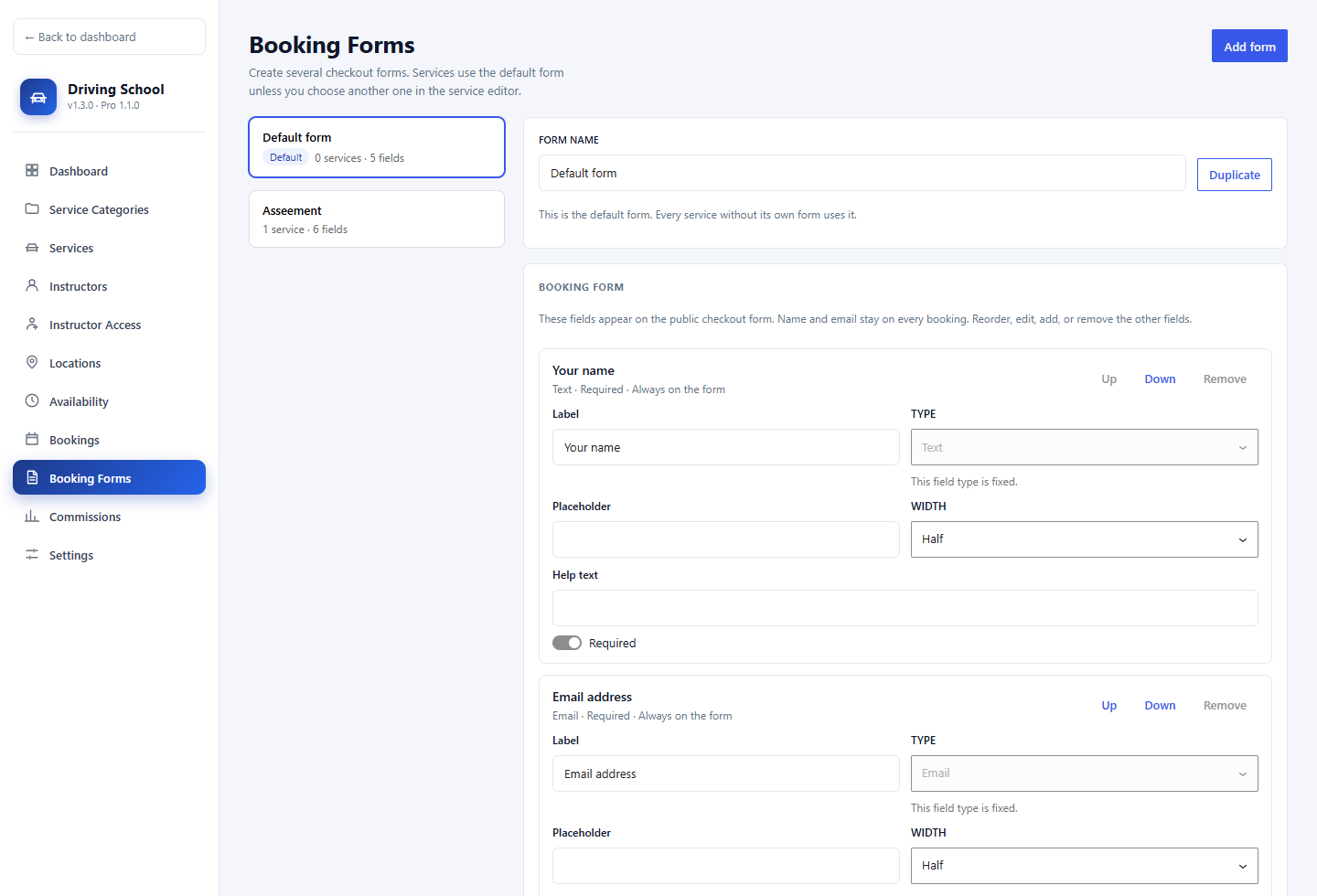
a calendar of available dates, a step-by-step booking wizard, bulk slots, and multiple booking forms.
By LucrativeIT.com ·
Live demo ·
Documentation
WordPress 6.4+
PHP 8.0+
License GPL-2.0-or-later
Free v1.3.0
Pro v1.1.0
WooCommerce optional
Lesson booking
Catalogue, live slots, and instructor cards
Two booking flows
Pick a generated slot, or search by start time
Stripe & WooCommerce
Plus direct payment with your own instructions
Scheduling rules
Buffer time, minimum notice, and slot breaks
Customer accounts
Login, registration, and My Account
School dashboard
Today, this week, and a 6-month revenue chart
Reschedule
Move a booking with a live availability check
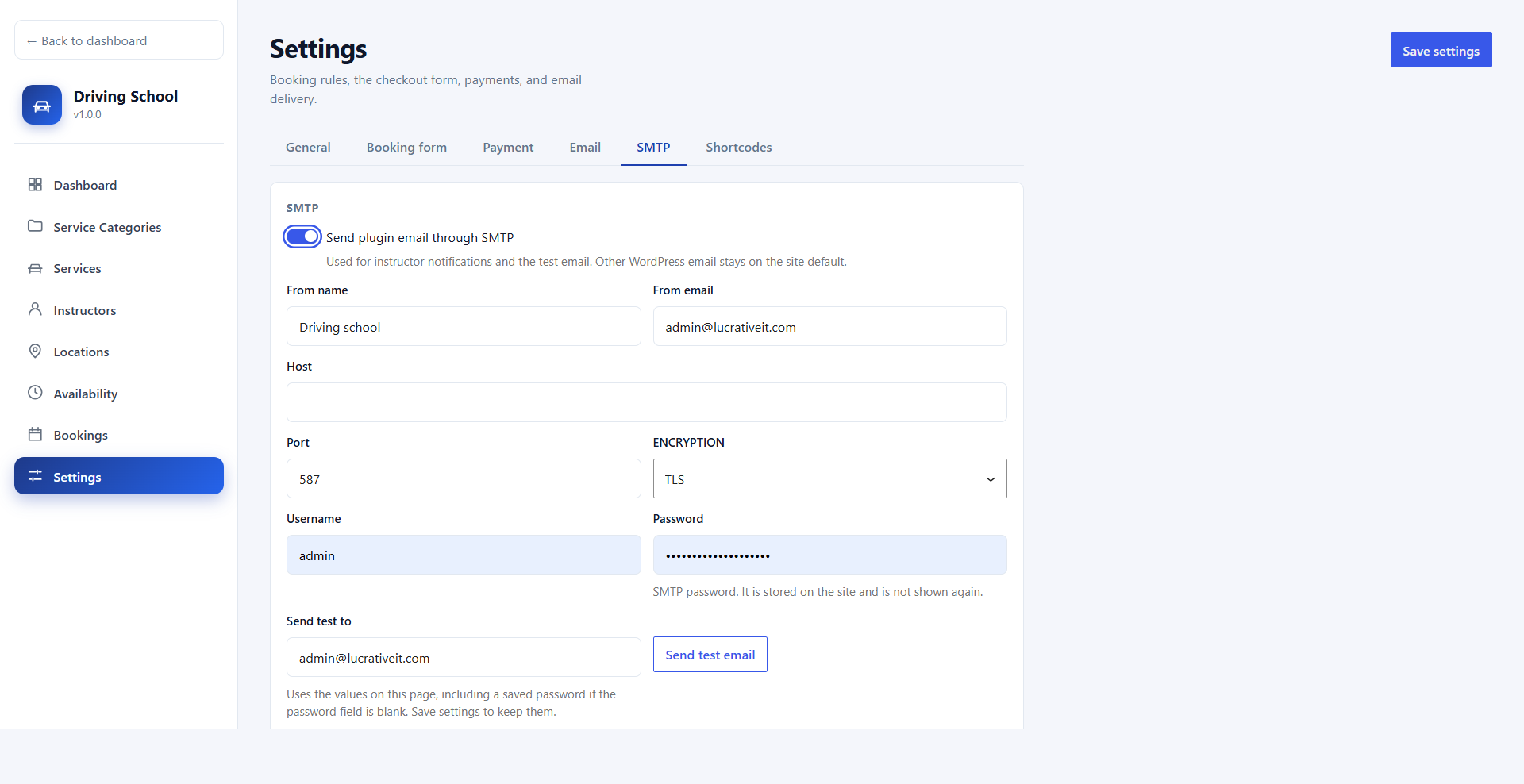
Emails & SMTP
Instructor notices and a test email
Demo data
Sample school and bookings in one click
Pro: Instructor portal
Lessons, earnings, and their own hours
Pro: Commissions
Rates, snapshots, and a CSV report
Pro: Booking wizard
Calendar dates, times, then checkout
Free vs Pro
The free plugin runs the school. Pro is a separate add-on that plugs into the same screens.
| Feature |
Free |
Pro add-on |
| Lesson catalogue, categories, locations, and instructors | ✓ | ✓ |
| Time slot picker and time search | ✓ | ✓ |
| Stripe, WooCommerce, and direct payment | ✓ | ✓ |
| Buffer, minimum notice, and slot breaks | ✓ | ✓ |
| Customer login, registration, and My Account | ✓ | ✓ |
| Admin bookings, reschedule, and instructor email | ✓ | ✓ |
| Custom booking form and SMTP | ✓ | ✓ |
| Instructor portal and earnings | — | ✓ |
| Commissions and commission report | — | ✓ |
| Calendar of available dates | — | ✓ |
| Step-by-step booking wizard | — | ✓ |
| Bulk slots for several instructors | — | ✓ |
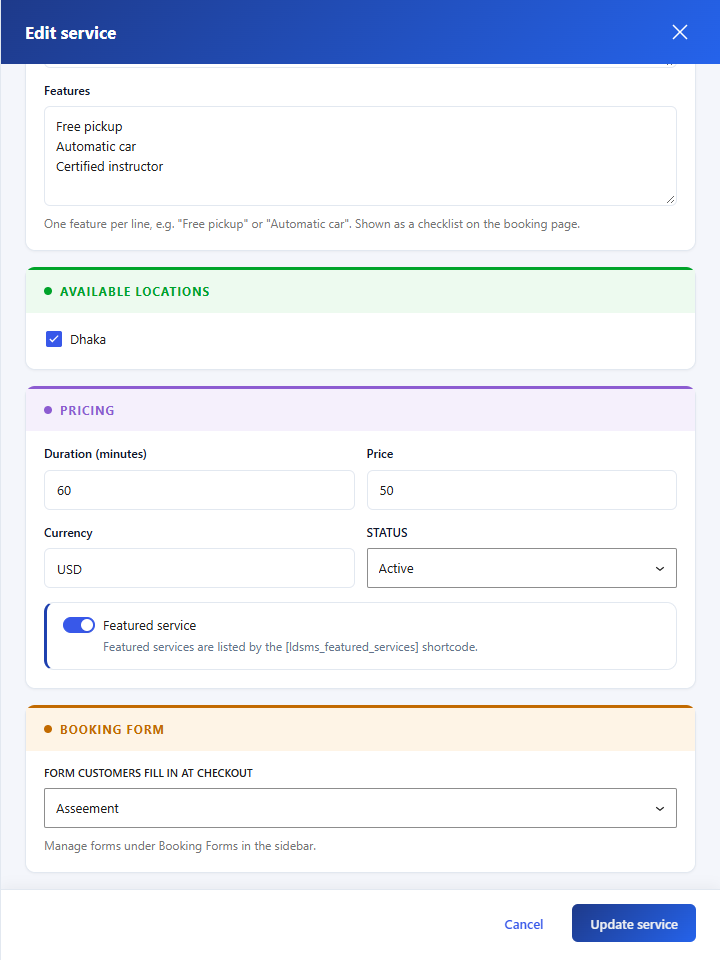
| Multiple booking forms per service | — | ✓ |
Free plugin
Online booking, scheduling, payments, and the school dashboard.
Front end
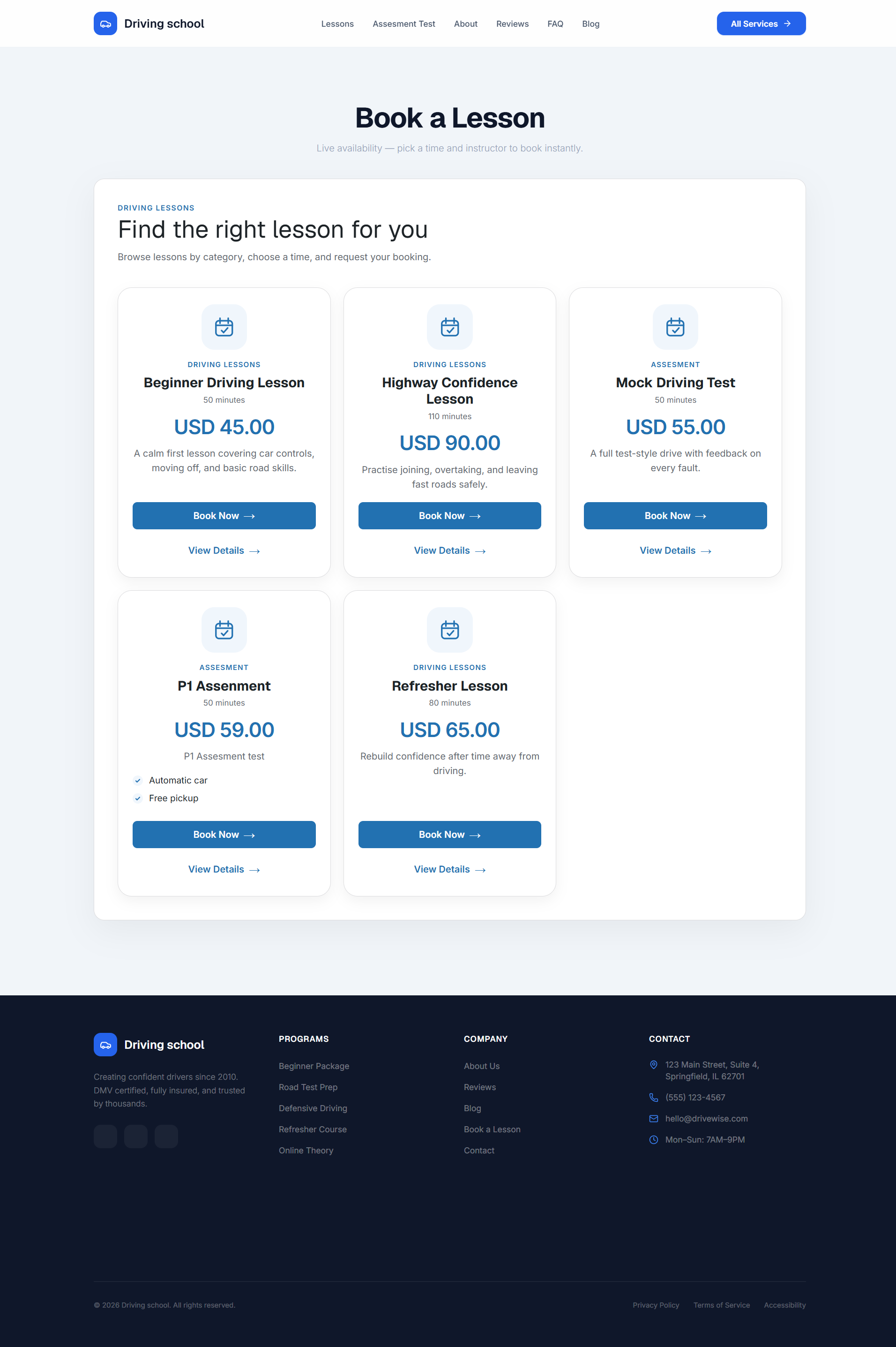
Lesson catalogue
Students browse lessons as cards with category, price, duration, a feature checklist, Book Now, and View Details.
- Pages created on activation — Book a Lesson and Booking Checkout.
- Shortcodes —
[ldsms_booking], [ldsms_featured_services], [ldsms_services], and [ldsms_service].
- Featured lessons can be placed on any page, including the home page.
Booking
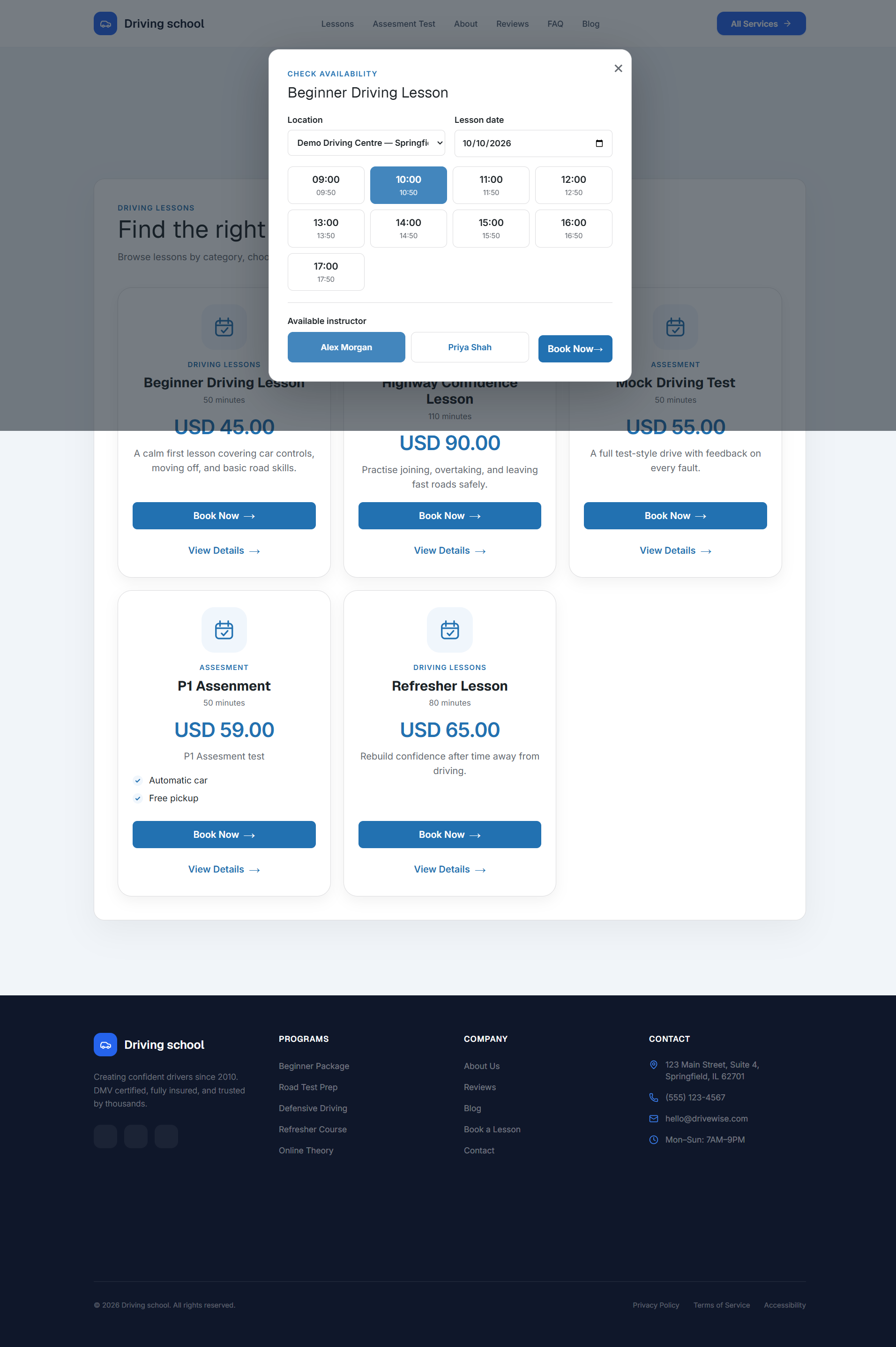
Live availability
The student picks a location and a date, chooses a free start time, then selects an instructor who can teach that lesson for its full length.
- Slot picker — generated start times, for example 09:00, 10:10, 11:20.
- Time search — the student enters a start time and the plugin checks who is free.
- Existing bookings, buffer time, and minimum notice are already applied.
Checkout
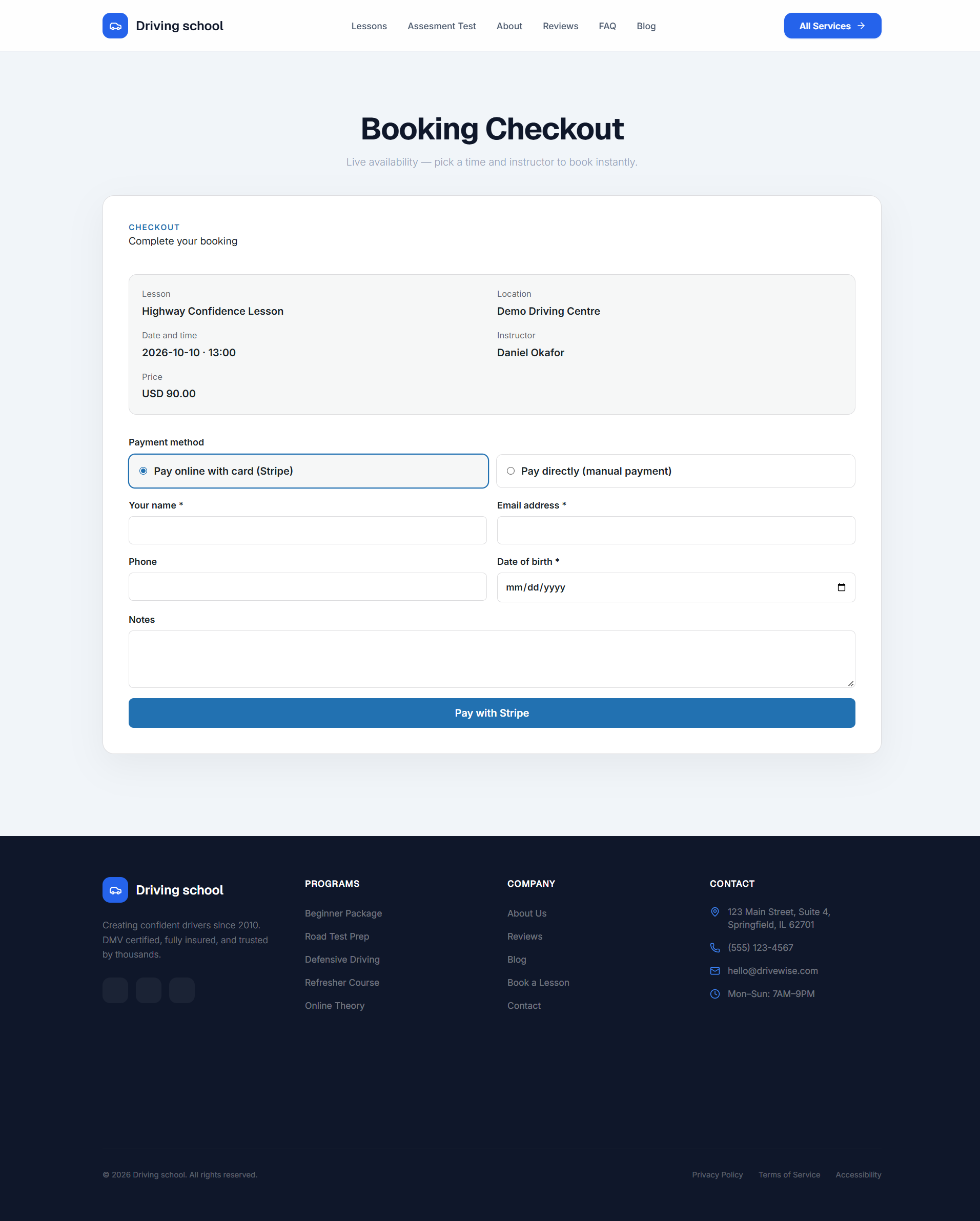
Booking checkout
A dedicated checkout page summarises the lesson, location, date and time, instructor, and price, then offers the payment methods you enabled.
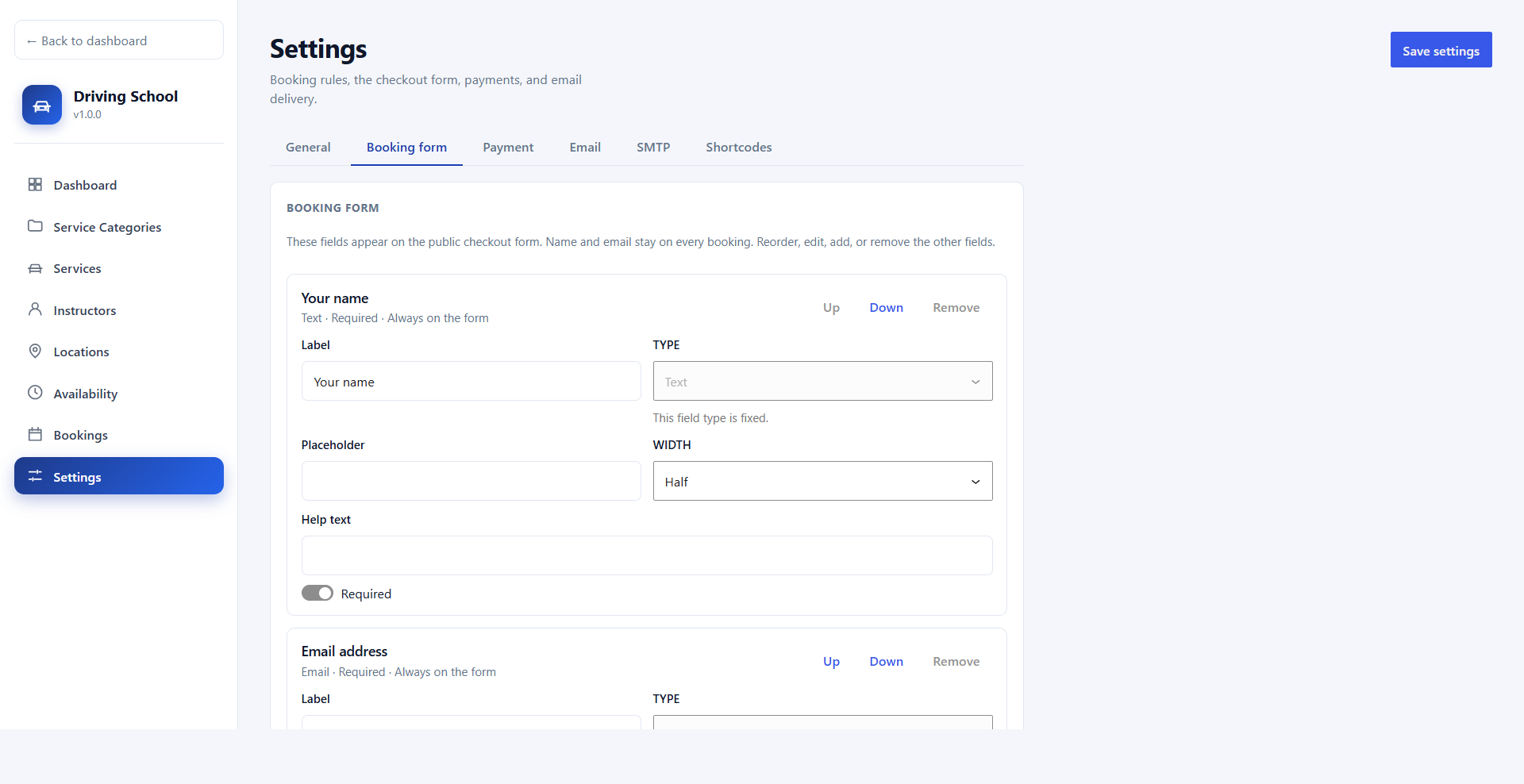
- Name and email are always collected. Extra fields come from the booking form builder.
- Logged-out students can log in or create an account when customer accounts are on.
- Shortcode:
[ldsms_checkout].
Admin
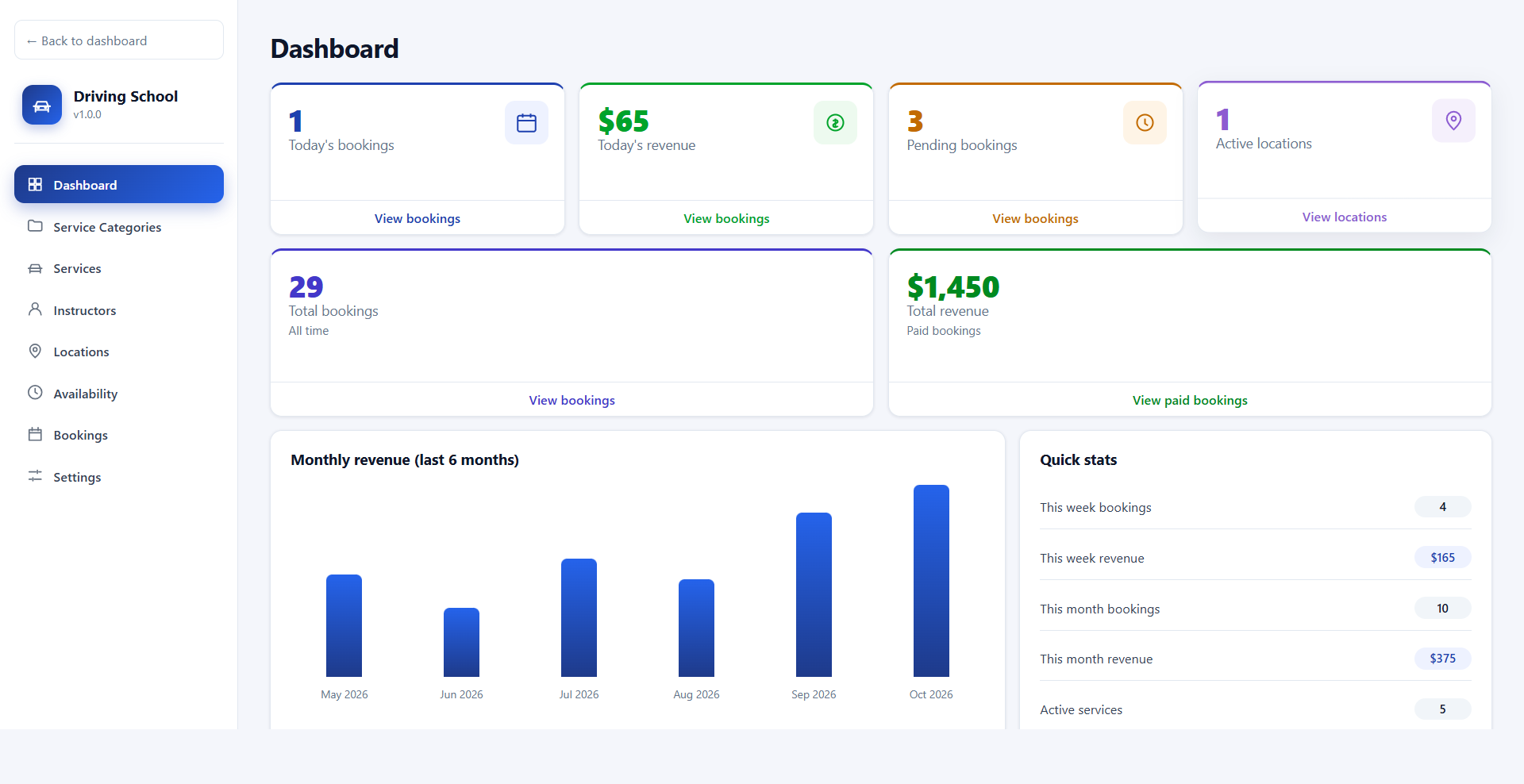
Dashboard
Today's bookings and revenue, pending bookings, active locations and services, all-time totals, this week and this month, and a 6-month revenue chart.
- Upcoming and recent bookings link straight to the matching lists.
- Import demo data on a fresh install, or import sample bookings until the first paid booking.
Bookings
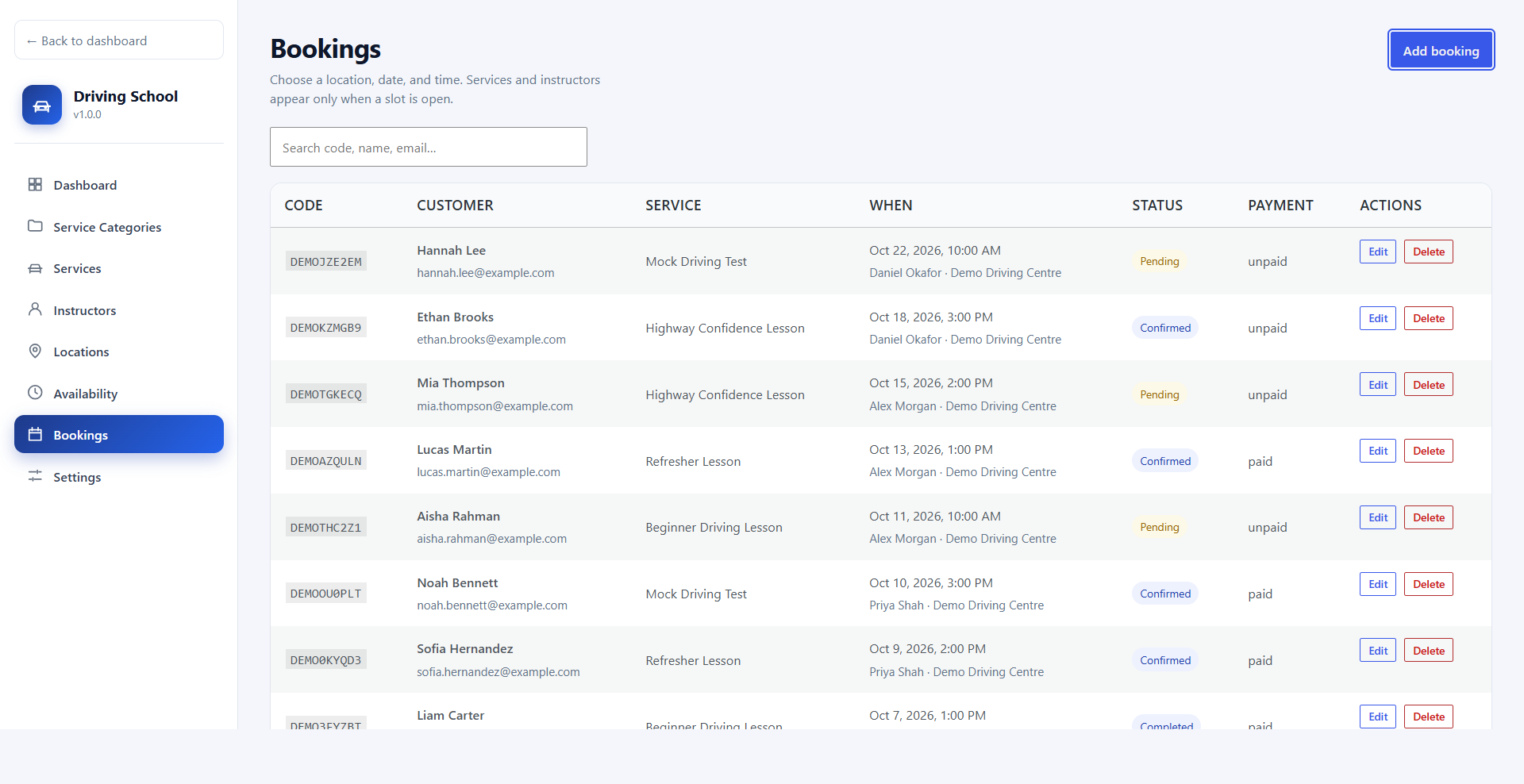
Bookings list
Search by code, name, or email, and filter by booking or payment status.
- Statuses: pending, confirmed, completed, cancelled.
- Payment: unpaid, paid, refunded, failed.
- Reschedule a pending or confirmed booking to a new date, time, location, or instructor. Only free slots are accepted, and the instructor is emailed.
Bookings
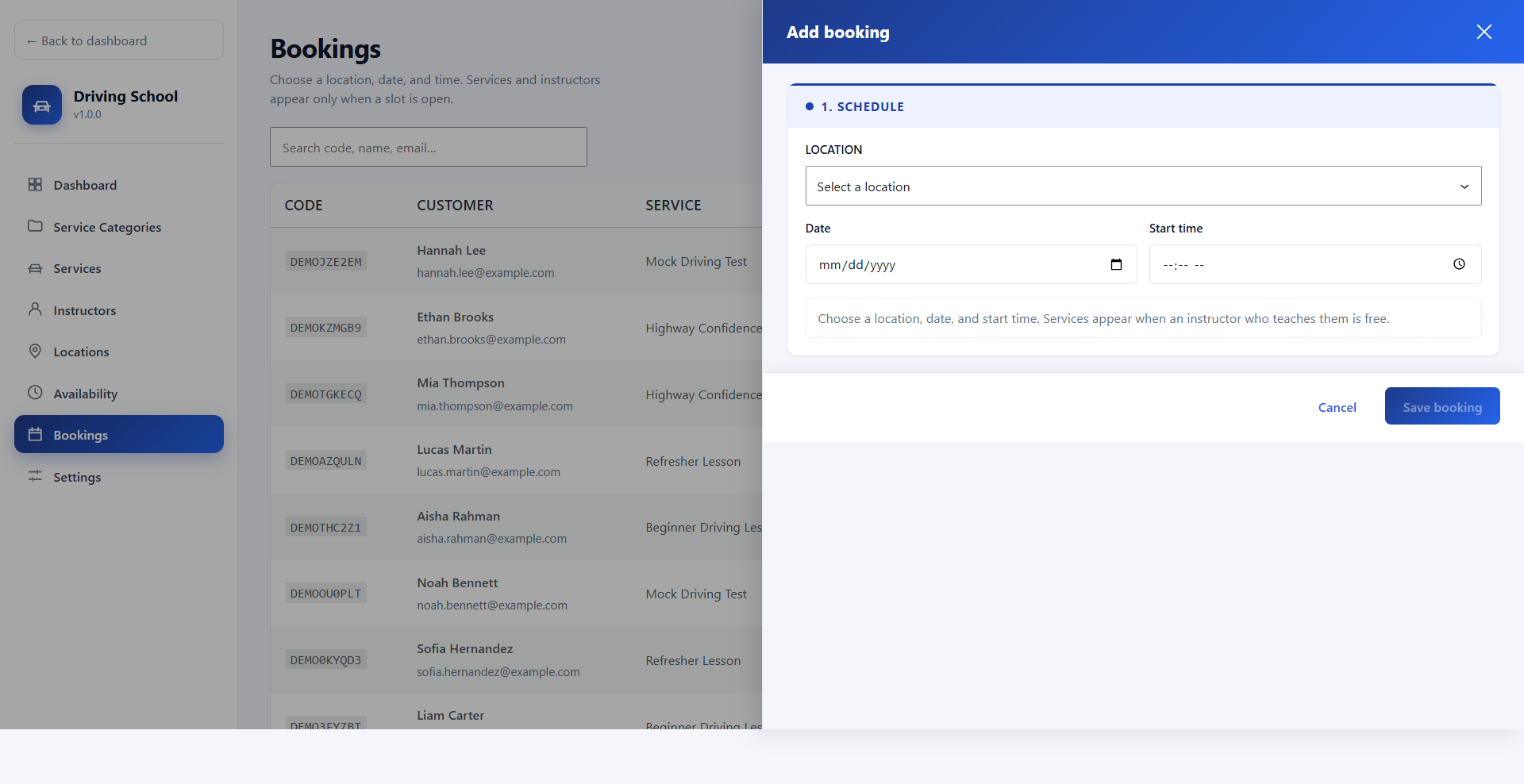
Phone and walk-in bookings
Staff create a booking from the admin. Services appear only when an instructor who teaches them is free.
- The same live slot check used on the website.
- Notes and payment status can be updated after the lesson.
Catalogue
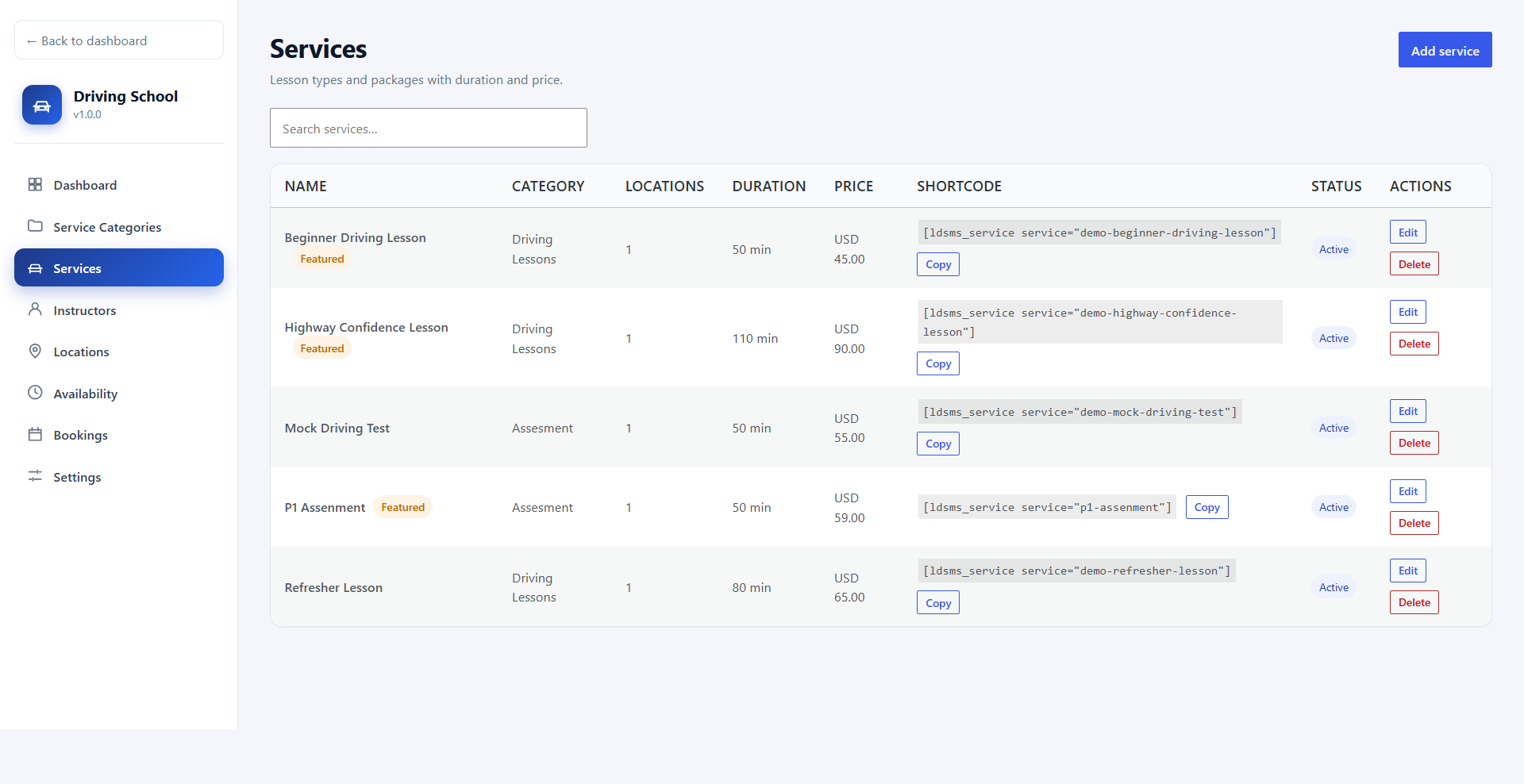
Services / lessons
Name, slug, description, feature list, duration, price, currency, category, featured flag, status, and the locations where the lesson is offered.
- Each service has a copyable shortcode.
- A lesson is offered only where you assign locations.
Catalogue
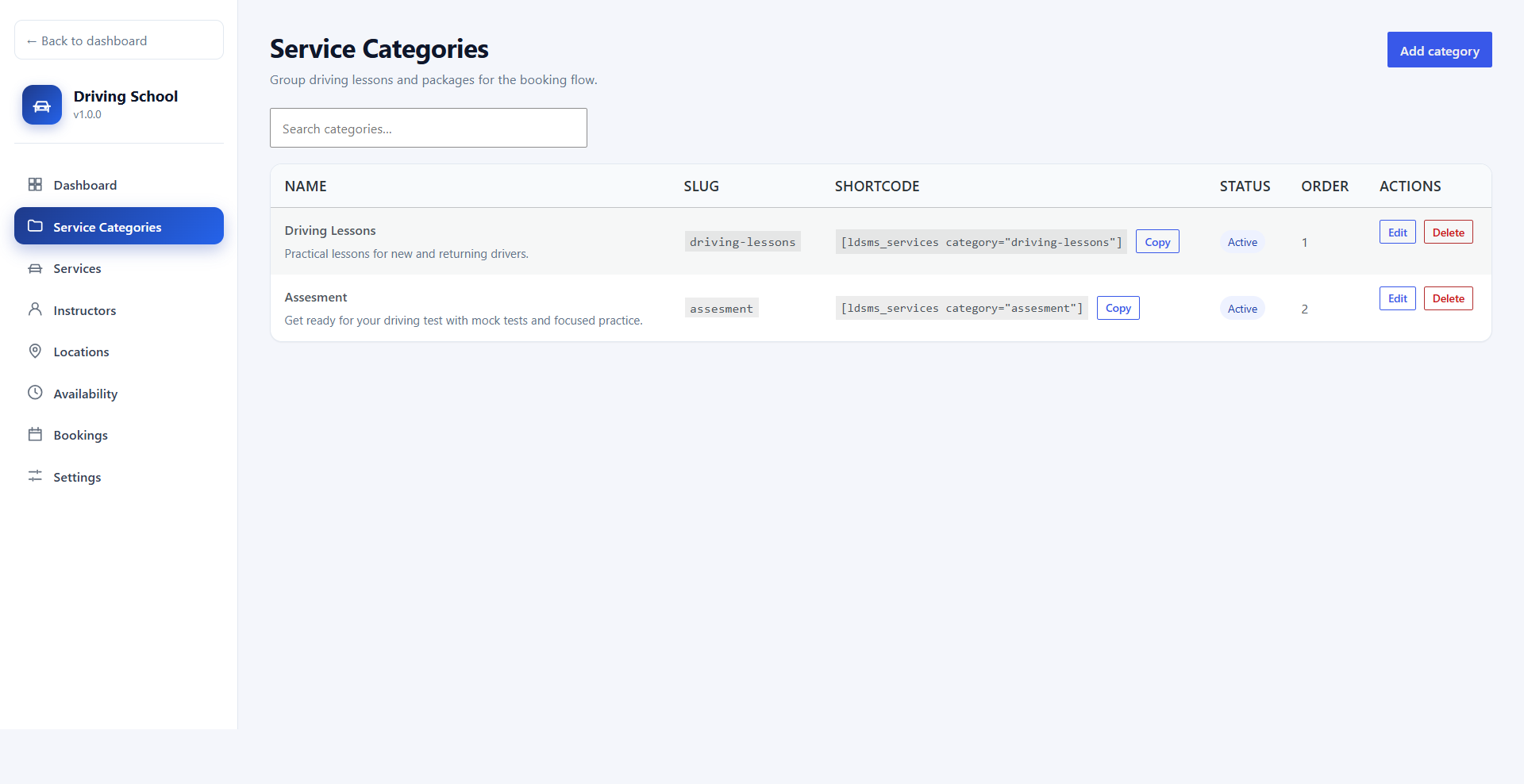
Service categories
Group lessons — for example Driving Lessons, Test Preparation, or Motorcycle Training — with a description, status, and sort order.
- Category shortcode:
[ldsms_services category="your-slug"].
- Copy button on every category.
Staff
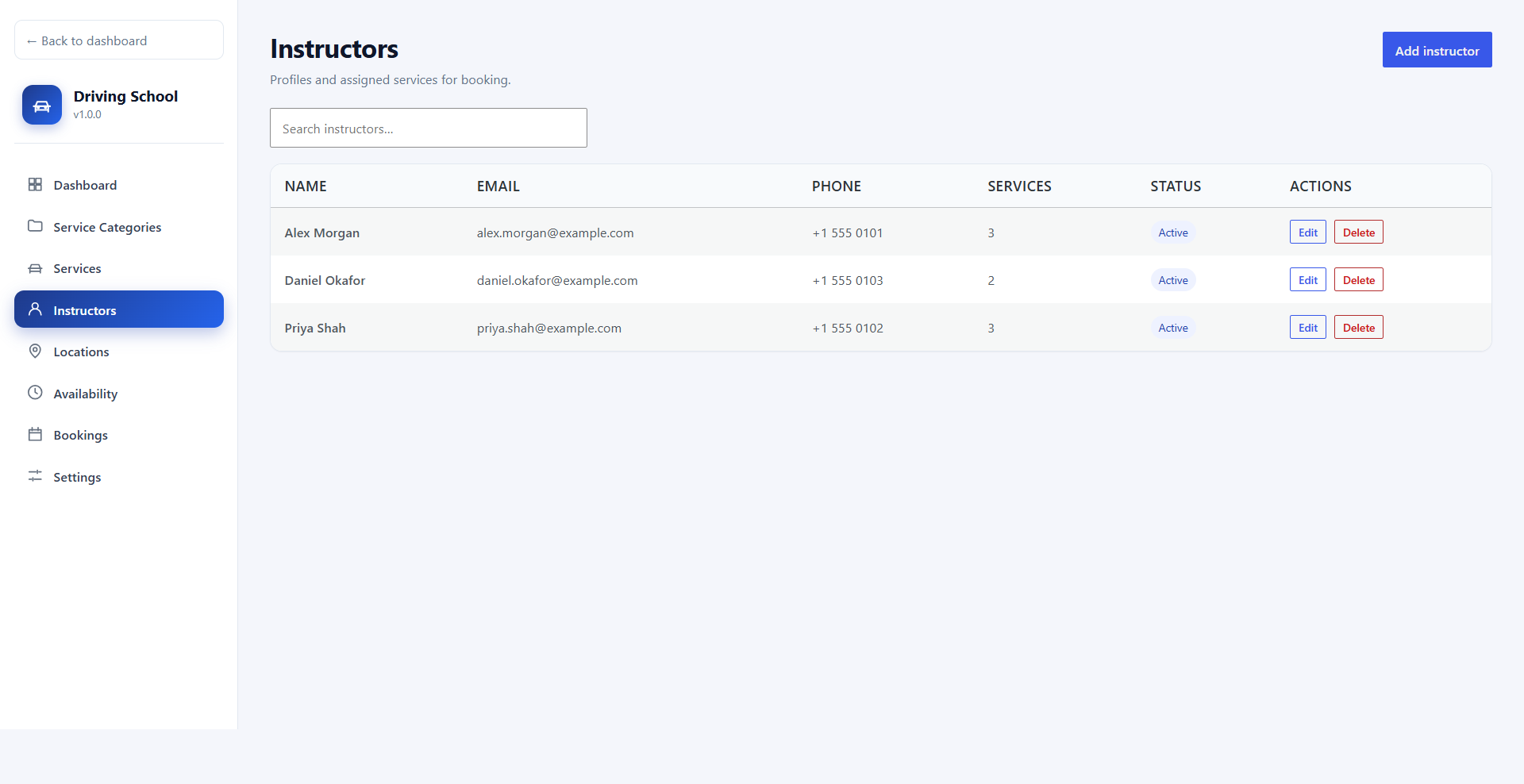
Instructors
Profile, email, phone, bio, status, and the services each instructor teaches.
- Only instructors who teach the chosen lesson are offered at booking time.
- Pro adds a commission rate on this same editor.
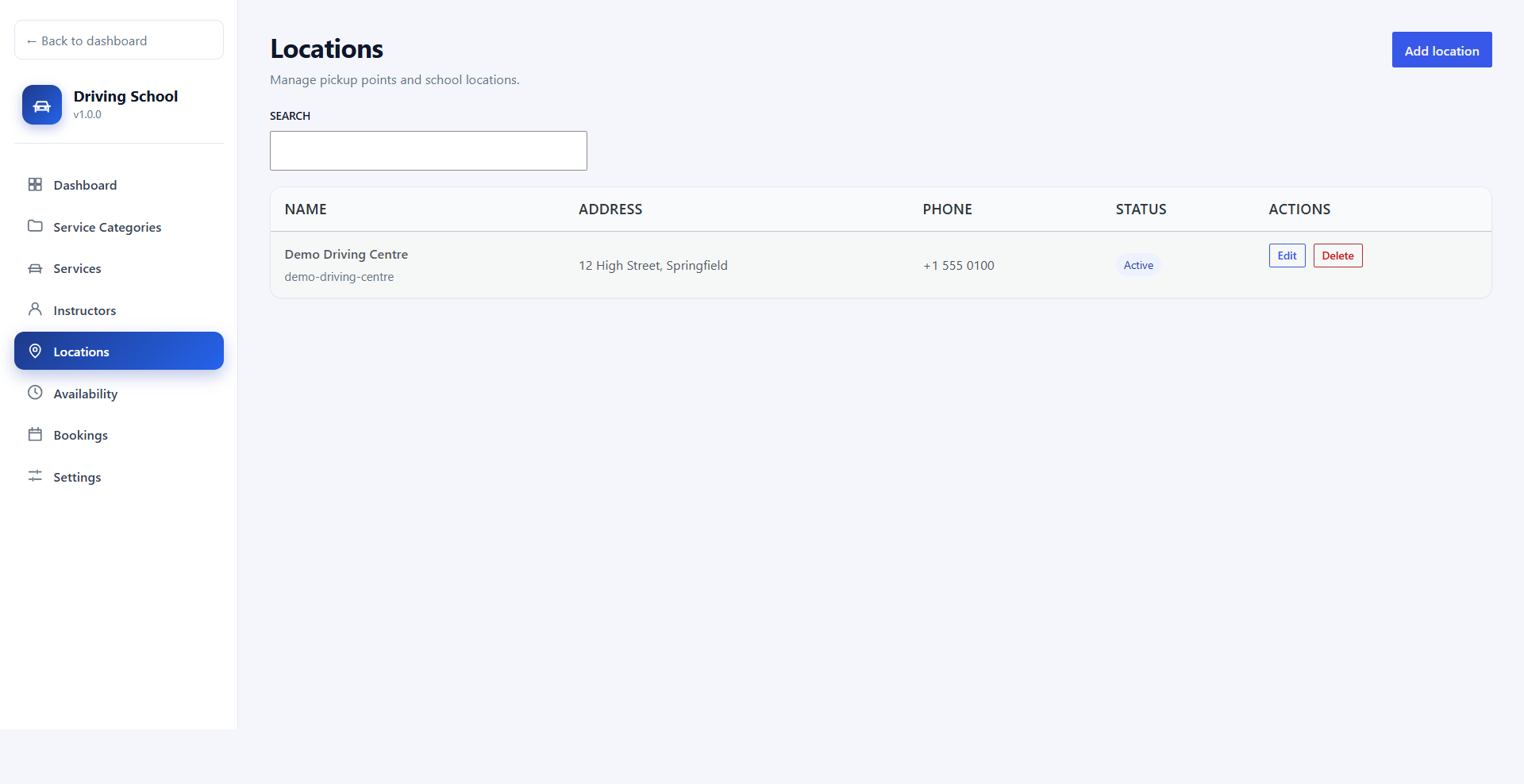
Locations
Training locations
Address, city, state, postcode, phone, description, status, and sort order for every centre or pickup point.
- Each lesson can be offered at one or more locations.
- Students choose the location before they see times.
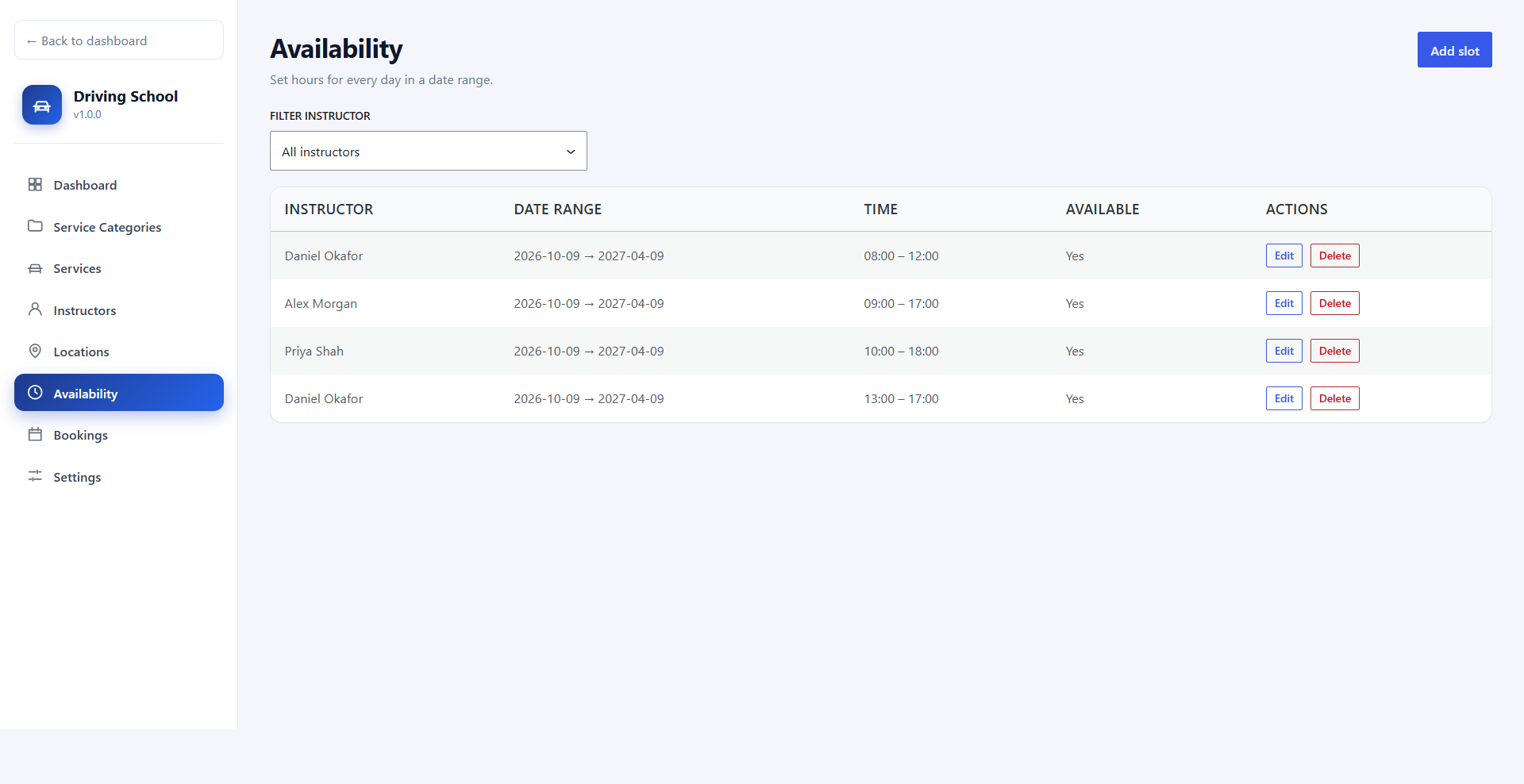
Scheduling
Instructor availability
Date ranges with daily working hours. Filter the list by instructor.
- Multiple time ranges per day for split shifts.
- Blocked ranges for breaks or time off, with overlap protection.
- Times use the WordPress site time zone.
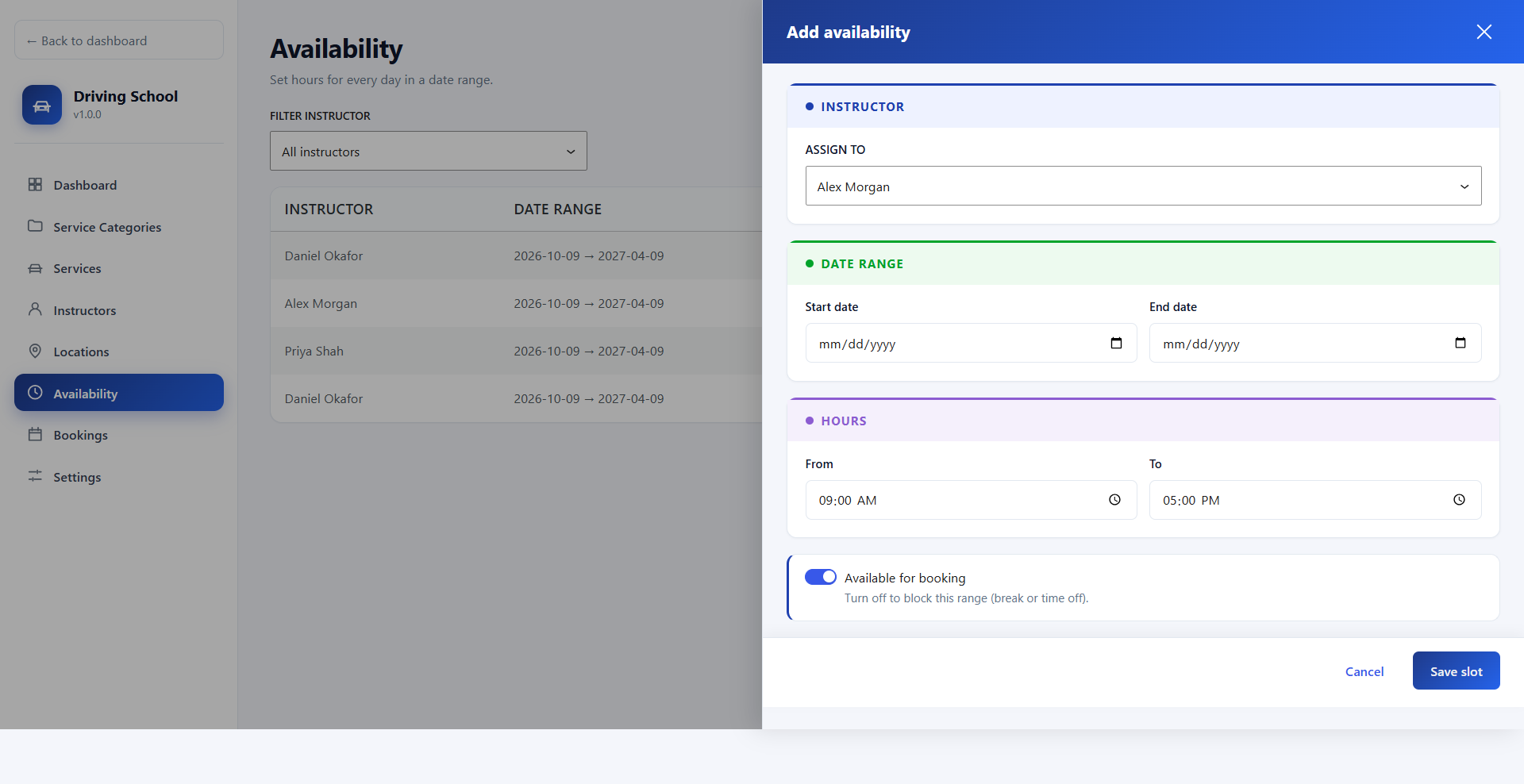
Scheduling
Add or block a range
Choose the instructor, the date range, and the hours, or block the range for time off.
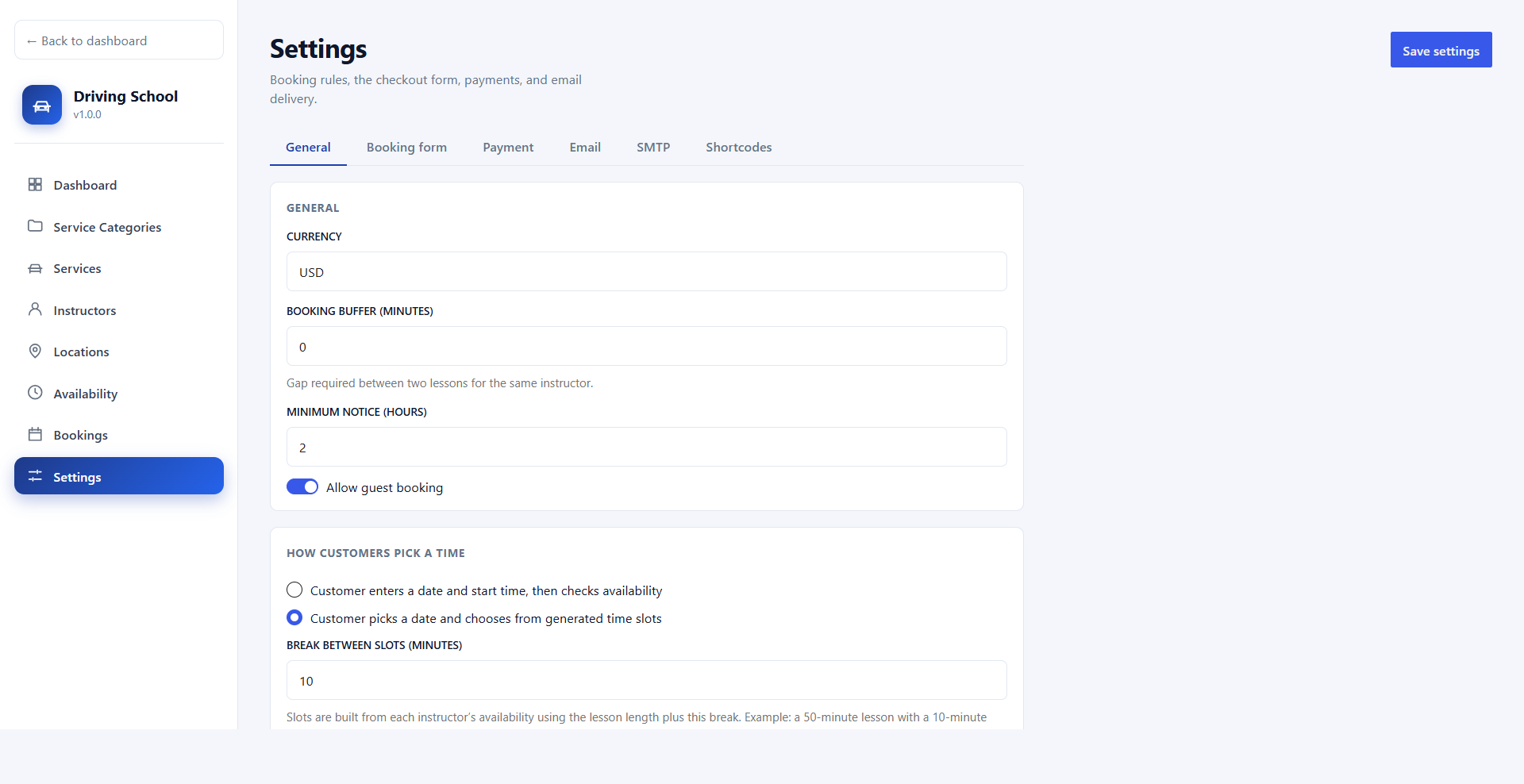
- Buffer time between two lessons for the same instructor.
- Minimum notice stops last-minute bookings.
- Break between slots on the slot picker, for example a 50-minute lesson with a 10-minute break.
Settings
General settings
Currency, booking buffer, minimum notice, customer login, guest booking, and the booking flow.
- Turn on customer login and the plugin creates Login, Registration, and My Account pages.
- With accounts on, turning off guest booking requires login before checkout.
- Shortcodes:
[ldsms_login], [ldsms_register], [ldsms_account].
Payments
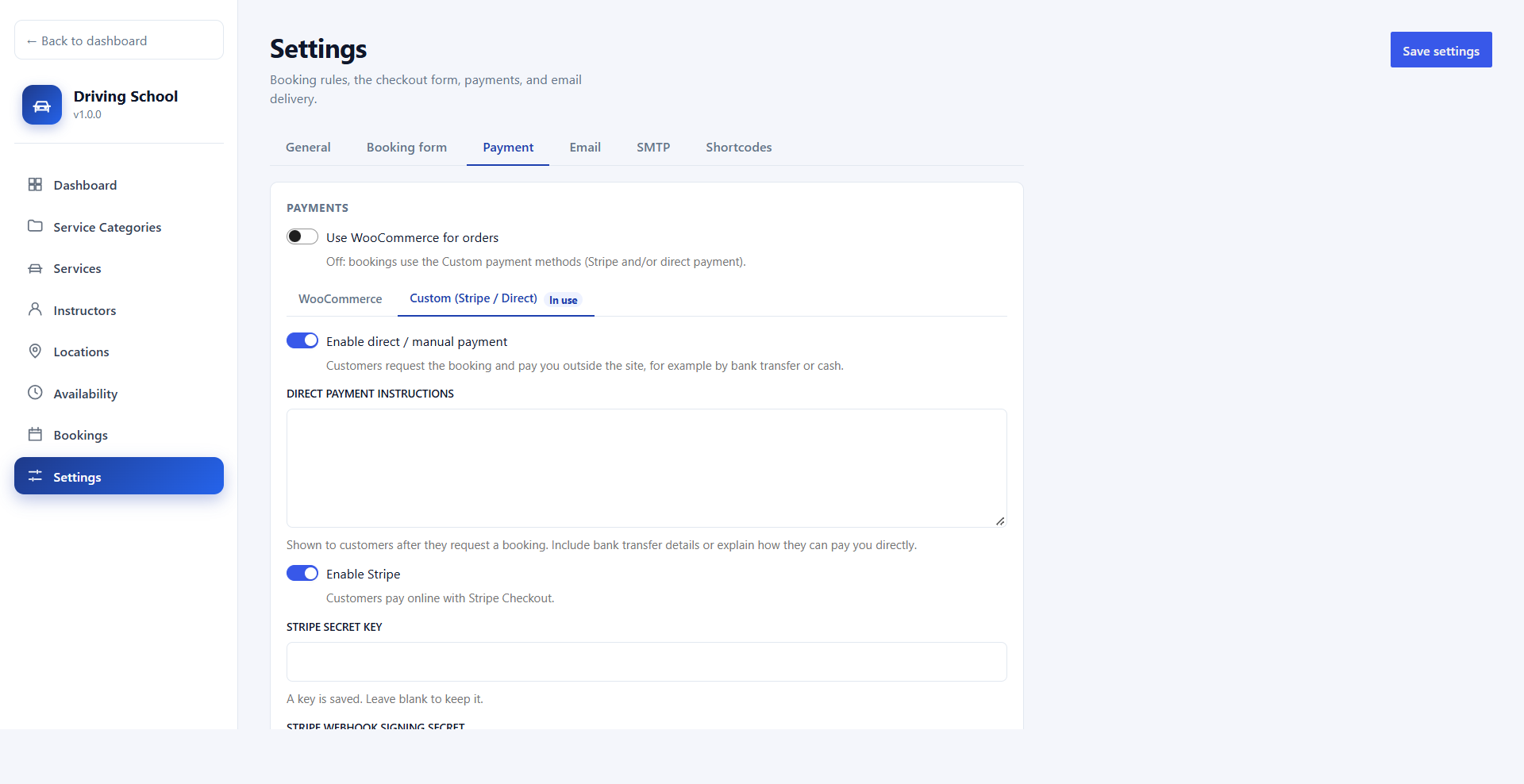
Stripe, WooCommerce, and direct payment
Offer Stripe Checkout and direct payment together and let students choose at checkout. Card details are entered on Stripe and never stored on your site.
- Stripe — Checkout Session, webhook confirmation, and automatic paid status.
- WooCommerce — any WooCommerce gateway. Order status, including refunds, syncs back to the booking.
- Direct — bank transfer or cash with your own instructions, then mark the booking paid in the admin.
Email
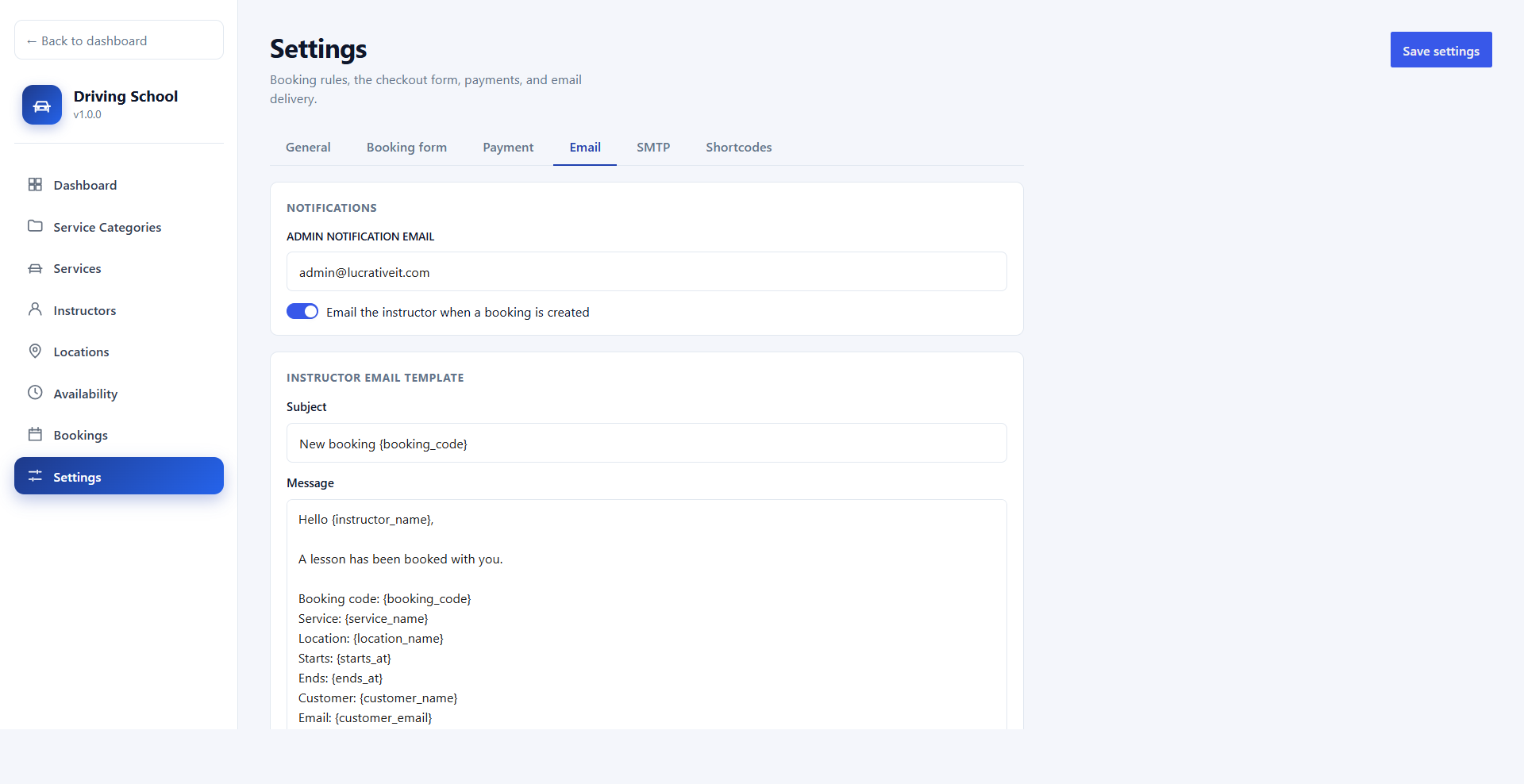
Instructor notifications
Instructors are emailed when a lesson is booked with them or rescheduled to them. The message can be turned off.
- Set the admin notification address.
- Editable subject and message with placeholders such as
{booking_code}, {starts_at}, {customer_name}, and {form_fields}.
Email
SMTP
Send booking mail through the SMTP server you choose, then send a test email.
- Host, port, encryption, username, password, from name, and from email.
- If SMTP is empty, WordPress sends the mail.
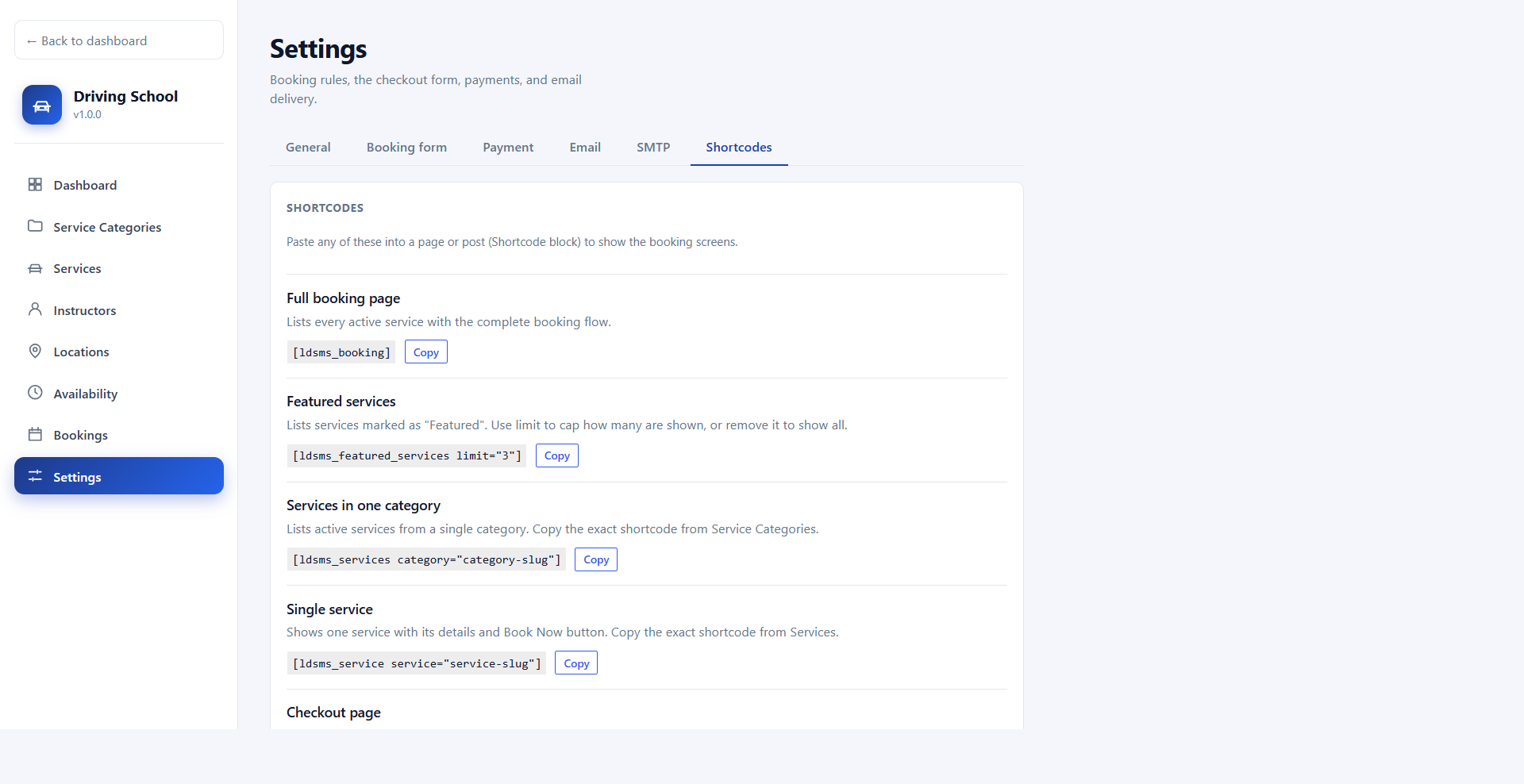
Shortcodes
Shortcodes with copy buttons
Settings → Shortcodes lists every booking screen. Each category and service also shows its own shortcode.
[ldsms_booking], [ldsms_checkout], [ldsms_account], and the login and registration forms.- My Account lists the logged-in student's lessons with date, location, instructor, booking status, and payment status.
Pro add-on
Install LucrativeIT Driving School Pro next to the free plugin (1.3.0 or newer). These features are not in the free plugin.
Pro
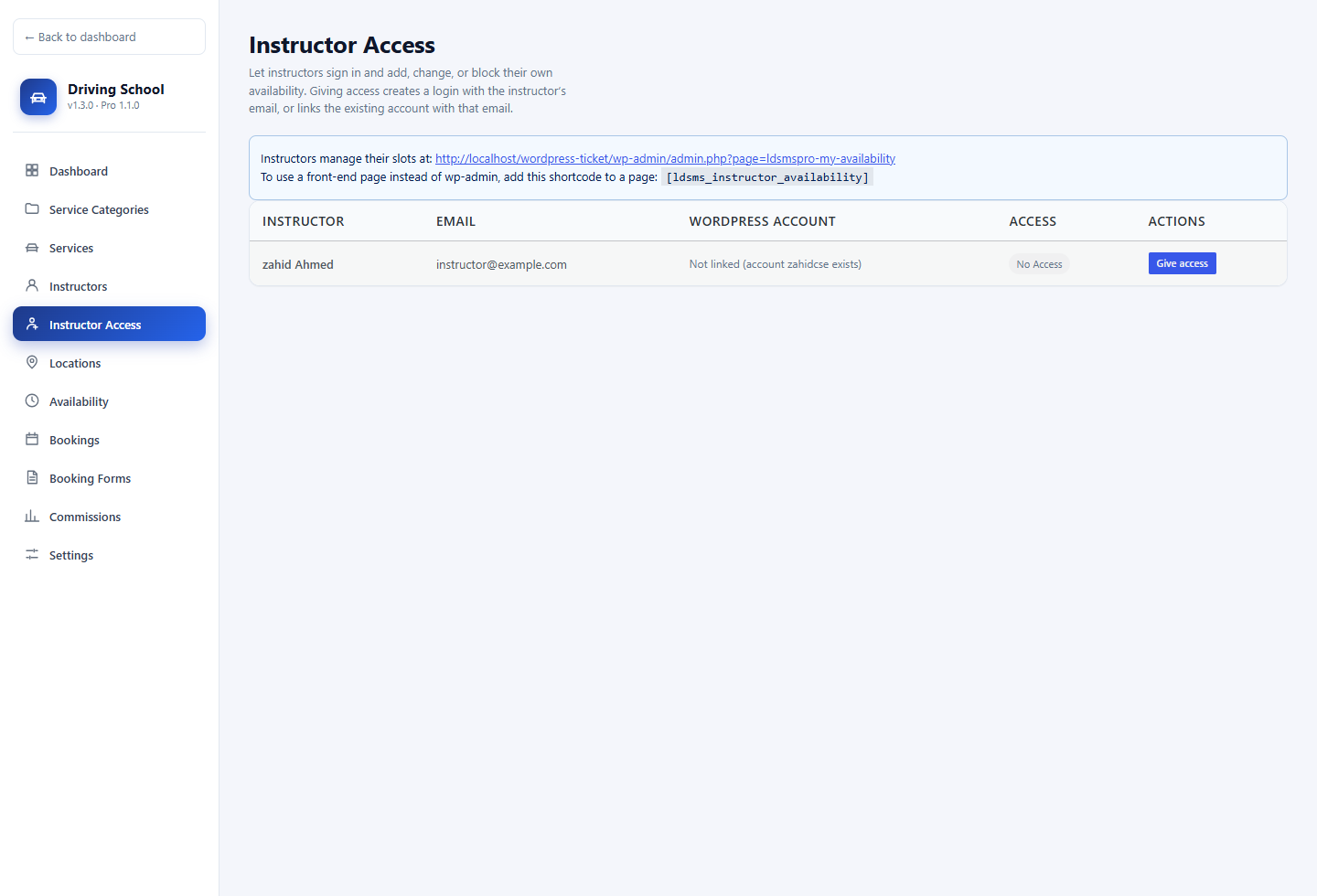
Instructor Access
Give an instructor a login from Driving School → Instructor Access. Giving access creates an account with their email, or links the WordPress user that already uses that email.
- They open My Lessons in wp-admin.
- Or any page with
[ldsms_instructor_availability].
Pro
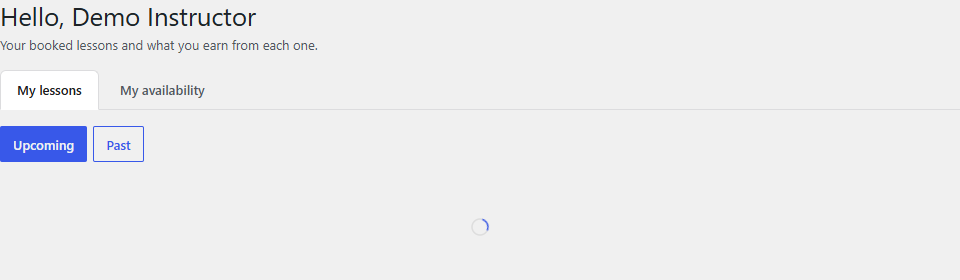
My Lessons
The instructor sees their booked lessons with student details and what they earn from each one. The lesson price is not shown.
- Upcoming and past lessons.
- Upcoming earnings and this month's earnings.
- The same screen is available on the front end with the instructor shortcode.
Pro
Instructor availability
On My availability, the instructor adds, edits, and deletes their own date ranges and hours. Students can book only inside those hours.
- Shortcode:
[ldsms_instructor_availability].
- Signed-out visitors see a login form.
Pro
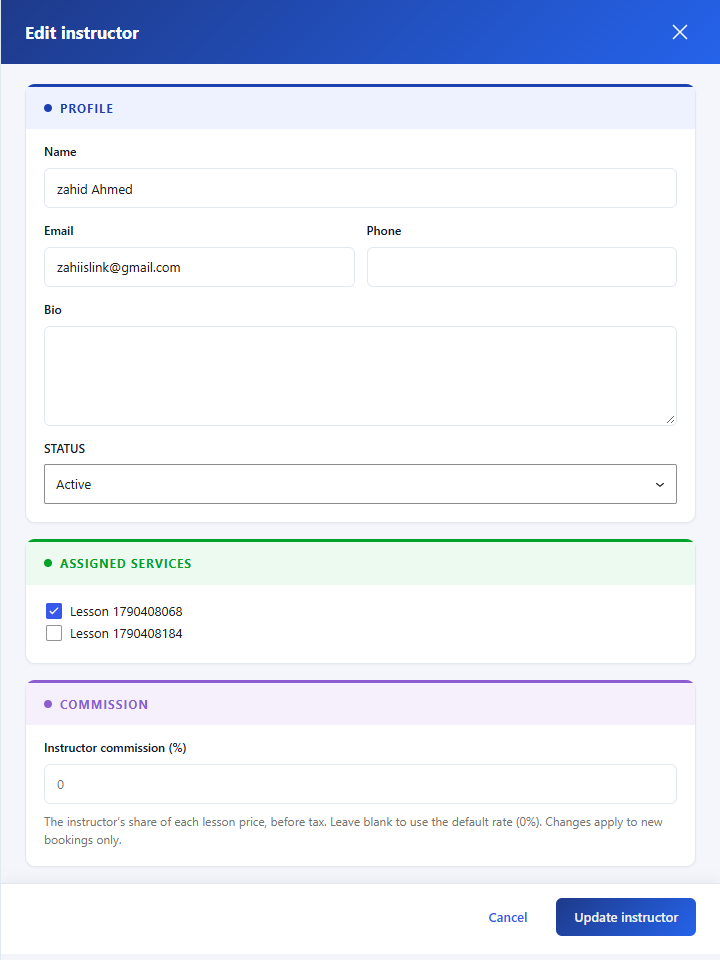
Commission on the instructor
Set that instructor's share of the lesson price, before tax. Leave it blank to use the default rate.
- Changes apply to new bookings only.
- Each booking keeps the rate that was in force when it was made.
Pro
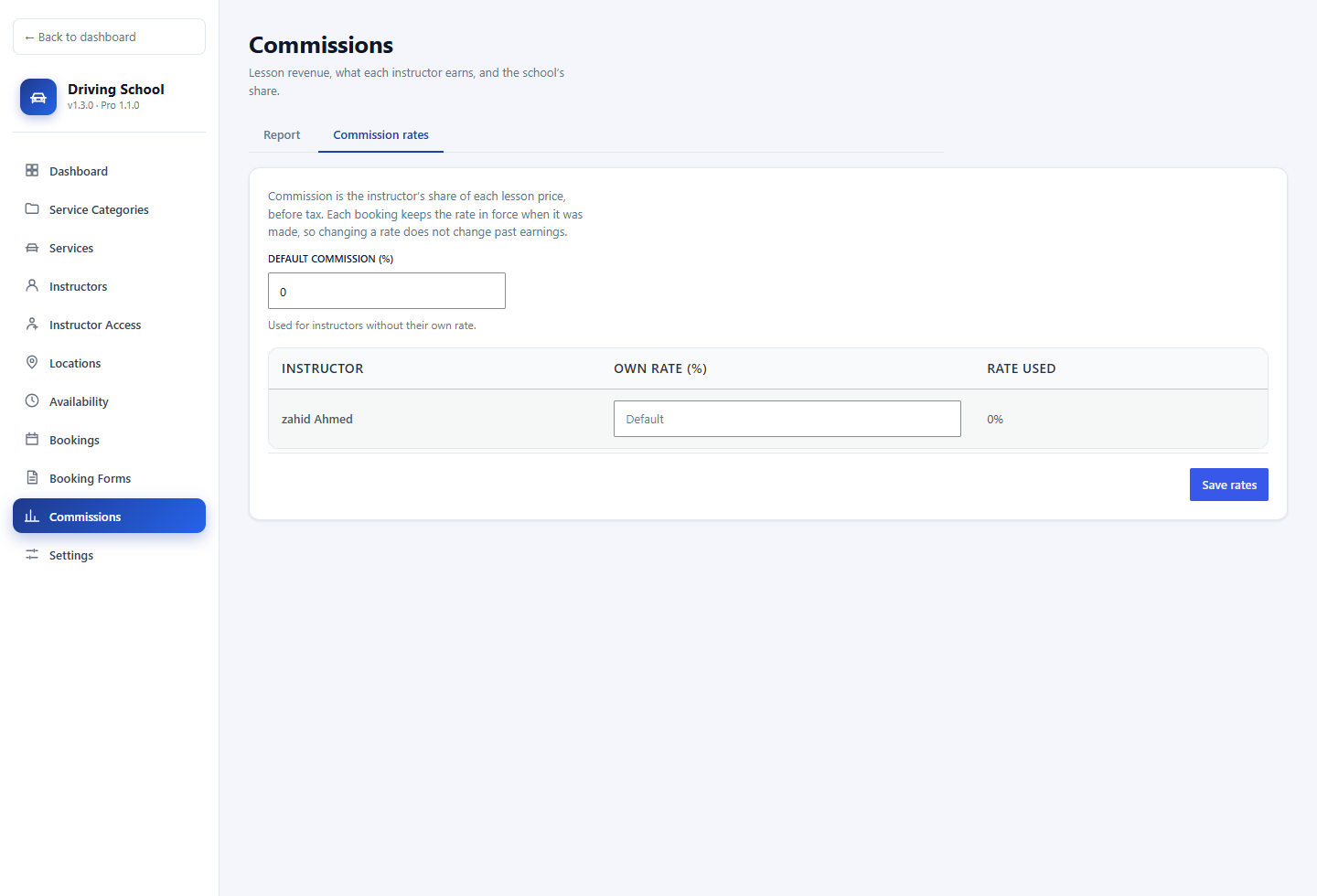
Commission rates
Driving School → Commissions → Commission rates. One default rate, plus an optional rate for each instructor.
- The rate is a percentage from 0 to 100.
- The table shows the rate that will be used for the next booking.
Pro
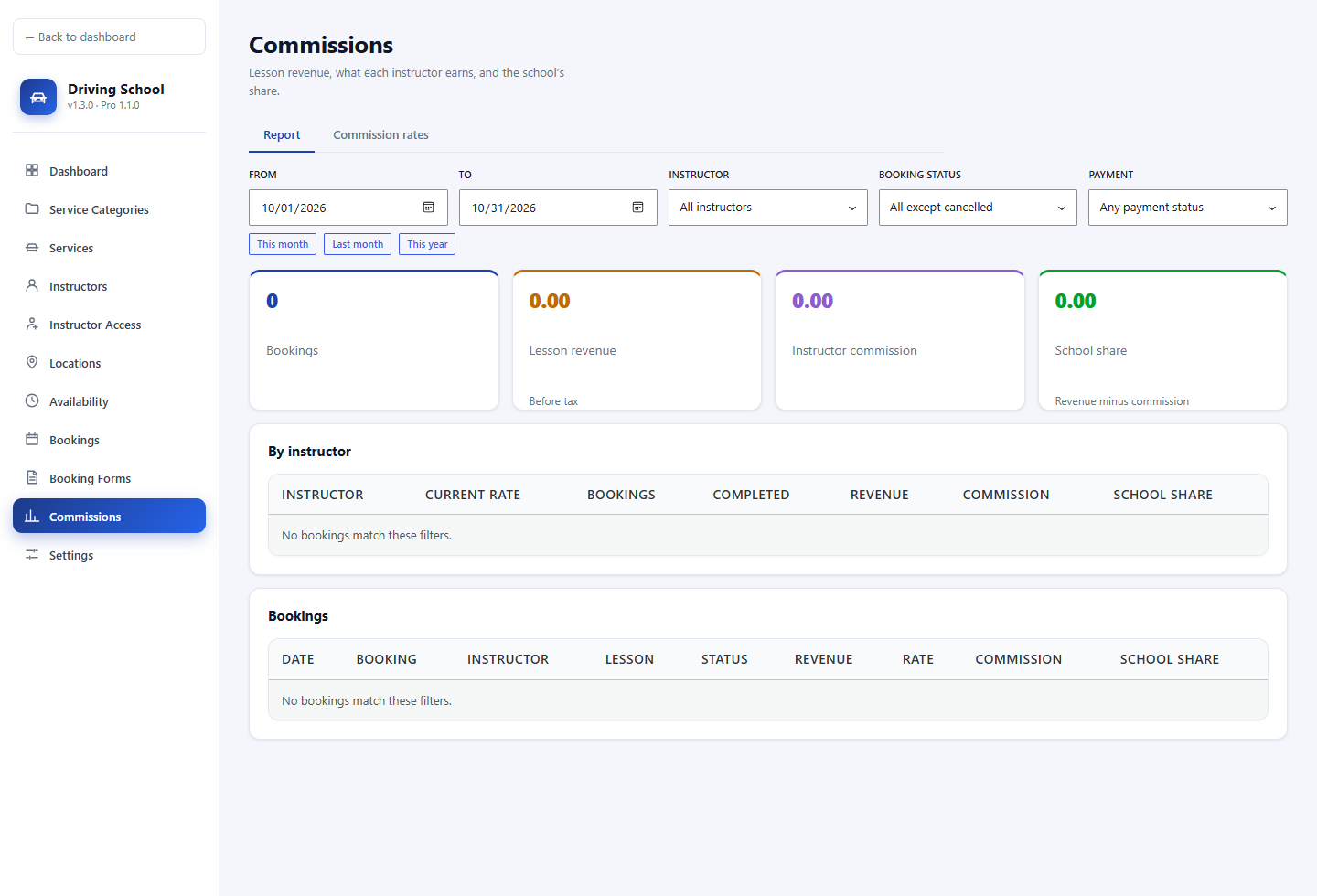
Commission report
Lesson revenue, instructor commission, and the school's share, per instructor and per booking.
- Filter by dates, instructor, booking status, and payment status.
- Shortcuts for this month, last month, and this year.
- Download CSV.
Pro
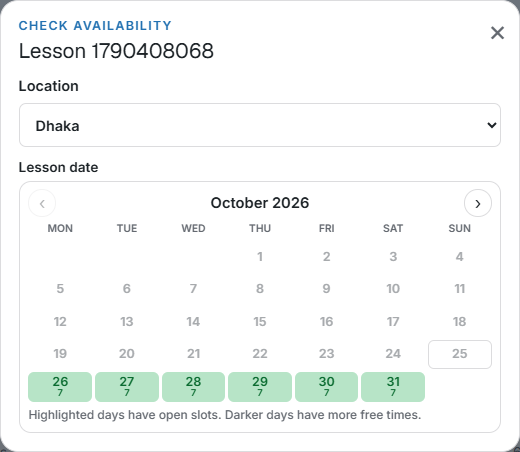
Calendar of available dates
In Settings → General, under “How customers pick a time”, turn on Calendar of available dates. The booking form shows a month calendar instead of a date box.
- Days with open slots are highlighted. Darker days have more free times.
- Days with no slots cannot be selected.
Pro
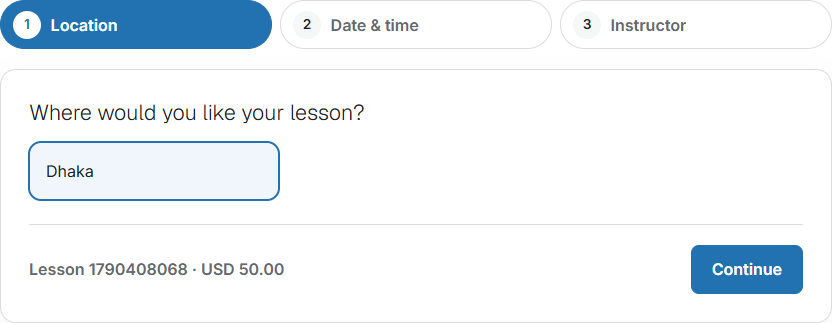
Booking wizard — location
Add [ldsms_booking_wizard] for a separate step-by-step flow. Step 1 is the location and the lesson.
service="lesson-slug" fixes the lesson.location="location-slug-or-id" preselects a location.- Checkout is the normal free-plugin checkout.
Pro
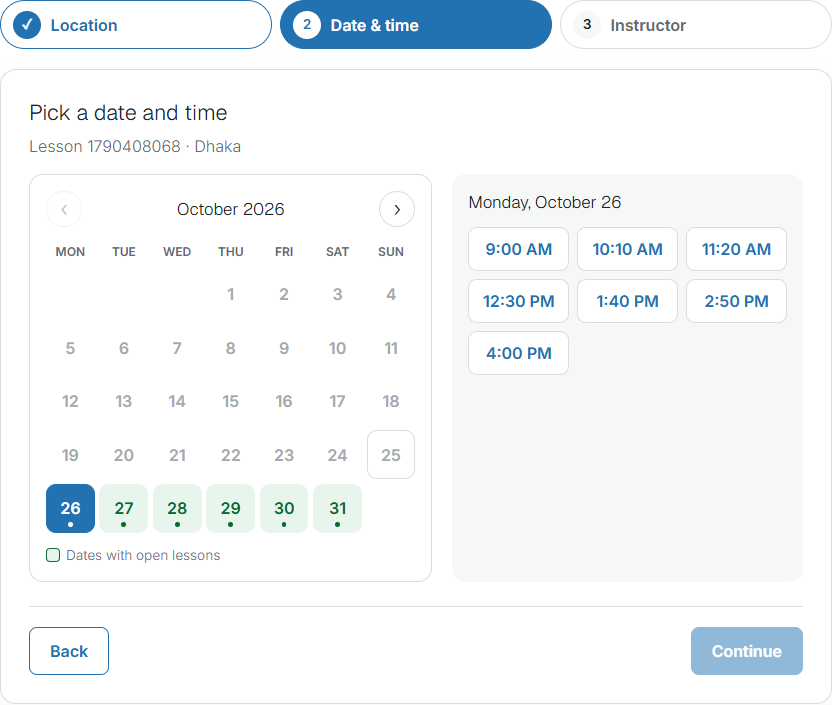
Booking wizard — date and time
A month calendar highlights days with open lessons. The student picks a highlighted day, then a free start time.
- Days with no slots stay disabled.
- Times respect instructor hours and existing bookings.
Pro
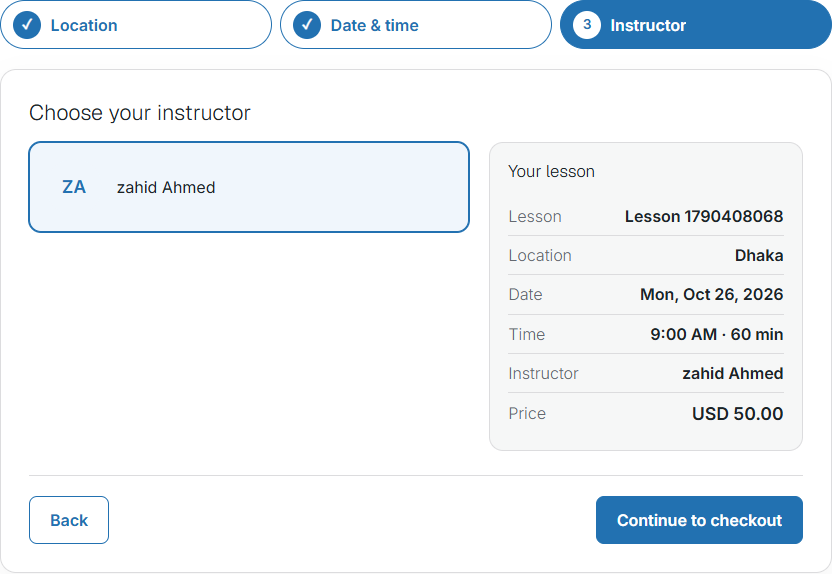
Booking wizard — instructor
The student chooses an instructor who is free for that slot, reviews the lesson summary, and continues to checkout.
- Summary shows lesson, location, date, time, instructor, and price.
- Payment and the booking form stay on the normal checkout page.
Pro
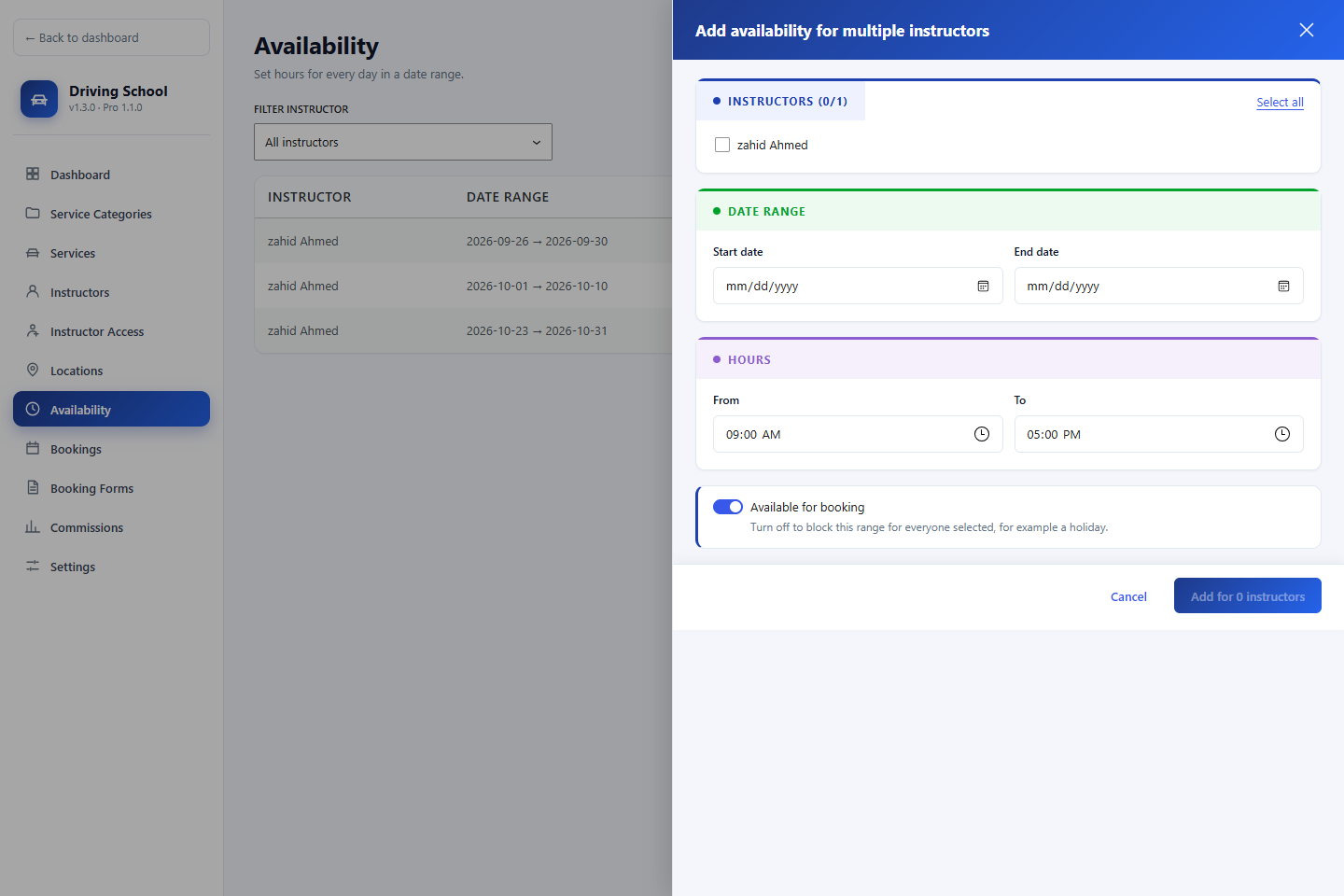
Bulk slots
On Driving School → Availability, use Add for multiple instructors to create the same date range and hours for several instructors at once.
- Instructors whose existing slots overlap are skipped and listed.
- Turn availability off to block the range for everyone selected, for example a holiday.
Frequently Asked Questions
Common questions about the free plugin and the Pro add-on.
Is this only for driving schools?
It is designed for driving schools and driving instructors. It also fits any lesson business that books a customer with a staff member at a location, such as motorcycle training or tutoring.
Can students book without an account?
Yes. Guest booking is on by default. Turn on customer login to add Login, Registration, and My Account. With accounts on, turning off guest booking requires login before checkout.
Which payment methods are supported?
Stripe Checkout, WooCommerce with any WooCommerce gateway, and direct or manual payment with your own instructions. Stripe and direct payment can be offered together. Card details are entered on Stripe, not stored on your site.
How are instructors assigned?
Only instructors who teach the chosen service, are available for its full length, and have no conflicting booking are offered. The student picks one. Buffer time and minimum notice are applied first.
Can staff reschedule a booking?
Yes. In Bookings, use Reschedule on a pending or confirmed booking. The new slot is checked live, and the instructor is emailed.
What does the Pro add-on include?
Instructor portal and earnings, commissions and a commission report, a calendar of available dates, the booking wizard ([ldsms_booking_wizard]), bulk availability for several instructors, and multiple booking forms. Pro requires the free plugin 1.3.0 or newer. These features are not part of the free plugin.
Does Pro change the free plugin's data if I turn it off?
Deactivating Pro hides the Pro screens and shortcodes. Lessons, bookings, instructors, and payments created by the free plugin stay in place.
What are the server requirements?
WordPress 6.4+ (Pro requires 6.5+) and PHP 8.0+. Both plugins are GPL-2.0-or-later. Compiled assets ship in build/, so the site does not need Node.js.