Gym
WordPress Theme
WPBillify is a modern, responsive WordPress theme designed for membership and subscription-based websites. Perfect for gyms, online coaching, internet service providers, and businesses offering recurring plans, memberships, and services. Build professional pricing pages, subscription-focused landing pages, and modern business websites with ease.
Download nowLive previews
1 domain
Lifetime license
Multiple domains
Lifetime license
A native full-site editing theme for subscription and recurring-billing sites. Ships ready-made gym, online coaching, and internet-service homepages — no page builder, no webfonts, no extra scripts — designed to pair with Lucrativeit Subscription & Recurring Billing.
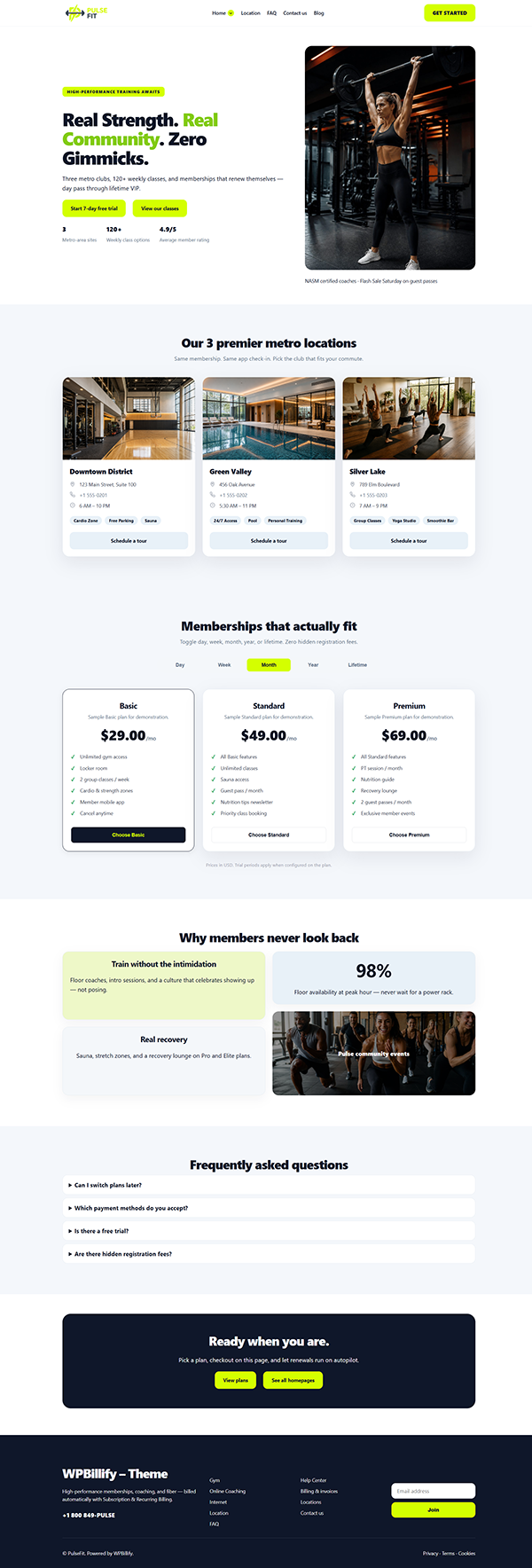
Hero, locations, plans, features, FAQ
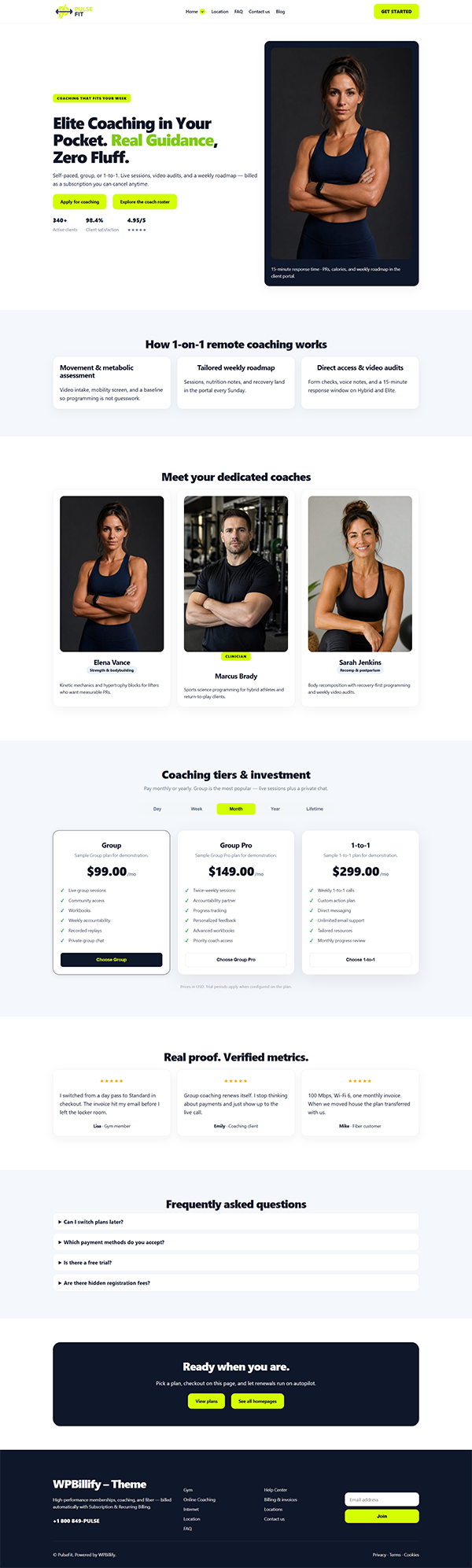
Roster, process, plans, testimonials
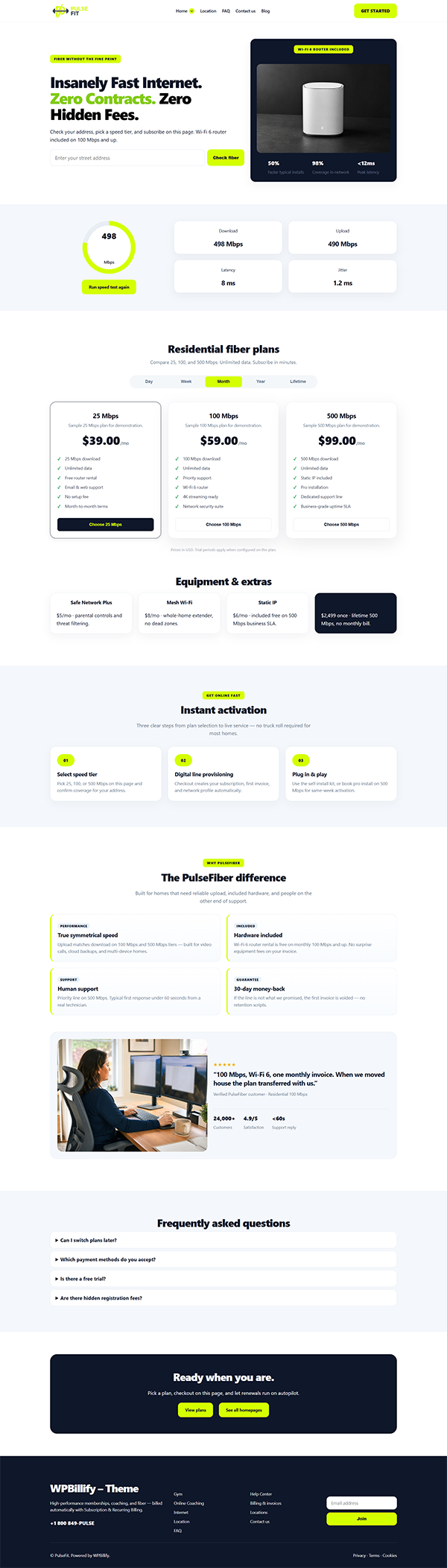
Address check, speed, fiber plans
Logo, Primary menu, Get Started
Header, footer, colors, blog, heroes
Plugin shortcodes or sample cards
Subscribe without leaving the page
Gym, Coaching, and Internet palettes
Full pages and reusable sections
Footer signup stored in Theme settings
One-click install onto Contact us
System fonts, no page builder
WPBillify is a WordPress 6.7+ block theme. Header, footer, templates, and pages are edited with core blocks. It does not load a page builder, Google Fonts, or extra front-end libraries.
-apple-system stack; fluid type from theme.json.#D4FF00 on navy, with a bundled logo seeded on first load.wpbillify.The default front page is the Gym layout (wpbillify/page-home-gym). It is created on theme activation and assigned under Settings → Reading.
A full-page pattern for remote coaching programs. Switch the front page to Online Coaching, or keep it as a separate landing page.
online-coaching.PulseFiber layout for fiber and broadband plans. Visitors check an address, pick a speed tier, and subscribe on the same page.
internet-isp.Plan patterns call the Lucrativeit billing plugin when it is active. If the plugin is off, or a category has no plans yet, the theme still renders styled sample cards so the layout never looks empty.
[lucrsure_plans category="gym-membership"]online-coachinginternet-ispThe Locations pattern renders [lucrsure_locations] when Subscription & Recurring Billing is active. Branch photos are edited in the plugin (Branches), not in the theme.
Choosing a plan opens the plugin checkout inside a theme dialog instead of jumping to another page. Escape, overlay click, or Close returns to the plans grid.
#plans, #locations, #faq, #coaches, and #coverage.Manage the site-wide header from WPBillify Theme settings → Header, not the Site Editor. Saving this tab resets Site Editor overrides of the header part so the theme pattern stays in charge.
#plans).Theme settings → Colors & fonts controls the PulseFit palette and type scale site-wide. Reset restores the default lime / navy values.
Switch palettes under Appearance → Editor → Styles. Each variation retints the theme.json palette for that business without changing layout.
Insert from the block inserter → Patterns. Categories: WPBillify pages (full layouts) and WPBillify (heroes, pricing, sections).
On activation the theme publishes a working site: pages, a Primary menu, and Reading settings. Editors replace copy and images — they do not start from a blank canvas.
Theme settings → Blog page controls the title, short description, and hero image above the post grid. Assign the posts page under Settings → Reading.
Standard pages (Contact, Privacy, Terms, Cookies) can show a title banner. Homepage templates keep their own heroes and are not affected.
The Contact pattern is a two-column layout: studio details on the left, form on the right. Required plugins setup installs Contact Form 7 from WordPress.org, creates a form, and inserts it on Contact us.
The footer form posts to admin-post.php, validates the email, and stores it in a theme option (no custom post type). Signups appear under Theme settings → Newsletter.
#newsletter.Theme settings → Required plugins installs and activates the two WordPress.org plugins that make the demo fully workable. Either step can be skipped and completed later.
The theme still loads without them — plans stay as samples and the contact form will not submit.
Theme settings → Documentation is a sidebar guide for editors. Topics link to the matching settings tabs and to Pages / Menus / Reading.
WPBillify is a WordPress block theme. Pair it with Lucrativeit Subscription & Recurring Billing for live checkout.
No. WPBillify is a native full-site editing theme. Edit pages and patterns in the block editor. Header and footer are managed from Theme settings so those parts stay consistent site-wide.
Yes. Homepages still show sample plan and location cards. Checkout and live intervals require Lucrativeit Subscription & Recurring Billing. Install it from Theme settings → Required plugins, then import the Gym, Online Coaching, and Internet demo categories.
All three pages are created on activation. Set the front page under Settings → Reading. Optionally apply the matching style variation under Appearance → Editor → Styles (Gym, Coaching, or Internet).
WPBillify Theme settings → Header. Upload the logo, set width, optionally show the site title, and set the CTA label/URL. Edit navigation under Appearance → Menus (Primary). Prefer Theme settings over the Site Editor for header and footer.
When the billing plugin is active, choosing a plan opens checkout in a modal. The visitor stays on the homepage. Closing the dialog returns to the plans section. Gateways (Stripe, PayPal, Razorpay, SSLCommerz, invoices) are configured in the plugin, not the theme.
Open Theme settings → Required plugins and install Contact Form 7. The theme creates a form and inserts it on the Contact us page. You can edit fields later under Contact → Contact Forms.
In a theme option, listed under Theme settings → Newsletter. There is no custom post type. Remove addresses from that table. Hide the form from the Footer tab if you do not need signups.
WordPress 6.7 or later, PHP 7.4+, tested up to WordPress 6.8. License: GNU GPL v2 or later. Text domain: wpbillify. Tags include full-site-editing, block-patterns, style-variations, e-commerce, and translation-ready.